Sensitive board documents demand secure, efficient tools. Email chains and shared drives fall short, exposing organizations to data leaks, regulatory fines, and reputational damage. Modern board management tools provide encryption, access controls, and audit trails to protect sensitive information while improving workflows. Here's a quick breakdown of the top tools:
- Board Intelligence: Secure UK-based storage, annotation features, and offline document access.
- Diligent Boards: Trusted by Fortune 500 companies, it offers AI-driven tools, FedRAMP encryption, and detailed audit trails.
- Dropbox Paper: Simple collaboration with version history, expiring links, and encryption.
- CryptPad: End-to-end encryption with zero-knowledge architecture for high privacy.
- Microsoft 365: Combines SharePoint, Teams, and Office apps with robust permissions and compliance tools.
Key features to look for: AES-256 encryption, multi-factor authentication, granular access controls, and compliance certifications like SOC 2 or ISO 27001. Choose a tool that balances security, usability, and your board's specific needs.
Why Security Matters in Board Document Management
Board documents are a prime target for cyberattacks. These materials - ranging from merger proposals to financial forecasts - are highly sensitive and, if leaked, can lead to catastrophic outcomes. Regulatory fines, derailed negotiations, and damaged investor confidence are just the tip of the iceberg. Kezia Farnham, Senior Manager at Diligent, explains:
In the wrong hands, [board] information could torpedo performance, damage the reputation of the board and the corporation and even introduce legal and regulatory consequences.
The regulatory environment is becoming stricter. The SEC now demands more transparency from boards regarding their risk management and cybersecurity policies. A failure to protect board data doesn’t just create operational headaches - it can lead to legal liabilities and mandatory breach disclosures. And with geopolitical tensions driving an increase in cyberattacks, secure document storage is no longer just an IT concern; it’s a cornerstone of corporate survival.
Despite these risks, many boards still rely on outdated and insecure methods, rather than tools for managing board members. Email threads lack access controls and audit trails. Physical board books can be easily lost or left unprotected. These vulnerabilities are amplified by the fact that only 51% of Fortune 100 board directors have cybersecurity expertise, and a mere 37% feel confident in their organization’s security measures. These gaps highlight the urgent need to address specific risks.
Common Security Risks in Board Collaboration
Unauthorized access is one of the most pressing threats. When directors use personal email accounts or unsecured devices, they create easy entry points for attackers. Alarmingly, 90% of passwords can be cracked in under six hours, making weak authentication a significant risk. Board members are prime targets for phishing attacks because of their access to critical information.
Data leaks are another major concern. Forwarded emails can unintentionally spread sensitive documents far beyond the intended recipients. Lost or stolen devices containing unencrypted materials can expose confidential information instantly. Even printing documents for home use can introduce physical security risks.
Lack of audit trails compounds these issues. Without detailed activity logs, boards cannot verify who accessed documents or when decisions were made. This becomes a serious problem during SEC audits or legal disputes. Additionally, using personal or third-party email accounts for board communications can inadvertently waive attorney-client privilege, leaving sensitive discussions unprotected.
Key Security Features to Look For
To tackle these challenges, organizations need tools designed with security in mind. Here are some essential features:
- Encryption: Secure collaboration starts with robust encryption. Look for tools that offer AES-256 encryption for data at rest and TLS 1.3 for data in transit, ensuring intercepted data remains unreadable.
A board portal must be built with security as a foundation, not an afterthought.
- Multi-factor authentication (MFA): This is critical for preventing unauthorized access. Two-factor authentication can block 99.9% of account takeover attempts. Options like FaceID or TouchID provide added convenience without compromising security.
- Granular access controls: Not every director needs access to every document. Role-based permissions ensure individuals only see what’s relevant to their responsibilities. Features like remote wipe capabilities allow IT teams to erase sensitive data from lost or stolen devices, reducing exposure risks. Dynamic watermarking embeds user-specific details onto documents, deterring unauthorized sharing and enabling traceability.
Robust monitoring also plays a crucial role. Tools with audit trails and compliance certifications provide the transparency and accountability needed for regulatory scrutiny. Comprehensive logs that track every document view, download, and decision create an audit-ready record. When evaluating solutions, look for providers with SOC 2 Type II and ISO 27001:2022 certifications. These standards reflect rigorous adherence to security, availability, and confidentiality requirements. Digital tools with these features go beyond traditional methods, offering both security and accountability in one package.
sbb-itb-d1a6c90
Top Document Tools for Secure Board Collaboration
Top document tools have reshaped how boards operate by combining high-level security with efficient collaboration. Below are some standout solutions that strike the perfect balance between safeguarding sensitive information and streamlining board activities.
Board Intelligence Board Portal
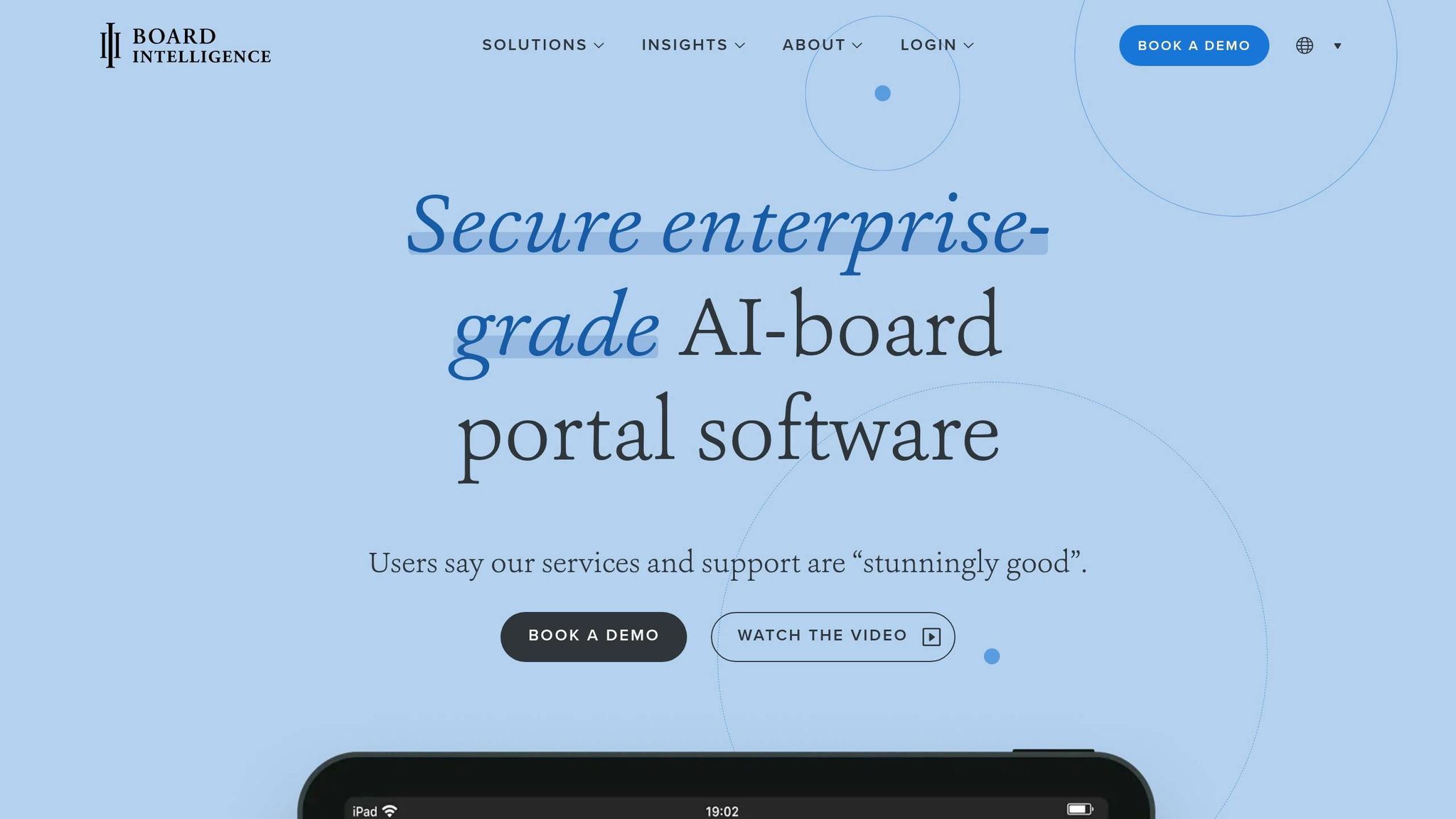
Board Intelligence provides a secure platform for real-time board collaboration. Trusted by over 75,000 board members and governance professionals, it stores data in UK Government-approved data centers using ISO 27001 and ISO 9001 certified servers. Its Briefing Tool simplifies document submissions with version control, while a drag-and-drop agenda builder ensures easy formatting. Directors can annotate documents - either privately or collaboratively - and offline search capabilities keep critical information accessible even without internet access.
Jason Wright, Society Secretary at Nationwide, praised the platform:
"The Board Intelligence board portal could not be more intuitive. Everybody loves using it, and we've saved so much time since switching."
Similarly, Group CIO Adam Jeffries from JTC highlighted the time efficiency:
"Board Intelligence gives us a 20–25% time-saving in creating our board packs."
The portal also supports biometric logins through FaceID and TouchID, adding an extra layer of security.
Diligent Boards Secure File Sharing
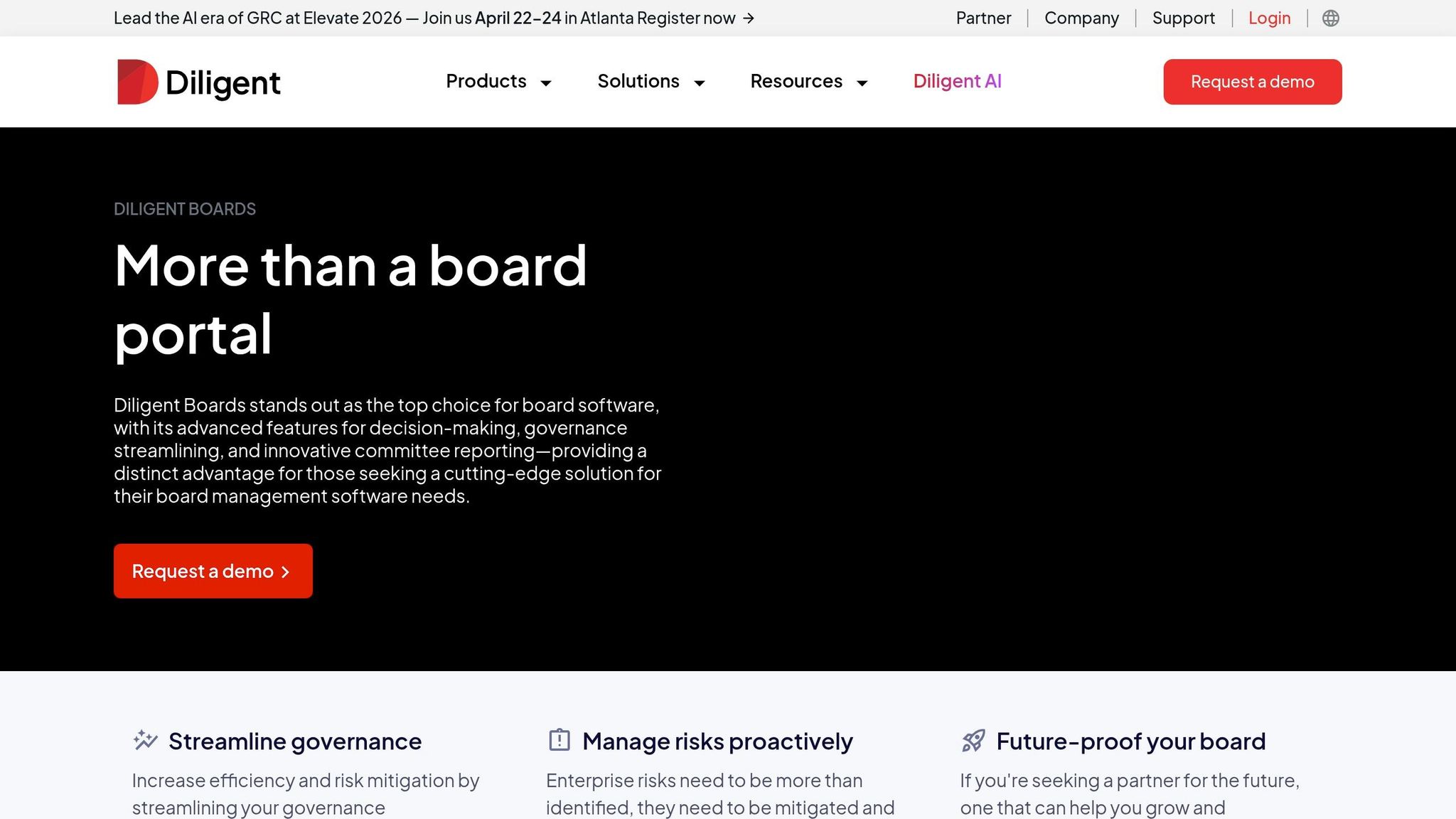
Diligent Boards is a favorite among 75% of the Fortune 500 and more than 700,000 executives. Recognized as a Leader in the 2026 Gartner® Magic Quadrant™ for Third-Party Risk Management, it uses AI to automate the meeting lifecycle. Features like the Smart Risk Scanner analyze board materials for risky language or legal concerns, while Smart Minutes and Smart Book Summary streamline meeting notes and document summaries. These tools address the common challenge of document-related productivity losses, which account for over 21% of daily inefficiencies.
Eric Myers, General Counsel and Corporate Secretary at ELCO Mutual, shared his experience:
"I used to spend a day or two preparing for board meetings with the old system. Now, with Diligent, it's maybe an hour or two."
The platform includes FedRAMP-authorized encryption standards and offers immutable audit trails for every action, ensuring compliance and security.
Dropbox Paper for Secure Collaboration
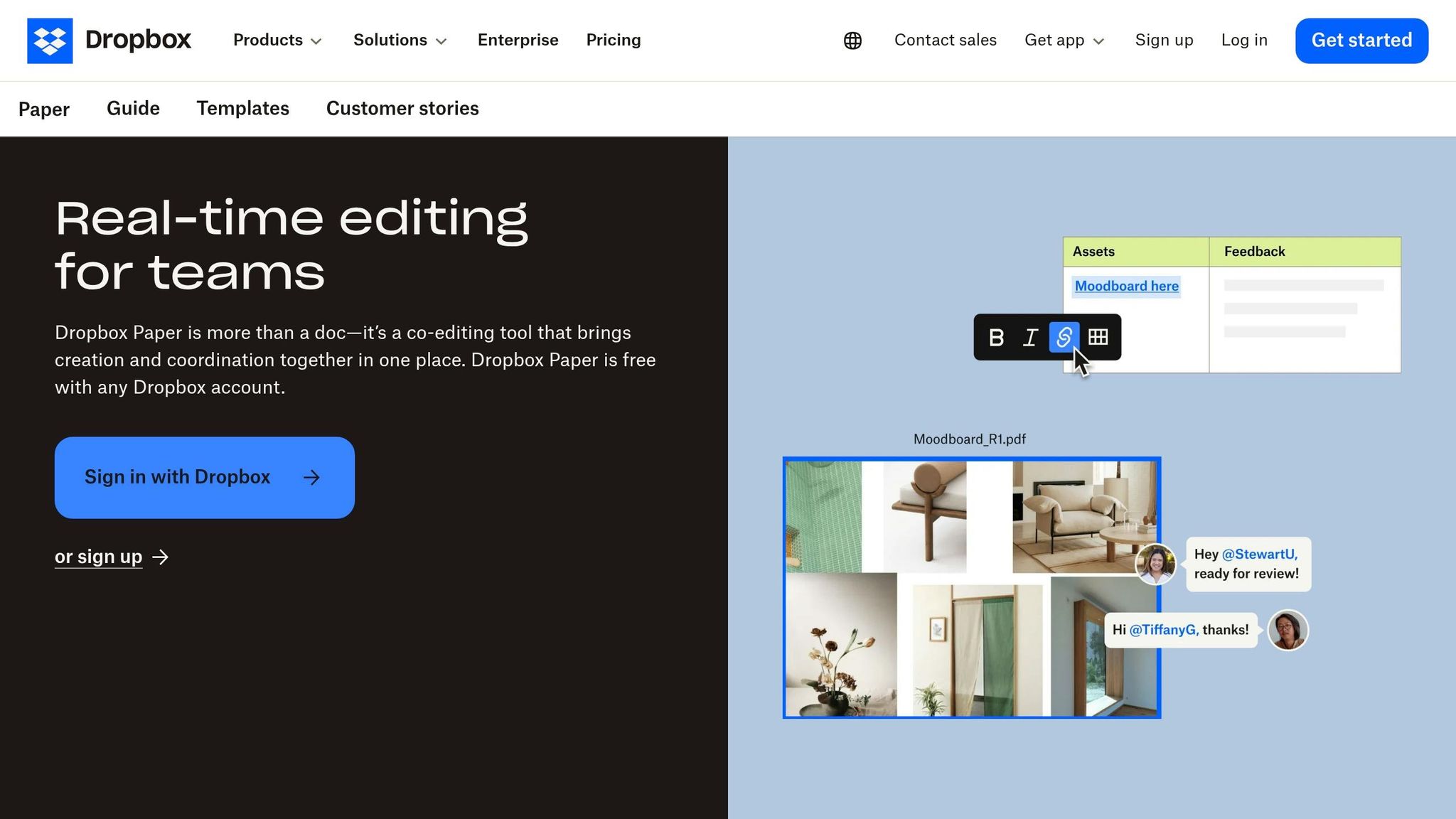
Dropbox Paper offers a straightforward option for boards seeking secure collaboration without the complexity of enterprise-grade tools. It enables real-time co-authoring with customizable access permissions and provides a detailed version history. Security measures include expiring shared links, device access controls, and encryption for data both at rest and in transit. Its free account tier is especially appealing to startups and smaller organizations working with tight budgets .
CryptPad End-to-End Encrypted Suite
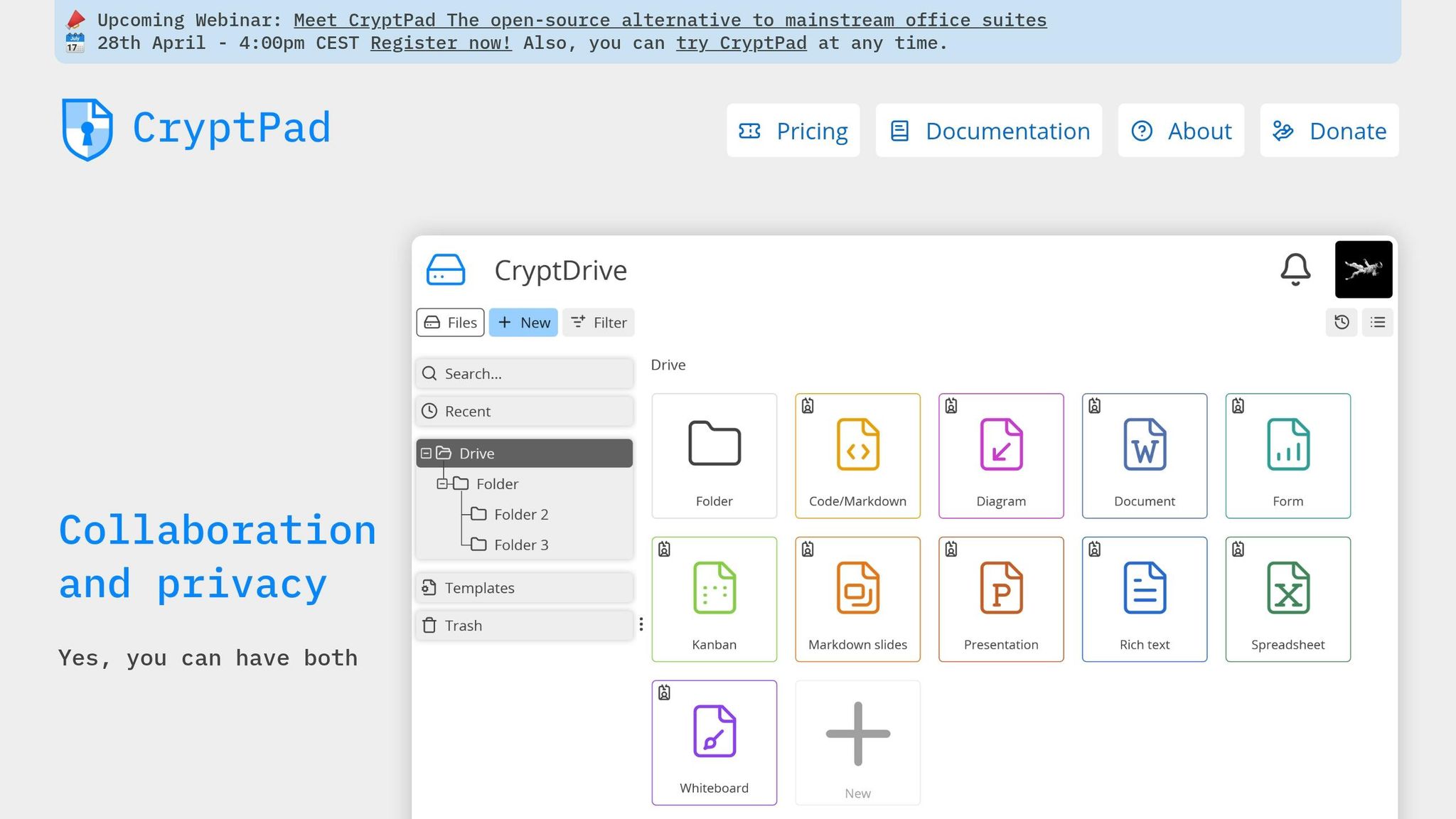
CryptPad prioritizes privacy with end-to-end encryption, ensuring that even the platform provider cannot access your documents. Encryption and decryption occur entirely in the user’s browser, and its zero-knowledge architecture ensures only authorized users can view or edit content. This makes it an excellent choice for boards handling sensitive or regulated information. CryptPad supports real-time collaboration while maintaining strict encryption protocols, meeting the demands of organizations requiring high-security document management.
Microsoft 365 Board Collaboration Features
Microsoft 365 combines SharePoint, Teams, and Office apps to create a unified collaboration experience for boards. SharePoint handles document management, Teams enables video conferencing, and Office apps like Word, Excel, and PowerPoint support co-authoring. The platform includes detailed permission controls at both document and folder levels, compliance tools to meet regulatory standards, and seamless integration with Outlook for calendar management. Real-time co-authoring with comprehensive version history ensures a reliable audit trail for document edits .
Security Features Comparison
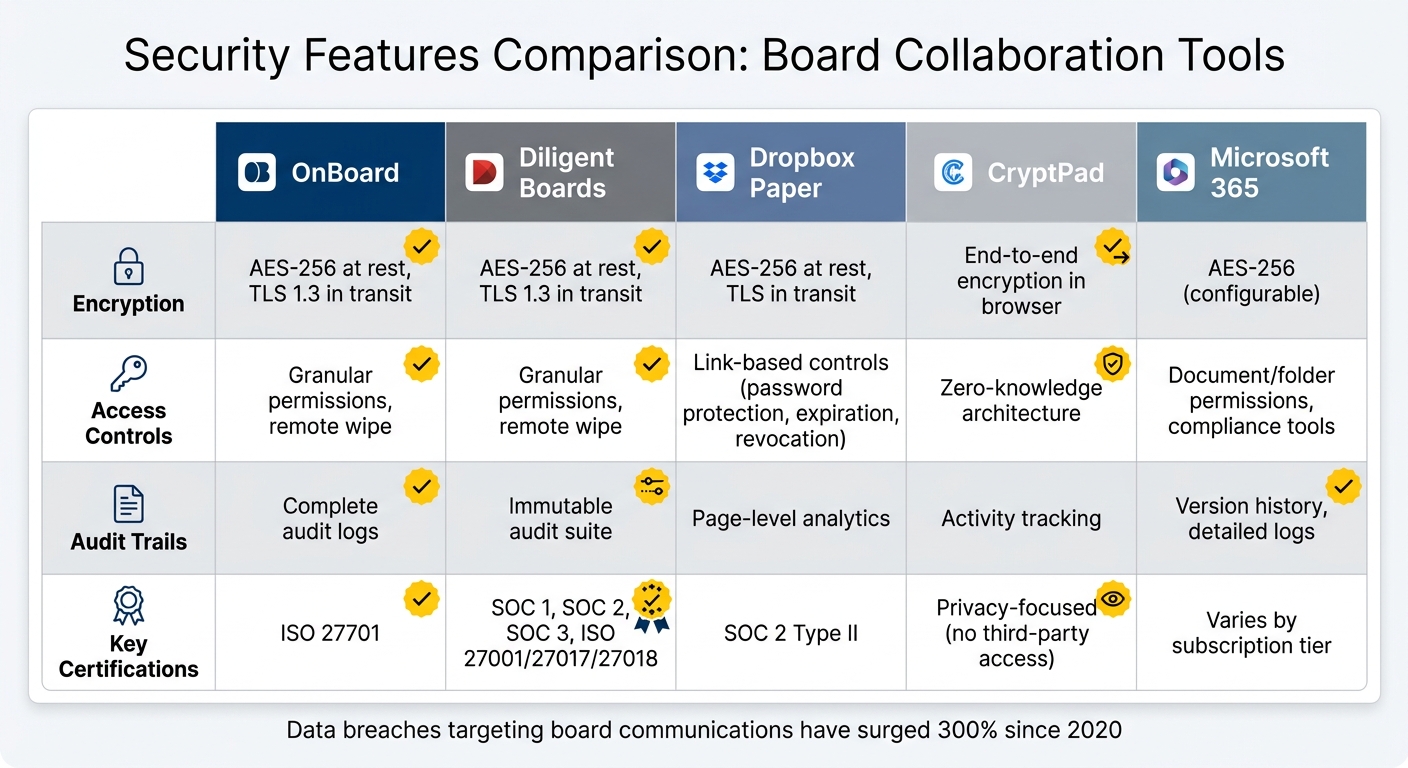
Board Collaboration Tools Security Features Comparison
Building on the earlier discussion of security challenges, this section compares how leading tools address these risks. When selecting a platform, it's crucial to understand how each one protects sensitive board information. Factors like encryption methods, access controls, audit trails, and compliance certifications play a big role in shaping your organization's overall security.
Encryption standards are a critical component of data protection. Both Diligent Boards and OnBoard implement AES-256 encryption for data at rest and TLS 1.3 for data in transit . Dropbox Paper also uses AES-256 for at-rest data and TLS for in-transit security. CryptPad stands out with its end-to-end encryption, which operates directly within the user's browser, ensuring only authorized individuals can access the data. Meanwhile, Microsoft 365 offers flexible encryption options that can be tailored to your organization's specific needs.
Access controls differ significantly among platforms. Diligent Boards and OnBoard provide highly detailed permissions, allowing administrators to restrict access by document, folder, or committee. They also include remote wipe functionality to safeguard data on lost or stolen devices . Dropbox Paper focuses on link-based access management, offering features like password protection, expiration dates, and the ability to revoke access remotely. Microsoft 365 enables precise permission settings through SharePoint, while CryptPad uses a zero-knowledge model, meaning only authorized users can decrypt and view the content.
Audit trails are another key feature. Diligent Boards offers an immutable audit trail that tracks every action, making it ideal for organizations handling sensitive information. OnBoard provides comprehensive audit logs, while Dropbox Paper includes page-level analytics to monitor document views. These tools are particularly valuable for compliance and incident investigations, especially as data breaches targeting board communications have surged by 300% since 2020.
Feature Comparison Table
| Tool | Encryption | Access Controls | Audit Trails | Key Certifications |
|---|---|---|---|---|
| OnBoard | AES-256 at rest, TLS 1.3 in transit | Granular permissions, remote wipe | Complete audit logs | ISO 27701 |
| Diligent Boards | AES-256 at rest, TLS 1.3 in transit | Granular permissions, remote wipe | Immutable audit suite | SOC 1, SOC 2, SOC 3, ISO 27001/27017/27018 |
| Dropbox Paper | AES-256 at rest, TLS in transit | Link-based controls (password protection, expiration, revocation) | Page-level analytics | SOC 2 Type II |
| CryptPad | End-to-end encryption in browser | Zero-knowledge architecture | Activity tracking | Privacy-focused (no third-party access) |
| Microsoft 365 | AES-256 (configurable) | Document/folder permissions, compliance tools | Version history, detailed logs | Varies by subscription tier |
Compliance certifications provide assurance about a platform's security measures. Diligent Boards holds a wide range of certifications, including SOC 1, SOC 2, SOC 3, and ISO 27001/27017/27018. OnBoard is notable for its ISO 27701 certification, which aligns with GDPR and CCPA privacy laws. Dropbox Paper maintains SOC 2 Type II certification. These certifications can guide your choice, depending on your board's specific security and compliance needs. This comparison highlights the key security features to help you find the right fit for your organization.
How to Select the Right Tool for Your Board
Choosing the right board collaboration tool goes hand in hand with addressing the security challenges discussed earlier. This decision requires balancing your organization's security needs, budget, and governance capabilities. As Vik Chadha, CEO of AppDeck, puts it:
Choosing board portal software is one of the most consequential technology decisions you'll make for your organization.
Factors to Consider When Choosing a Tool
Start by identifying the key security features your organization needs. Look for tools that are SOC 2 Type II certified, use AES-256 encryption for data at rest, and TLS 1.3 for data in transit. Two-factor authentication should also be a must-have. Always request the SOC 2 report and ensure it’s no older than 18 months . For organizations managing sensitive topics like M&A discussions or strategic plans, such certifications are non-negotiable.
Next, assess the tool’s mobile functionality. With about 75% of directors accessing materials on tablets, a seamless mobile experience is critical. Test the app by navigating a large document, such as a 100+ page PDF, on an iPad. If it’s cumbersome or slow, directors might resort to insecure email chains, undermining the platform’s purpose .
Cost is another critical factor. Instead of focusing solely on the monthly subscription fee, evaluate the total cost of ownership over three years. Implementation costs can vary widely, from $0 to $15,000, and don’t forget to factor in training time and IT resources . However, organizations that adopt board portals often report a 60% reduction in board packet preparation time and a 40% boost in director engagement.
When comparing features, quality matters more than quantity. Look for essential functionalities like secure document sharing, meeting scheduling, voting, and audit trails . Startups should avoid paying for advanced enterprise features, such as D&O questionnaires or complex entity management, that they won’t immediately use. To ensure the tool fits your needs, pilot it during a board meeting cycle before committing.
Finally, secure stakeholder buy-in. Involve your Board Chair, a few directors for user testing, and your IT or security team to verify compliance . This approach works for both large organizations and smaller businesses looking to make cost-effective decisions.
Recommendations for Small Businesses and Startups
Startups and small businesses often face unique challenges, such as limited budgets, minimal IT resources, and the need for quick deployment. Choose tools with flat pricing models to maintain predictable costs as your board grows . Be cautious with per-director pricing, as costs can escalate quickly when adding advisors or expanding committees.
Opt for platforms with DIY setups that can be completed in hours or days, rather than months. A corporate secretary at a Series C SaaS company shared:
We switched from Diligent after 5 years and haven't looked back. Our directors love the real-time financial dashboards... Setup took 30 minutes vs. the 4 months we spent on Diligent.
For growth-stage companies, real-time financial dashboards can be a game-changer. Instead of relying on static PDF reports, select platforms that integrate with tools like QuickBooks or NetSuite to display live KPIs and metrics. This feature allows directors to monitor progress between meetings and enhances discussions during fundraising .
Avoid choosing a tool solely based on its market reputation. Enterprise-level solutions may offer more features than necessary for pre-seed through Series B companies and come with hefty annual costs ranging from $15,000 to $30,000+ . Instead, consider platforms like AppDeck, BoardPro, or OnBoard, which deliver essential features - such as AES-256 encryption, multi-factor authentication, role-based access, and audit trails - without unnecessary complexity .
Even for startups, security should never be an afterthought. Data breaches targeting board communications have surged by 300% since 2020, yet only 51% of Fortune 100 board directors have cybersecurity expertise . Opt for a vendor that is SOC 2 Type II compliant or audit-ready to protect your sensitive discussions, even if compliance isn’t legally required .
Conclusion
Choosing the right document collaboration tool for your board is about more than just ticking off a list of features - it's about safeguarding your organization’s most critical information. With data breaches targeting board communications surging by 300% since 2020, and only 51% of Fortune 100 board directors having cybersecurity expertise, the risks are impossible to ignore.
To address these challenges, the tool you select must strike a careful balance between top-tier security and ease of use. Features like SOC 2 Type II certification, AES-256 encryption, and multi-factor authentication are non-negotiable for protecting sensitive data. But even the most secure system won’t help if board members avoid it because it’s too difficult to navigate. In fact, organizations using dedicated board portals report a 40% increase in material review rates, proving that usability directly impacts effectiveness.
Kezia Farnham, Senior Manager at Diligent, underscores this point:
The time and cost of securing board governance are always less extensive than the cost of mitigating a breach.
Her advice serves as a reminder to prioritize security without losing sight of practicality.
Beyond security, the tool must meet your board’s operational needs. Consider factors like board size, budget, technical know-how, and compliance requirements. Startups may lean toward cost-efficient, flexible tools, while publicly traded companies need solutions that meet strict regulatory standards. With 67% of board members now participating in hybrid meetings, the platform must also support seamless collaboration across different locations.
The right board collaboration tool doesn’t just protect - it becomes an integral part of your governance process. It should be secure enough to handle sensitive discussions, like mergers and acquisitions, yet simple enough to keep directors focused on decision-making instead of wrestling with technology. Test your top choice during a full board cycle, involve key decision-makers, and confirm that it meets current security standards. The strength of your board - and the security of your organization - depend on making an informed choice.
FAQs
What security features are most important for board documents?
When it comes to safeguarding board documents, several key features play a crucial role in keeping sensitive information secure:
- Encryption: Advanced encryption methods, such as AES-256 and RSA 4096-bit, ensure that data remains unreadable to unauthorized users.
- Role-Based Access Controls: These controls allow only specific individuals with proper permissions to access or modify documents, reducing the risk of exposure.
- Secure Data Rooms: Virtual data rooms provide a highly secure environment for storing and sharing critical documents.
- Audit Trails: Detailed logs track every action taken on documents, offering transparency and accountability.
- Compliance with Standards: Adhering to industry standards like ISO 27001 and SOC ensures that security measures align with recognized best practices.
These features work together to protect sensitive information while meeting regulatory and industry requirements.
How can I confirm if a tool is compliant with SOC 2 or ISO 27001?
To verify SOC 2 or ISO 27001 compliance, look for official certifications or attestations from recognized auditing bodies. Check the platform's security claims to ensure they're supported by third-party audits or certification documents. For extra peace of mind, always confirm the authenticity of these credentials.
What’s the easiest way to roll out a board portal without pushback?
To ensure a smooth rollout of a board portal, start by selecting a platform that prioritizes security and ease of use. Look for features like strong encryption and robust access controls. Clearly communicate the benefits of the portal - such as enhanced security and streamlined efficiency - to all stakeholders. Providing training sessions can help users feel confident navigating the system. Consider starting with a pilot group to gather valuable feedback before a full-scale launch. Gradual implementation and open communication are essential to easing any resistance and encouraging widespread adoption.