Looking for the best task management tools in 2026? Here’s what you need to know:
Managing tasks is no longer just about to-do lists. With businesses losing up to 498 hours per employee annually due to inefficient tools, the right platform can save time, reduce stress, and boost productivity. Whether you're a freelancer juggling roles or a small team aiming to stay on track, these tools simplify workflows, leverage technology, and even use AI to flag potential issues.
Top Picks:
- Jira: Best for software teams using Agile frameworks, offering powerful customization and integrations.
- ClickUp: An all-in-one platform with robust features at competitive pricing.
- Asana: Ideal for aligning everyday tasks with broader goals, widely used by large enterprises.
- Trello: A simple, Kanban-style tool for freelancers and smaller teams.
- Todoist: Perfect for personal task management with natural language input.
- Monday.com: Strong visual boards for structured project tracking, great for SMBs.
- Notion: Combines tasks, wikis, and databases for centralized workflows.
- MeisterTask: A secure, easy-to-use Kanban tool for regulated industries.
Quick Takeaway:
- For freelancers, try Todoist or Trello for simplicity.
- Small teams can explore ClickUp for value or Asana for structure.
- Software teams should consider Jira for advanced workflows.
- Knowledge-heavy teams may benefit from Notion’s flexibility.
Quick Comparison Table
| Tool | Best For | Starting Price | Key Features | Drawbacks |
|---|---|---|---|---|
| Jira | Software teams | Free for 10 users | Agile boards, advanced reports | Steep learning curve |
| ClickUp | All-in-one solution | $7/user/month | Tasks, docs, chat, automation | Time-consuming setup |
| Asana | Cross-functional teams | $10.99/user/month | AI automation, multiple views | Pricier than competitors |
| Trello | Freelancers, small teams | Free | Simple Kanban boards | Lacks advanced features |
| Todoist | Personal task management | $4/month (Pro) | Natural language input | Not ideal for team projects |
| Monday.com | SMBs needing structured tools | $9/seat/month (min 3) | Visual boards, automations | Higher costs for small teams |
| Notion | Knowledge-heavy workflows | $10/user/month | Linked databases, wikis | Steep learning curve |
| MeisterTask | Secure, simple Kanban tasks | Free | GDPR compliance, integrations | Limited advanced features |
Explore free plans first to find the best fit for your needs. The right tool can save time, reduce errors, and improve team accountability.
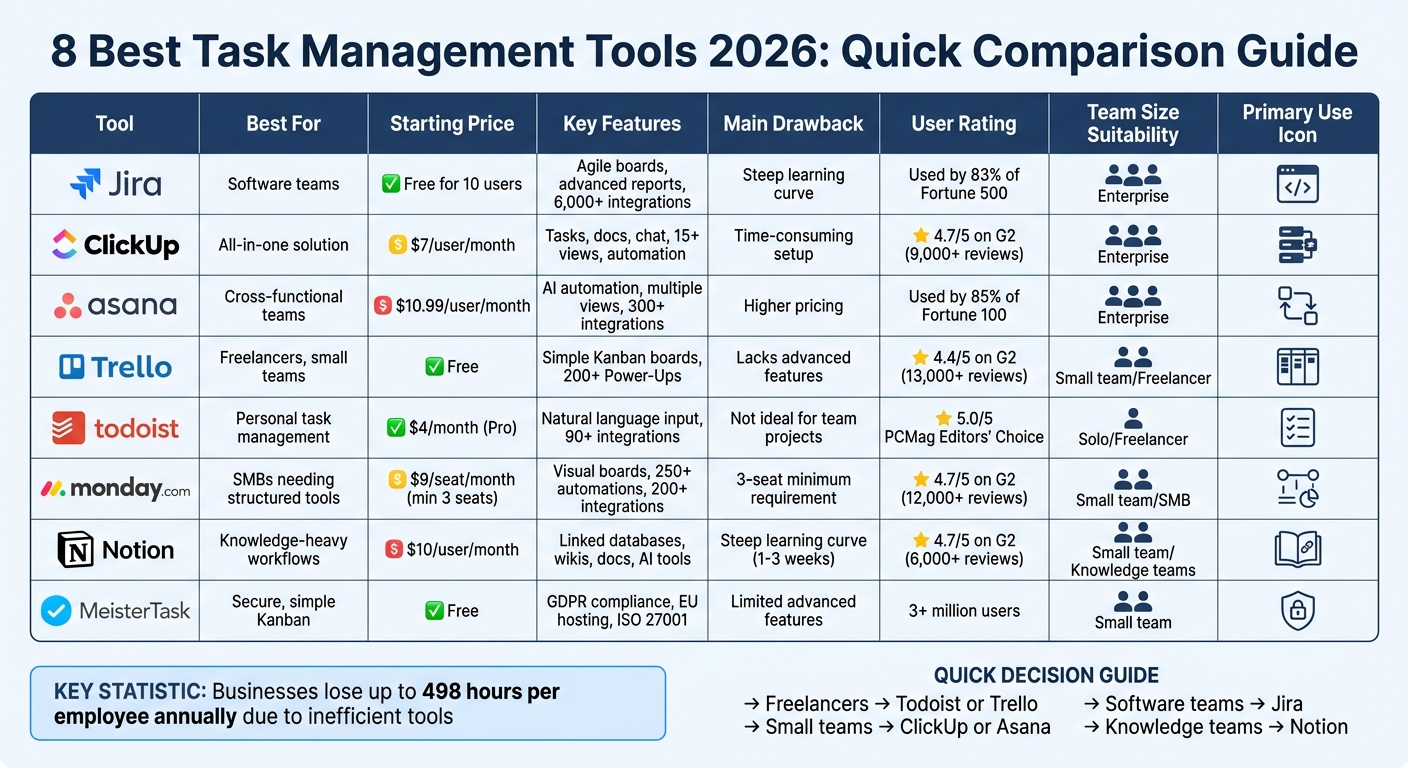
Task Management Tools Comparison 2026: Features, Pricing and Best Use Cases
Best To-Do List Apps for 2026
sbb-itb-d1a6c90
1. Jira
Jira has become a go-to tool for software teams, with 83% of Fortune 500 companies using it for project management as of 2026. Designed with agile frameworks like Scrum and Kanban in mind, Jira breaks down work into customizable "Issues", allowing teams to add fields, attachments, and detailed descriptions. Its integration with Rovo AI simplifies project management by breaking tasks into actionable steps and identifying potential deadline risks.
Jira's standout features include a no-code automation engine and a vast integration ecosystem. With over 6,000 apps available on the Atlassian Marketplace, it connects seamlessly with tools like GitHub, Slack, and Figma. This flexibility makes it a scalable solution for businesses of all sizes, from small teams to enterprises with thousands of users.
However, Jira's complexity can be daunting for non-technical teams like marketing or HR. The platform often requires 2–4 weeks of training for users to become proficient and may necessitate hiring a dedicated administrator, which can increase setup costs.
Starting Price (USD)
Jira offers a free plan for up to 10 users, including 2 GB of storage and 100 automation runs per month. For larger teams, the Standard plan starts at $7.91 per user/month and includes 250 GB of storage and 1,700 automation runs. The Premium plan, priced at $14.54 per user/month, provides unlimited storage, advanced roadmaps, and 24/7 support. Enterprise pricing is available through annual billing consultations.
Key Features
Jira provides real-time dashboards that offer insights into sprint progress, resource allocation, and potential bottlenecks. Teams can choose from several views - List, Board, Timeline, Calendar, and Summary - to suit their workflow needs. The Atlassian Intelligence feature enhances productivity by generating JQL (Jira Query Language) queries from natural language input and summarizing long issue threads automatically. Additionally, native integrations with Confluence, Bitbucket, and Jira Service Management create a centralized workspace for documentation, code, and IT support.
Ideal Use Cases
Jira is best suited for software development teams handling complex, multi-phase agile workflows. It's also a strong choice for organizations needing robust IT service management, especially those already using other Atlassian tools. While technical teams can benefit from the free tier for essential features, non-technical departments might prefer simpler tools with a more visual interface.
Pros
- Customizable workflows allow teams to tailor task categories, statuses, and transitions to their specific needs.
- Scales effectively for businesses of all sizes, with enterprise plans offering a 99.95% uptime SLA.
- Advanced reporting tools, such as burndown charts and velocity tracking, help teams refine sprint planning.
As Joe Cotant, Senior Technical Program Manager, stated, "Jira makes life easier. We can spend time on adding value, not busywork".
Cons
- The platform's learning curve can be challenging for new users, and the interface may feel cluttered due to default notification settings.
- Simple formatting tasks require markdown knowledge, as there’s no modern WYSIWYG editor.
- Popular marketplace apps like Tempo for time tracking add extra costs, ranging from $3 to $8 per user/month.
- The Free plan's 100 automation run limit can be restrictive, and Atlassian's 15% price increase for Data Center in February 2026 has added to costs.
2. ClickUp
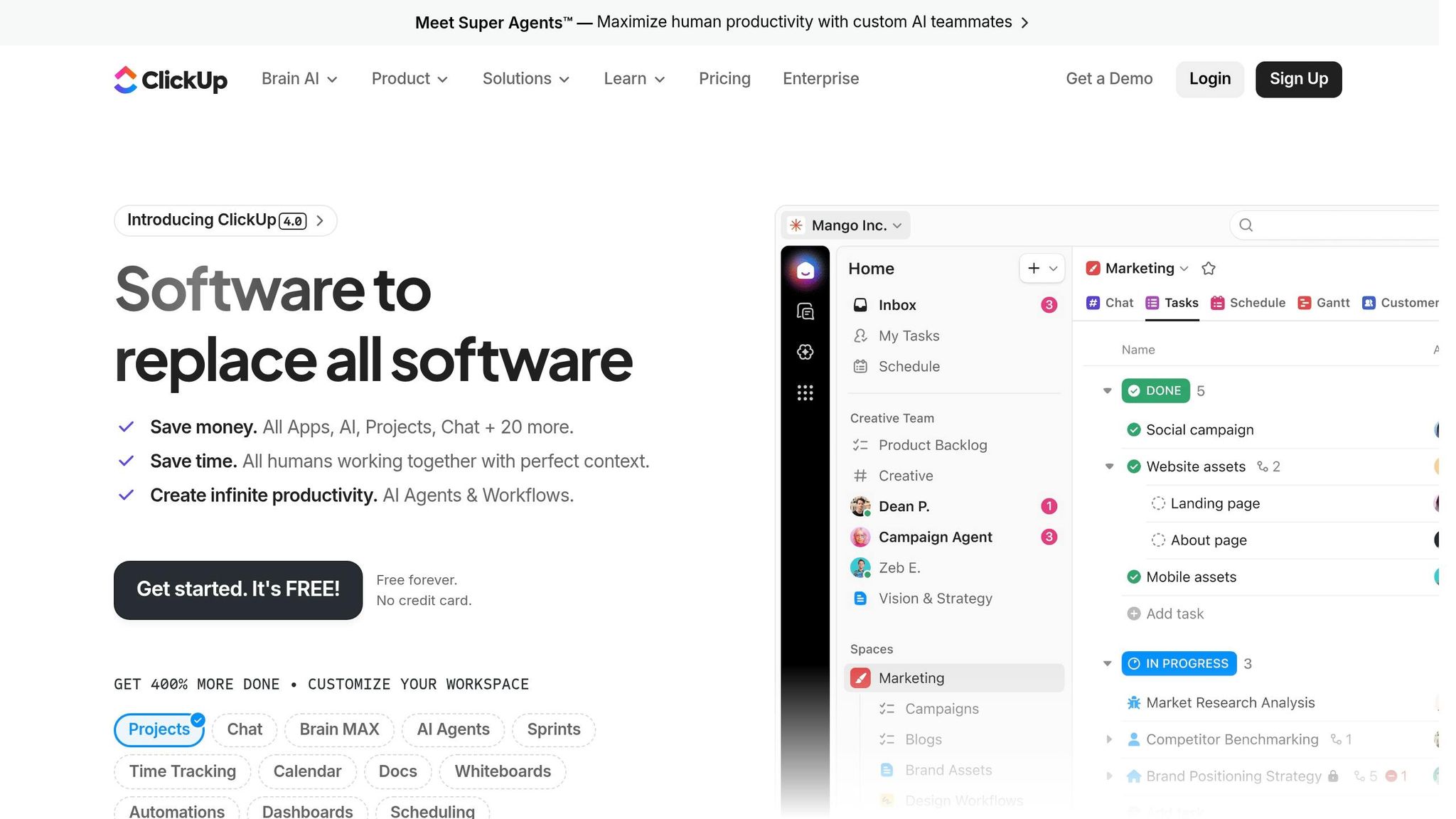
ClickUp takes a different approach from Jira by combining a wide range of features into one platform, simplifying team workflows in the process.
This platform serves as an all-in-one solution, bringing together tasks, documents, goals, whiteboards, and chat. With over 20 million users and $300 million in annual recurring revenue projected for 2026, it’s a solid option for teams looking for comprehensive functionality without breaking the bank.
One of ClickUp's most appealing aspects is its cost-effectiveness. The Unlimited plan, priced at $7 per user per month (when billed annually), is more affordable than many entry-level plans offered by competitors. For example, a 10-person team could save approximately $479 annually compared to similar tools. This plan includes native time tracking, unlimited storage, Gantt charts, and more than 15 project views. For teams seeking advanced capabilities, the ClickUp Brain AI add-on - available for $9 per user per month - offers features like automated project summaries and instant answers.
That said, setting up ClickUp can take some time. Teams usually need about 1–2 weeks to fully configure their workspace. Additionally, performance issues may arise in workspaces with over 300 active tasks, and the mobile app isn’t as robust as the desktop version.
Starting Price (USD)
ClickUp provides a Free Forever plan that includes unlimited tasks and members, along with 60MB of storage. For those needing more, the Unlimited plan starts at $7 per user per month (billed annually) or $10 per user per month (billed monthly). This plan comes with unlimited storage, Gantt charts, and native time tracking. The Business plan, at $12 per user per month (billed annually), adds features like Google SSO, advanced dashboards, and up to 5,000 monthly automations. Pricing for the Enterprise plan is available upon request.
Key Features
ClickUp offers over 15 project views, such as List, Board, Gantt, Calendar, and Timeline, allowing teams to choose the layout that best matches their workflow. Its no-code automation builder helps streamline repetitive tasks like status updates and notifications. ClickUp Chat also stands out by letting users turn messages into actionable tasks with just one click. The platform integrates with over 1,000 apps, including Slack, Gmail, Zoom, and HubSpot, and comes with more than 1,000 pre-made templates tailored to various industries. These features make it a flexible tool for teams with diverse needs.
Ideal Use Cases
ClickUp is a great choice for startups, agencies, and small-to-mid-sized teams (5–50 members) aiming to consolidate multiple tools into one platform. Freelancers and agencies that bill hourly will particularly benefit from its project time management tools with built-in tracking. While experienced project managers will appreciate its deep customization options, new users should plan for a gradual onboarding process to get the most out of the platform.
Pros
- Incredible value for money: Technology journalist Alex Chen notes, "ClickUp offers more functionality per dollar than any other project management tool on the market".
- Generous free plan: The Free Forever plan supports unlimited users and tasks, making it perfect for small teams looking to test the platform.
- Unified workspace: By combining docs, tasks, and chat, ClickUp reduces the need to juggle multiple tools.
- Highly rated: With a 4.7/5 rating on G2 (from over 9,000 reviews) and Capterra (from over 4,000 reviews), ClickUp leads in more than 15 competitive categories.
Cons
- Overwhelming interface: The interface can feel cluttered due to its many nested settings, so assigning an admin to handle the initial setup is advisable.
- Learning curve: Teams typically need 1–2 weeks to fully adapt to the platform.
- Performance and mobile issues: Workspaces with more than 300 active tasks may experience lag, and the mobile app doesn’t match the desktop version in terms of speed and features.
3. Asana
Following Jira and ClickUp, Asana stands out by aligning everyday tasks with broader business goals, offering a structured approach for teams at scale.
Used by 85% of Fortune 100 companies, Asana is designed for teams that need to balance structure and accountability, whether they’re small businesses or large enterprises managing deployments of up to 200,000+ users. Its standout feature? AI-powered automation. Tools like Smart Status and Risk Detection help managers identify potential delays based on team performance. The AI Project Status feature alone can save managers 30 to 60 minutes a week on manual reporting.
As Corri Skinner, Executive Director of Client Success at VoxMedia, shared, "Asana made a major impact on Vox Creative. I don't know how we would do it if it weren't all in a centralized place. We wouldn't have gotten to this place in our business without it, quite honestly".
Asana also offers flexibility through multiple project views, including List, Board, Calendar, Timeline, and Gantt. With over 300 integrations - ranging from Slack to Google Workspace and Microsoft 365 - it consolidates workflows into one central hub.
Starting Price (USD)
Asana’s pricing starts with a free Personal plan, limited to two users. For growing teams, the Starter plan costs $10.99 per user per month (billed annually) or $13.49 per month (billed monthly). This plan includes Timeline and Gantt views, unlimited automations, and AI Studio Basic with 50,000 credits. The Advanced plan, at $24.99 per user per month (billed annually), adds portfolio management, workload tracking, and full AI capabilities. Enterprise pricing is available for larger teams needing advanced security.
Key Features
Asana's Workflow Builder simplifies automating repetitive tasks without requiring coding skills. Each task is assigned to a single person with a due date, ensuring accountability and minimizing missed deadlines. Pre-built templates for tasks like onboarding and content calendars make setup quicker, while customizable views let teams work in the format they prefer. The mobile app, consistently praised for its functionality, allows users to update tasks and approve work on the go. These features make Asana adaptable to various team needs.
Ideal Use Cases
Asana shines for mid-sized teams managing complex, cross-functional projects like marketing campaigns or product launches. The Starter plan is great for smaller teams (5–20 members) needing task dependencies and milestone tracking. Meanwhile, the Advanced plan suits larger organizations juggling multiple projects and requiring workload management. For smaller teams of around 10 members, monthly costs for paid features typically range between $100 and $150.
Pros
- Scalable and reliable: Trusted by 85% of Fortune 100 companies, Asana handles large-scale operations effectively.
- Error reduction: Teams report up to a 90% decrease in project errors and a 60% faster completion rate.
- Top-rated mobile app: The app is frequently praised for its speed and usability.
- Extensive integrations: With over 300 native integrations, Asana creates a centralized system for managing workflows.
- High user ratings: PCMag rated it 4.5/5 as "Outstanding", and G2 users gave it 4.4/5 from more than 13,000 reviews.
Cons
- Limited free plan: The two-user cap on the free tier can be restrictive for small teams.
- Higher costs: The Starter plan, at $10.99 per user per month, is pricier than similar offerings from competitors like ClickUp.
- AI features locked behind premium plans: Full AI capabilities are only available in the Advanced plan, which costs $24.99 per user per month.
- Missing built-in tools: Asana lacks native time tracking and CRM features, requiring third-party integrations.
- Learning curve: Non-technical users may find the interface more challenging compared to simpler tools like Trello.
4. Trello
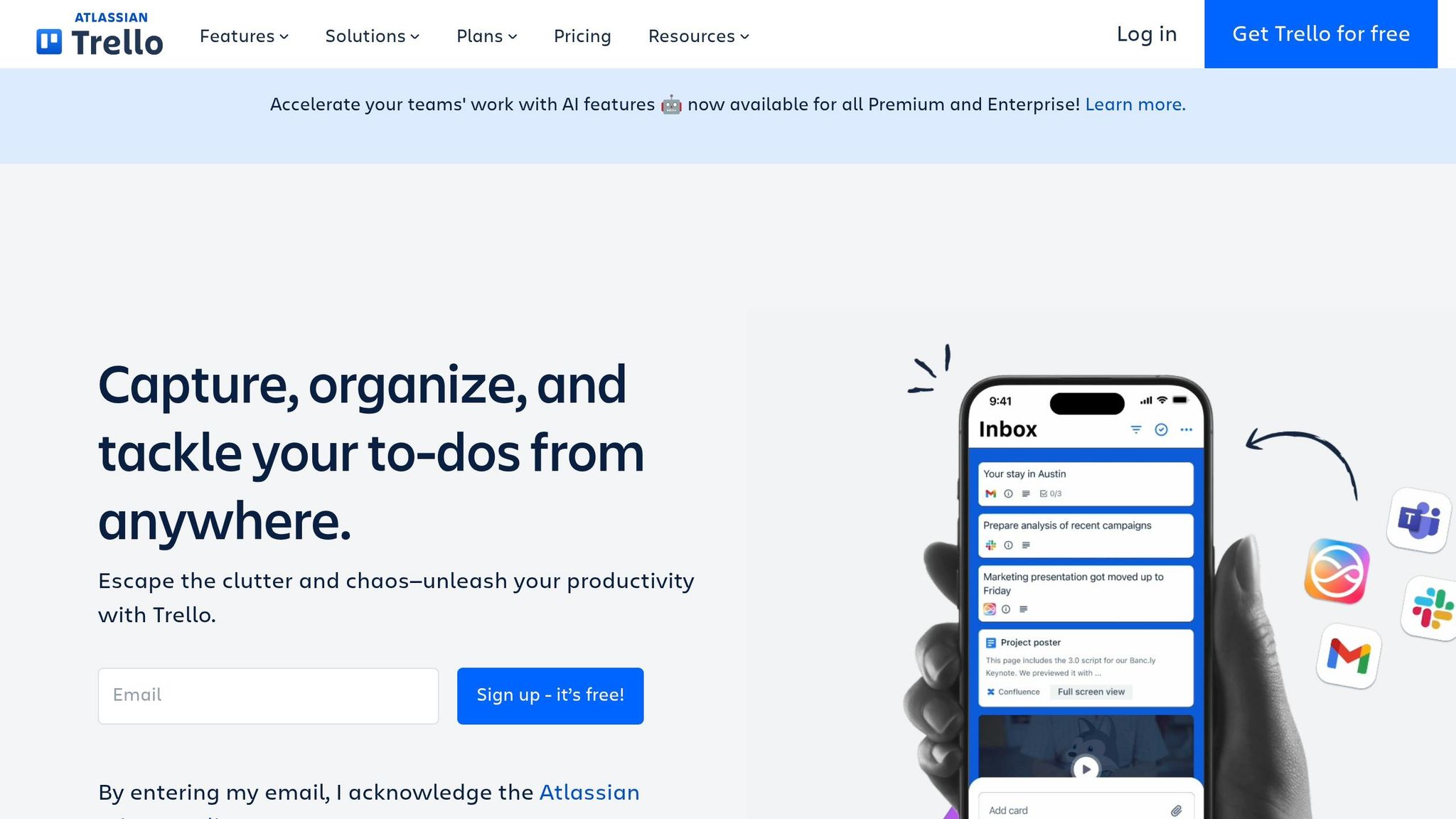
For freelancers and smaller teams looking for simple project management, Trello provides an easy-to-use solution.
Trello's visual Kanban board design promotes quick productivity. Unlike more rigid tools like Asana, Trello's simplicity is a major draw, with 81% of users citing ease of use as their top reason for choosing it.
Its card-and-board format (To Do, Doing, Done) offers clarity without requiring extensive training. Joey Rosenberg from Women Who Code shared:
"Trello is great for simplifying complex processes. As a manager, I can chunk processes down into bite-sized pieces for my team and then delegate that out, while retaining overall oversight."
Trello is trusted by 80% of Fortune 500 companies, and 75% of organizations report seeing benefits within just 30 days of adoption. Its straightforward interface also supports automation to handle repetitive tasks efficiently.
With Butler automation, users can automate tasks like moving cards or marking subtasks as complete - without needing to code. The Premium and Enterprise plans now include Atlassian Intelligence at no extra cost, offering features like summarizing emails into action items and generating card descriptions. Plus, with over 200 Power-Ups available, you can integrate tools like Slack, Google Drive, and Salesforce to create a tailored workflow.
Starting Price (USD)
Trello offers four pricing plans:
- Free: $0 – Includes up to 10 collaborators and 10 boards per workspace, unlimited cards and Power-Ups, and 250 automation runs per month.
- Standard: $5 per user/month (billed annually) or $6 monthly – Offers unlimited boards, custom fields, and 1,000 automation runs.
- Premium: $10 per user/month (billed annually) or $12.50 monthly – Adds AI tools, Timeline and Calendar views, and unlimited automation.
- Enterprise: Starts at $17.50 per user/month (minimum of 50 users) – Includes organization-wide permissions and 24/7 support.
Trello’s simplicity is paired with powerful tools to boost team efficiency.
Key Features
Trello’s drag-and-drop Kanban interface scored an impressive 9.3/10 for ease of use on G2. Its Card Mirroring feature keeps tasks synced across multiple boards without manual updates. The Email-to-Board feature allows users to turn emails into cards with the help of AI. Free plans limit file attachments to 10MB, while paid plans allow up to 250MB. The mobile app supports offline access and quick-add shortcuts, though smaller screens only display one list at a time.
Ideal Use Cases
Trello is ideal for freelancers juggling multiple clients, small marketing teams managing campaigns, and HR teams onboarding new hires. The Free plan works well for individuals or small teams with straightforward workflows. The Standard plan ($5/user/month) is a good fit for growing teams that need unlimited boards and basic automation without breaking the bank. However, Trello isn’t designed for large-scale projects with complex task dependencies, which may require more advanced tools.
Pros
- No learning curve: Teams can start using Trello within minutes, with 75% of organizations seeing benefits in the first month.
- Affordable pricing: The Standard plan at $5 per user/month is cheaper than Asana’s Starter plan ($10.99) and ClickUp’s Unlimited plan ($7).
- User-approved interface: Trello has a 4.4/5 rating on G2 (13,000+ reviews) and a 4.5/5 rating on Capterra (23,400+ reviews).
- Improved communication: 74% of users report better team communication after implementing Trello.
Cons
- Free plan limitations: The 10-board cap and 250 automation runs per month may not be enough for active teams.
- Premium-only views: Timeline, Calendar, and Dashboard views require the $10/user Premium plan.
- Missing built-in features: Time tracking and Gantt charts require third-party Power-Ups, potentially adding $5–$15 per user/month.
- Automation limits: The Standard plan’s 1,000 automation runs per month may not suffice for busy teams.
- Not ideal for complex projects: Trello lacks advanced tools for managing subtasks and task dependencies in large projects.
5. Todoist
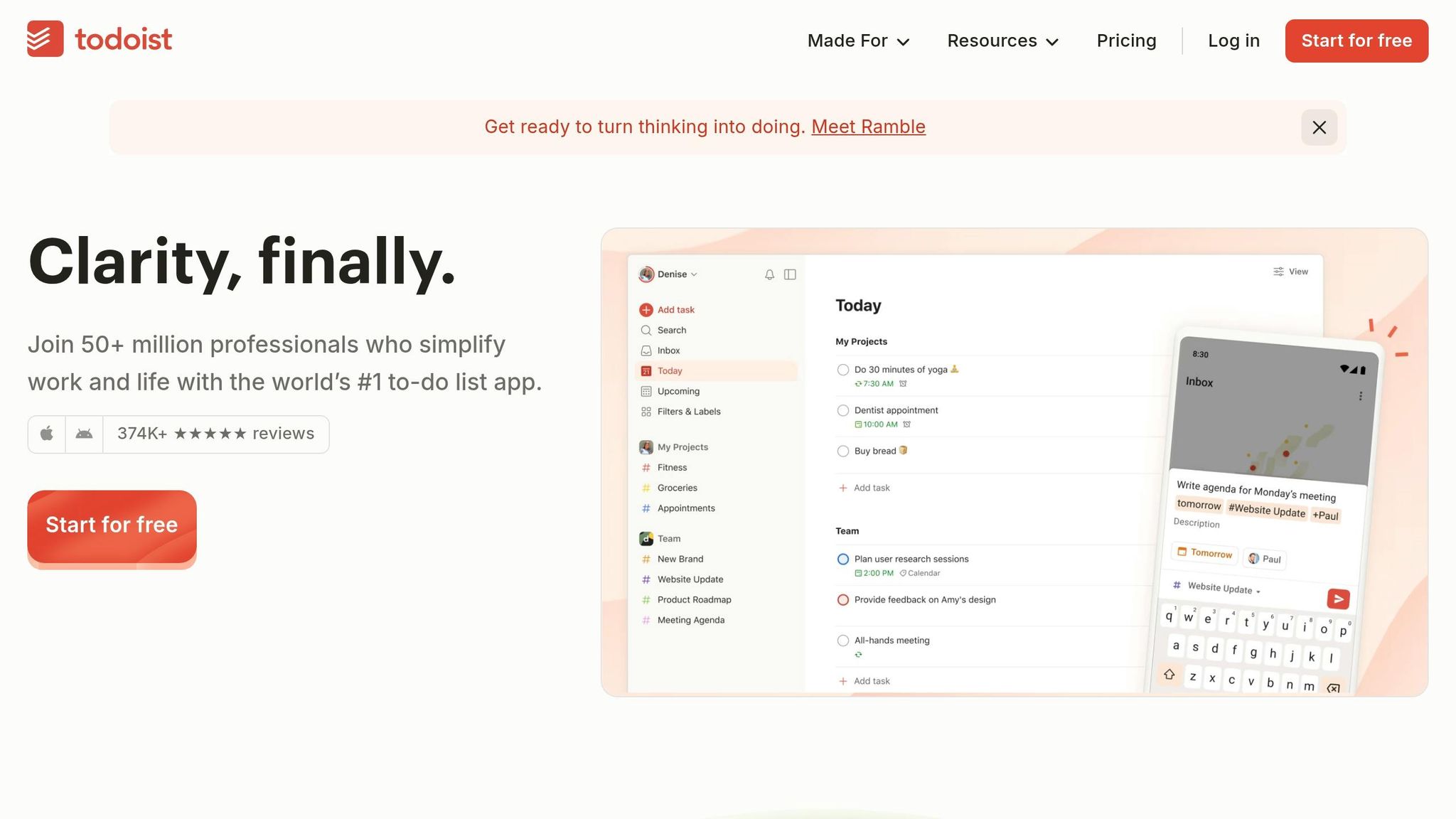
Todoist focuses on making task management fast and straightforward, catering to both individuals and small teams who need a quick and efficient way to organize their day-to-day work.
With over 30 million users completing more than 2 billion tasks, Todoist has built a reputation for its ease of use and speed. One standout feature is its natural language input, which allows you to type something like "Submit report every Friday at 2pm p1 #Work", and the app will automatically assign the task's date, recurrence, priority, and project.
Todoist is available on practically every platform you can think of - Windows, macOS, Linux, iOS, Android, web browsers, and even smartwatches. It also syncs offline changes seamlessly. The app's AI-powered "Ramble" feature converts voice notes into tasks, while Todoist Assist helps break down bigger projects into manageable steps. Plus, with over 90 integrations - including Gmail, Slack, and Google Calendar - you can connect Todoist to your existing tools for smoother workflows.
In its review, PCMag gave Todoist a perfect 5.0/5 rating, stating:
"Todoist is a rare five-star Editors' Choice winner because it's simply the best to-do list app on the market."
The app’s Karma system adds a fun twist to productivity by tracking streaks and daily goals, offering visual motivation without complicating things.
Starting Price (USD)
Todoist has three pricing options:
- Beginner: Free – Includes 5 active projects, 5 collaborators per project, task reminders, and a 1-week activity history.
- Pro: $4/month (billed annually) or $5/month – Offers 300 active projects, calendar views, custom reminders, task duration tracking, and unlimited AI Ramble sessions.
- Business: $8 per user/month (billed annually) – Supports 500 team projects, shared workspaces, team roles and permissions, and centralized billing.
Key Features
Todoist's natural language parser simplifies scheduling by handling complex task details in seconds, so you don’t have to navigate through multiple menus. The Quick Add shortcut (Ctrl+Alt+A) lets you jot down tasks in under 3 seconds, ensuring you never lose track of ideas. Pro users can customize filters to organize tasks by priority, labels (e.g., @deep-work), or due dates across projects. Even offline, the app retains full functionality, syncing updates once you're back online. File uploads are capped at 5MB on the free plan and 100MB on paid plans.
Ideal Use Cases
Todoist is perfect for freelancers juggling multiple clients, small teams of fewer than 10 members, and individuals who follow productivity systems like Getting Things Done (GTD). The Beginner plan is great for solo users with simple workflows, while the Pro plan suits those who need more advanced features without the complexity of full-scale project management. Its Gmail and Outlook plugins even allow you to turn client emails into tasks, complete with links to the original messages. However, if your team requires Gantt charts or intricate task dependencies, you might need a more robust tool.
Pros
- Quick task entry: Natural language input and global shortcuts make adding tasks effortless.
- Cross-platform availability: Native apps for all major platforms with consistent performance and offline support.
- Affordable Pro plan: Advanced features for just $4/month (billed annually).
- Highly rated by users: Scores 4.6/5 on Capterra (2,619 reviews) and 4.5/5 on G2 (818 reviews).
- Proven performance: Backed by 19 years of development and over 374,000 five-star app store reviews.
Cons
- Limited free plan: Only 5 projects and 5 collaborators, with no access to custom reminders or labels.
- Basic sub-task structure: Sub-tasks can only be nested one level deep, which might not work for complex projects.
- No built-in time tracking: Requires third-party tools for tracking time spent on tasks.
- Key features behind paywall: Custom reminders, labels, and calendar views are locked behind the $4/month Pro plan.
6. Monday.com
Monday.com has become a standout option in the world of productivity tools, thanks to its flexible Work OS platform. It combines project management, CRM, development tools, and service management into one cohesive system. Trusted by over 225,000 organizations and generating $1.38 billion in revenue by 2025, it’s designed to cater to both small teams and large enterprises with its user-friendly, customizable interface.
Its visual boards offer multiple views, including Kanban, Gantt, Timeline, Calendar, and Workload, making it adaptable to different workflows. A no-code automation engine with more than 250 templates can save teams 8–10 hours per week. In 2026, Monday.com introduced "Monday Agents" for AI-powered task management and "Monday Vibe", which allows users to create workflows using plain English commands.
According to a Forrester study, Motorola achieved an impressive 346% ROI with Monday.com, recovering their investment in less than four months. Duncan McHugh, Chief Operations Officer, praised the platform, saying:
"Monday.com is the link that holds our business together - connecting our support office and stores with the visibility to move fast, stay consistent, and understand the impact on revenue."
Here’s a breakdown of pricing and standout features that make Monday.com a top choice.
Starting Price (USD)
Monday.com offers a "Free Forever" plan for up to two users, which includes three boards, a variety of templates, and 500MB of storage. Paid plans begin at $9 per seat per month (billed annually), but require at least three seats, making the minimum cost $27 per month.
- Basic Plan ($9 per seat/month): Unlimited items, 5GB of file storage, priority customer support, and 6,000 trial AI credits.
- Standard Plan ($12 per seat/month): Adds Gantt/Timeline views and 250 automation actions per month.
- Pro Plan ($19 per seat/month): Includes time tracking and 25,000 automation actions.
- Enterprise Plan: Custom pricing with advanced security features and up to 250,000 automation actions monthly.
Key Features
Monday.com’s visual boards are highly customizable, featuring columns for status, priority, dates, files, and more, all designed for quick and easy navigation. The platform integrates with over 200 applications, such as Slack, Google Drive, Zoom, and QuickBooks. Freelancers, in particular, will appreciate the "time-to-invoice" feature, which links tracked hours directly to billing, and professional client portals for sharing updates, reducing the need for constant check-ins.
AI-powered tools can further streamline workflows, saving teams up to six hours per week by automating tasks like content summarization and data categorization. However, recurring tasks require setting up custom automation.
Ideal Use Cases
Monday.com is a great fit for teams that need shared visibility across complex projects. It’s ideal for small businesses looking to unify tools across departments, marketing teams managing campaigns across multiple channels, and freelancers who need polished client dashboards. With a customer rating of 4.7/5 from over 12,000 users and a 9.8/10 editorial score from BusinessHeroes, it’s clear that many find it a reliable solution. However, solo users may find the mandatory three-seat minimum less budget-friendly.
Pros
- Easy-to-use visual interface: Color-coded boards and multiple view options make it accessible for teams without technical expertise.
- Strong automation capabilities: No-code automations can handle up to 250,000 actions monthly on enterprise plans.
- All-in-one platform: Combines project management, CRM, and service management tools seamlessly.
- Proven ROI: Motorola’s 346% return demonstrates its potential for cost and time savings.
- Broad integrations: Connects with over 200 popular apps for added flexibility.
Cons
- Higher costs for small teams: The three-seat minimum can make it less appealing for solo users.
- Mobile app issues: Some users report occasional glitches on iOS and Android devices.
- AI features come at a cost: While 500 free AI credits are included, heavy users may need to purchase additional credits.
- Custom automation required for recurring tasks: There’s no built-in one-click solution for this functionality.
7. Notion
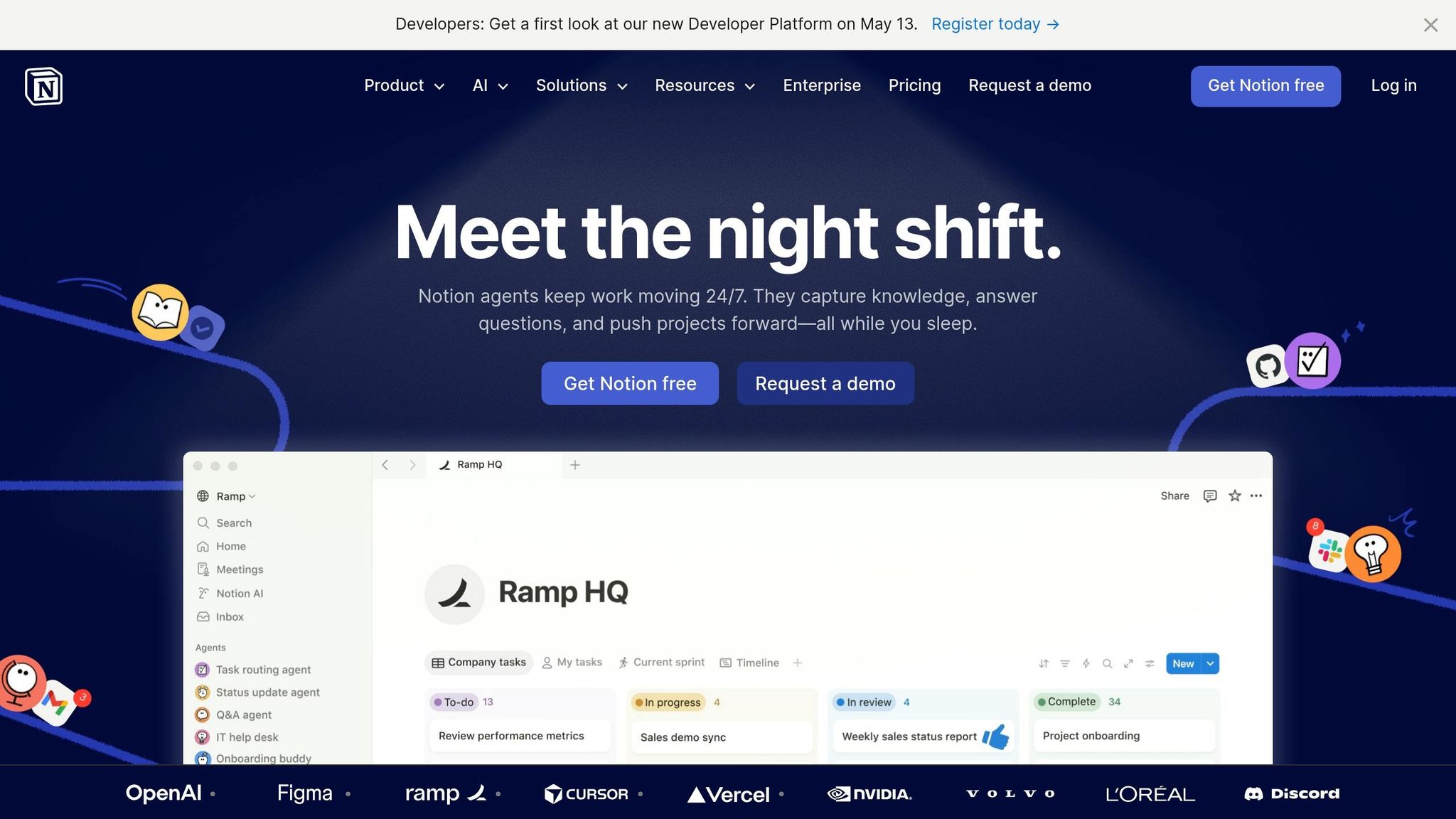
Notion takes a different approach compared to traditional task managers by serving as an all-in-one workspace that blends notes, tasks, wikis, and databases into a cohesive environment. While it's not a dedicated project management tool, Notion is primarily designed for documentation and knowledge management with built-in task tracking capabilities. This setup helps teams minimize "productivity stack fragmentation", which refers to the mental exhaustion caused by switching between multiple apps.
One of Notion's standout features is its linked databases, which let users create intricate relationships - like connecting a project database to a client CRM. This data can then be filtered and viewed in various ways, such as by deadlines or client-specific details. In 2026, Notion introduced AI tools that simplify tasks like generating meeting summaries, drafting project briefs from bullet points, and creating database filters using plain English. Nick Erdenberger from OpenAI's GTM team summed it up well:
"There's power in a single platform where you can do all your work out of. Notion is that single place."
Another unique feature is the template economy, where users can monetize their custom workflows by selling them as digital products. Jason Carter, a remote work advocate, highlights this:
"Notion is the only project management tool on this list that pays you back twice. You use it to run your business, then you sell the system you built."
However, this versatility comes at a cost - a steep learning curve. Teams may need 1–3 weeks to fully adopt the platform, unlike simpler tools like Trello, which can be set up in under an hour. New users are advised to dedicate a full day to configuring their workspace or consider purchasing pre-built templates to avoid "setup paralysis".
Starting Price (USD)
Notion offers a free plan for individuals, which includes unlimited pages and blocks but limits file uploads to 5MB. The Plus Plan is priced at $10 per user per month (billed annually) or $12 monthly, offering unlimited file uploads and up to 100 guest collaborators. The Business Plan, at $20 per user per month, includes Notion AI features, which are no longer available for lower-tier plans. For a 10-user team on the Plus Plan, the yearly cost is $1,200.
Additional charges include $10 per 1,000 monthly Notion credits for custom agents and $8 per month (billed annually) for custom domains. Enterprise pricing is available upon request.
Key Features
Notion's customizable databases allow users to filter and view data in multiple layouts. However, it lacks native project management tools like Gantt charts, time tracking, and real-time workload management. These features can be added manually using databases and formulas. The platform excels at integrating documentation and SOPs with task tracking, making it ideal for teams that need both context and task management.
The free guest access option is a plus for freelancers and small businesses, enabling collaboration with clients on specific pages without requiring extra licenses. Notion's AI tools can automate tasks like content summarization and data categorization, but frequent users may need to upgrade to the Business Plan to ensure consistent access to these features.
Ideal Use Cases
Notion is a strong choice for knowledge workers who need to centralize SOPs, wikis, and meeting notes alongside active projects. It's particularly useful for consultants and content managers working with documentation-heavy workflows that demand detailed context. Freelancers and solopreneurs can also benefit by managing invoices, CRMs, and client project wikis within one workspace - and even selling these systems as templates.
For remote teams, Notion acts as a "shared source of truth", reducing the need to switch between multiple apps during asynchronous work. With a G2 rating of 4.7/5 from over 6,000 reviews and a 9.2/10 editorial score from MarketingCaseStudy.io, it's clear that many users appreciate its flexibility, even if it isn't the quickest tool to get started with.
Pros
- All-in-one workspace: Combines documents, tasks, wikis, and databases to reduce the need for multiple apps.
- Linked databases: Create complex relationships between projects, clients, and tasks, with flexible viewing options.
- Template economy: Build and sell your workflows as digital assets for passive income.
- Generous guest collaboration: Add up to 100 guests on the Plus Plan without extra costs.
- AI features: Automate tasks like summarizing content and filtering databases (available in the Business Plan).
Cons
- Steep learning curve: Teams may need weeks to fully adopt the platform, and initial setup requires significant time.
- Lacks native project management tools: Features like Gantt charts and time tracking must be manually created.
- AI restricted to higher-tier plans: Access to AI tools requires the $20/user Business Plan, doubling costs for teams needing these features.
- Performance issues with large workspaces: Can slow down when databases grow too large.
- Overkill for simple tasks: Solo users looking for basic to-do lists may find it unnecessarily complicated.
8. MeisterTask
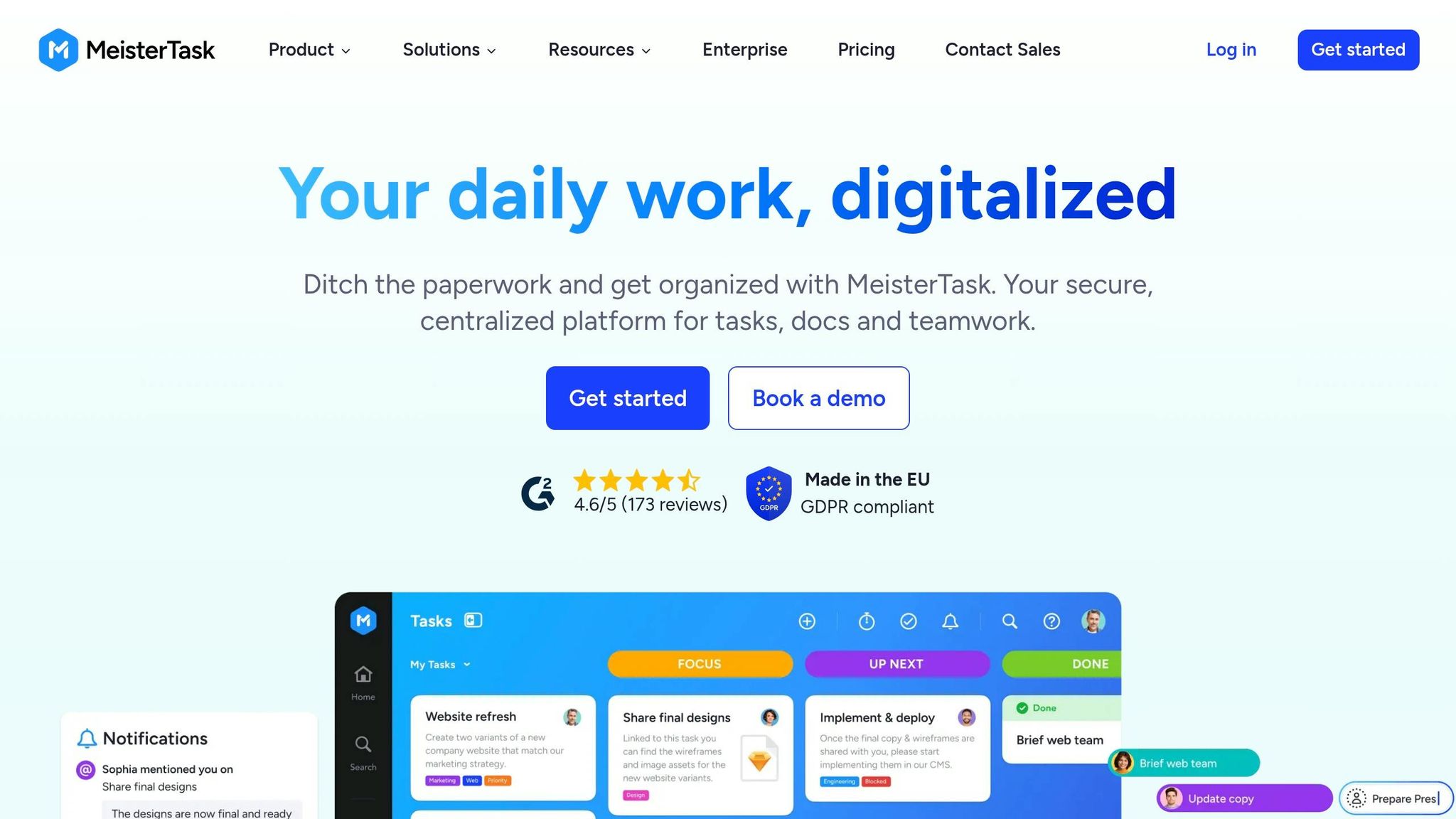
MeisterTask wraps up our list as a Kanban-based project management tool focused on simplicity and security. Its clean, user-friendly design makes it easy to use with minimal training, which has attracted over 3 million users from more than 10,000 companies worldwide. It’s especially popular in industries where data security is a top priority [76,77].
With EU-based hosting in Frankfurt, ISO 27001 certification, and full GDPR compliance, MeisterTask meets strict security requirements, making it a solid choice for regulated industries [76,79]. For example, UEBE GmbH, a healthcare company, reported cutting internal emails by 95% after adopting MeisterTask. Similarly, manufacturing teams have reduced emails and meetings by 50%. Brett Day, a project management expert, describes it as:
"an elegant tool ideal for planning, organizing, and executing simple projects".
The platform also includes MeisterAI, which assists with tasks like documentation searches and content drafting. AI usage is capped depending on the plan: 20 prompts for the free plan, 75 for the Pro plan ($13/user/month), and 350 for the Business plan ($25/user/month). The Business plan also unlocks advanced features like Timeline views (Gantt charts), subtasks, and custom fields for managing more complex workflows [78,80].
However, the tool has its limitations. It lacks features like native spreadsheet views and advanced calendars, and its pricing can feel steep - features like Gantt charts are only available on the $25/user/month Business plan. MeisterTask is best suited for small to medium-sized teams that prioritize ease of use and security over extensive customization options.
Starting Price (USD)
- Free Plan: Includes unlimited tasks, up to 3 projects, and 20 MeisterAI prompts per month.
- Pro Plan: Priced at $13 per user per month, it includes unlimited projects, recurring tasks, automations, and 75 AI prompts. For a team of 10, this totals approximately $1,560 annually.
- Business Plan: Costs $25 per user per month and adds features like Timeline views, subtasks, custom fields, and 350 AI prompts. Annual billing offers savings of up to 28%.
- Enterprise: Custom pricing is available and includes features like SSO, compliance exports, and dedicated account management.
Key Features
- Customizable Kanban Boards: Automate repetitive tasks, like assigning owners automatically when cards move between sections.
- Integrated Documentation: Comes with MeisterNote for creating a centralized knowledge base alongside task tracking [76,78].
- Timeline View: Provides a Gantt-style calendar for visualizing tasks and deadlines (available in Business and Enterprise plans) [78,80].
- Template Gallery: Offers pre-designed project templates based on industry best practices [76,80].
- MindMeister Integration: Lets users transform mind maps into actionable tasks seamlessly [77,78].
Ideal Use Cases
MeisterTask is a great fit for industries like banking, healthcare, and public sector organizations that require strict compliance with data residency and security standards [76,79]. For instance, VR-Bank Würzburg, a German financial institution, chose MeisterTask for its compliance capabilities, which exceeded those of Microsoft Teams and Planner. The platform is also ideal for small to medium-sized teams managing simple to moderately complex Agile projects. Freelancers and solo professionals can benefit from the free plan, which offers unlimited tasks and three projects - perfect for basic Kanban workflows. Teams already using other tools in the Meister ecosystem, like MindMeister or MeisterNote, will appreciate the seamless integration [77,78].
Pros
- High Security Standards: ISO 27001 certified with EU-based hosting, ideal for regulated industries.
- User-Friendly Interface: Offers a visually appealing design with a minimal learning curve.
- Built-In Documentation: MeisterNote integration simplifies knowledge management.
- Generous Free Plan: Includes unlimited tasks and up to three projects at no cost.
- Offline Mobile Access: Automatically syncs changes when reconnected to the internet.
Cons
- Limited View Options: Does not include native spreadsheet views or advanced calendar layouts beyond Kanban and Timeline modes.
- High Pricing for Paid Plans: Costs $13–$25 per user per month, which can feel steep for the feature set.
- Fewer Integrations: Many workflows require third-party tools like Zapier.
- Advanced Features Restricted: Gantt charts and custom fields are only available in the Business plan.
- AI Prompt Caps: Even the Business plan limits AI usage to 350 prompts per month.
Quick Comparison Table
Here's a side-by-side look at eight tools to help you decide which one suits your needs. Each platform offers a freemium model with monthly per-user fees (annual billing discounts are available). Be aware that some, like Monday.com, have a minimum seat requirement (e.g., 3 seats) for paid plans, which could raise costs for solo users or very small teams. The table below outlines pricing models, key strengths, ideal users, and potential drawbacks. For a deeper dive, check out the detailed reviews above.
| Tool | Pricing Model | Main Strengths | Best For | Key Weaknesses |
|---|---|---|---|---|
| Jira | Freemium (free tier available; paid plans per user) | Advanced process control, Scrum/Kanban boards, detailed issue tracking | Software development teams using Agile workflows | Steep learning curve (rated 2.5/5 for ease of use); may overwhelm non-technical teams |
| ClickUp | Freemium (free plan available; paid plans per user) | Combines tasks, docs, and chat in one platform; highly customizable | Teams looking for an all-in-one solution for diverse workflows | Setup can be lengthy due to many customization options |
| Asana | Freemium (free for small teams; premium plans per user) | Great for multi-project coordination with timeline views; user-friendly for non-technical teams | Marketing, operations, and cross-functional teams managing projects | Offers less customization compared to some competitors |
| Trello | Freemium (free plan available; paid plans per user) | Simple, easy-to-use Kanban boards for quick task tracking | Freelancers and small teams needing visual task management | Lacks advanced features like Gantt charts and complex dependencies |
| Todoist | Freemium (free plan available; premium plans unlock more features) | Lightweight and fast for personal task management (rated 5/5) | Individuals and freelancers managing personal to-do lists | Not built for team collaboration or complex projects |
| Monday.com | Freemium (paid plans require at least 3 users) | Strong visual boards and powerful automation with many integrations | Small to medium businesses needing structured project tracking | Higher starting cost due to minimum seat requirement |
| Notion | Freemium (free plan available; paid plans per user) | Highly customizable with relational databases, wikis, tasks, and docs | Teams creating custom workflows and knowledge bases | Steep learning curve (rated 3.5/5) and time-intensive setup |
| MeisterTask | Freemium (free and paid plans available) | Simple, user-friendly Kanban interface | Teams wanting straightforward visual task management | Missing some advanced project management features |
Conclusion
Pick a task management tool that suits both your workflow and budget. If you're a freelancer working solo, Todoist (starting at $4/month for Pro) or Trello ($5/user/month) are excellent options. Both are straightforward to set up and don’t come with additional seat fees.
For small teams watching their expenses, ClickUp's free tier is a standout, offering unlimited tasks and users with 100MB of storage - perfect for startups not ready to commit to per-user costs. If you're part of a software development team, Jira continues to be a top choice, with a free plan accommodating up to 10 users and unlimited projects. Cross-functional teams needing visual dashboards and structured project tracking will appreciate Asana and Monday.com, though keep in mind Monday.com’s 3-seat minimum ($9/seat/month), which may not be ideal for solo users.
This decision aligns with industry trends. Research highlights that 82% of small businesses are increasing their investment in automation and productivity tools to stay competitive. It's worth noting that teams lose up to 20% of their workweek searching for information or clarifying responsibilities, making effective task management a critical solution.
Start by experimenting with free tiers to establish organized workflows, and upgrade only when necessary. Be aware that some advanced features might require paid plans. Testing different formats - like a simple list tool (Todoist) versus a visual board (Trello) - can help you find what works best.
Ultimately, the best tool is the one your team consistently uses, not necessarily the one with the most features. The right choice will not only enhance productivity but also streamline operations, which is essential for growth and success.
For more tools and resources to improve your business operations, check out BizBot's curated directory. It features accounting software, HR solutions, and management platforms tailored for freelancers and growing businesses.
FAQs
Which tool is best for my team size?
The ideal task management tool varies depending on your team’s size and requirements. For smaller teams or startups, Todoist and Trello are great options. They provide the basic features you need without overwhelming complexity.
If you're part of a larger team, consider tools like Asana or Monday.com. These platforms offer advanced features for collaboration and tracking, making them better suited for more intricate workflows.
For enterprise-level projects or personal organization, Celoxis and Microsoft To Do are worth looking into. Many of these tools come with free trials, so you can test them out before committing to one.
What should I test on the free plan first?
When trying out a free plan for task management tools, start by examining the essentials: creating tasks, assigning them to team members, and setting deadlines. Take a closer look at how the tool handles collaboration - features like comments, notifications, or team updates can make a big difference. If your work relies on extras like visual boards, integrations with other tools, or time tracking, test those as well. Focusing on these basics will help you determine if the tool aligns with your workflow before exploring more advanced options.
When is it worth paying for AI features?
Paying for AI tools can be a smart investment when they help simplify workflows, improve scheduling, and adapt to changing priorities. These advantages not only ease the pressure of meeting deadlines but also increase productivity, making them a strong choice for efficient task management.


![Thumbnail for: Compliance Training 101: Complete Guide [2024]](https://mars-images.imgix.net/seobot/bizbot.com/6666495f0f868443fbdadd05-4e74f54c55cc663677c1edb0c1fddc8c.png?auto=compress)