Managing multiple projects can be overwhelming, but the right tools make it easier to stay organized, meet deadlines, and improve team collaboration. This article highlights seven tools designed to simplify project management, track progress, and optimize resources, helping teams work smarter, not harder. Here’s a quick look at the tools covered:
- Asana: Great for task tracking, portfolio views, and team communication.
- Wrike: Offers AI-powered automation and cross-tagging for better task visibility.
- Monday.com: Known for its customizable views and AI features to save time.
- Jira: Ideal for technical teams with strong Agile and issue-tracking capabilities.
- ClickUp: A one-stop workspace with a structured hierarchy and built-in communication tools.
- Epicflow: Focused on resource management for complex, multi-project systems.
- Microsoft Project: Integrates with Microsoft 365 for streamlined task and portfolio management.
Each tool provides unique features, from AI-powered automation to real-time dashboards, ensuring better coordination and fewer missed deadlines. Below, you’ll find detailed insights into how these tools can help your team manage multiple projects effectively.
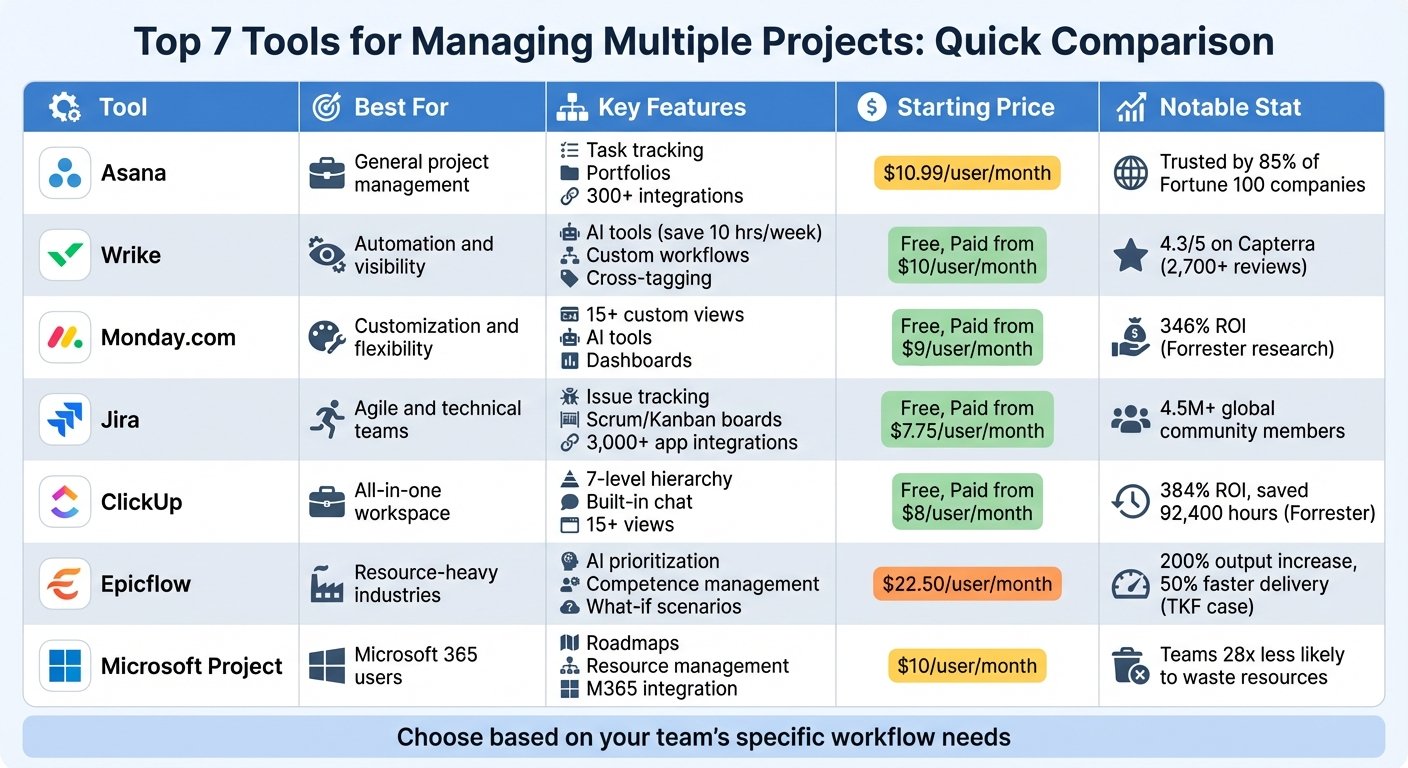
Quick Comparison:
| Tool | Best For | Key Features | Starting Price |
|---|---|---|---|
| Asana | General project management | Task tracking, Portfolios, Integrations | Free tier; Starter $10.99/user/month billed annually |
| Wrike | Automation and visibility | AI tools, Custom workflows, Integrations | Free; Team $10/user/month billed annually (2–15 users) |
| Monday.com | Customization and flexibility | AI tools, Custom views, Dashboards | Free (2 seats); Basic $9/seat/month billed annually |
| Jira | Agile and technical teams | Issue tracking, Scrum/Kanban boards | Free up to 10 users; paid rates not published in readable form |
| ClickUp | All-in-one workspace | Hierarchy system, Built-in communication | Free Forever; Unlimited $7/user/month billed annually ($10 monthly) |
| Epicflow | Resource-heavy industries | AI prioritization, Competence management | Growth €22.50/user/month billed annually, 20-user minimum |
| Microsoft Project | Microsoft 365 users | Roadmaps, Resource management | Planner Plan 1 $10.00/user/month paid yearly |
Every price here was checked against the vendor’s own pricing page in August 2026 and should be confirmed before you budget. Note that Epicflow is priced in euros, not dollars, and that the annual and monthly rates differ on most of these tools. Choose the tool that fits the coordination problem you actually have.
Project Management Tools Comparison: Features, Pricing, and Best Use Cases
1. Asana
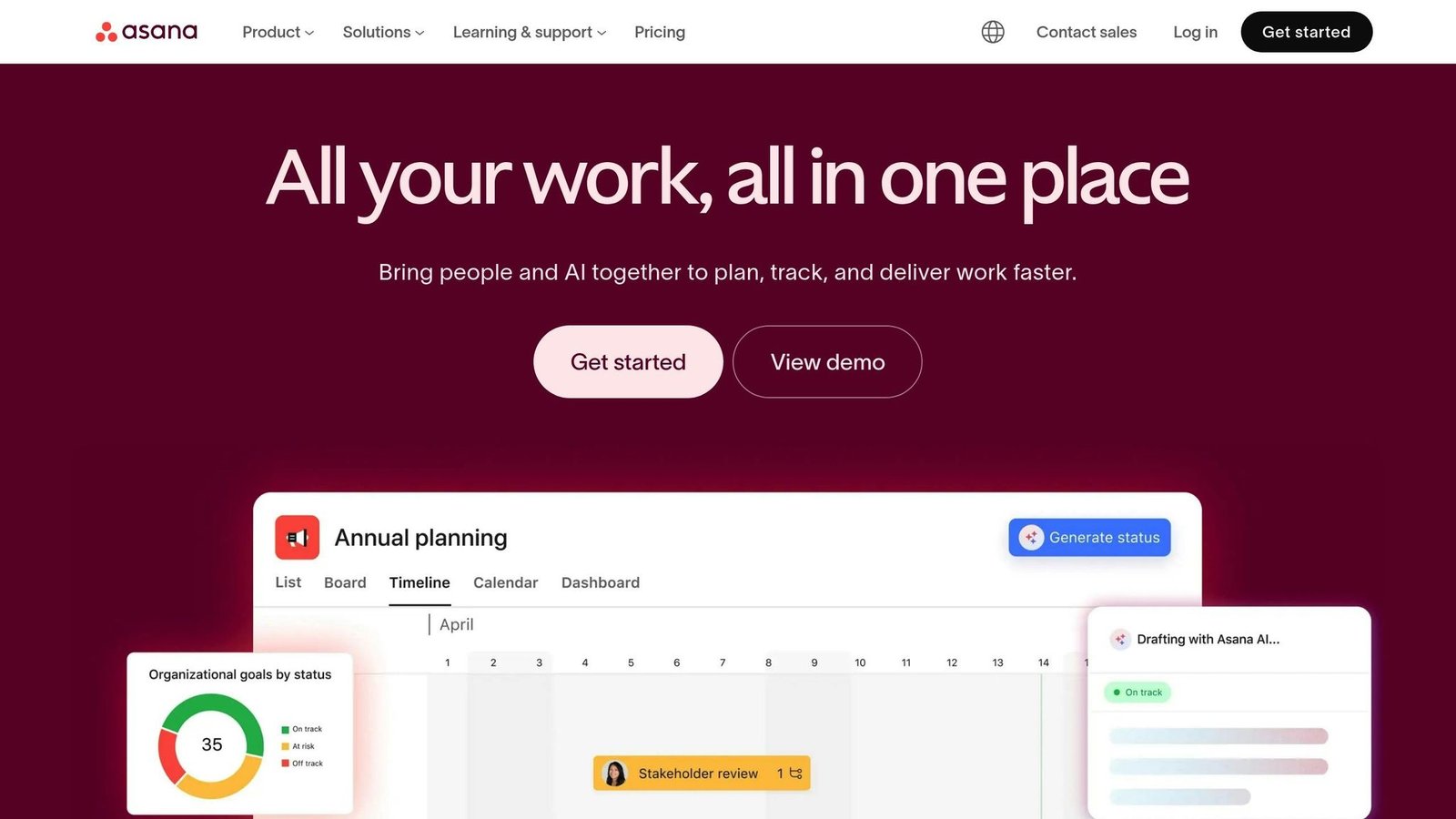
Asana markets itself on scale and analyst placement: it says 85% of Fortune 100 companies use it, a figure it dated to December 2023, and it reports being named a Leader in the Gartner Magic Quadrant for Collaborative Work Management. Both are the vendor’s own claims. Neither tells you whether it fits your team.
Task Tracking and Prioritization
With Asana, you can break down work into tasks and subtasks, keeping everything organized and visible. Its multi-homing feature allows up to 20 projects to be linked per task, ensuring responsibilities stay synchronized across teams. Custom fields let you prioritize tasks (e.g., High, Medium, Low), and you can view your work in different formats like lists, Kanban boards, timelines (Gantt), or calendars for better flexibility.
Collaboration and Team Communication
Asana simplifies team communication by centralizing comments, @mentions, and file attachments directly within tasks. Its AI-powered tools like “Smart Summaries” pull actionable items from conversations, while “Smart Status” highlights potential project risks for quick resolution. Teams can also securely collaborate with external partners by inviting them as guests to specific projects.
Portfolio and Resource Management
For managers overseeing multiple projects, Asana’s “Portfolios” feature acts as a command center, offering a clear view of project health, timelines, and progress in one place. The “Workload” tool provides real-time insights into team capacity, enabling managers to reassign tasks with a simple drag-and-drop to prevent burnout. Integrations with other tools further enhance its capabilities.
Integration with Other Tools
Asana says it integrates with over 300 enterprise tools, including Slack, Google Drive, Salesforce, and Jira Cloud, making it easier to streamline workflows with efficient business tools. Advanced plans also include data syncing with tools like Jira, Tableau, and Power BI for automatic task updates and detailed reporting.
2. Wrike
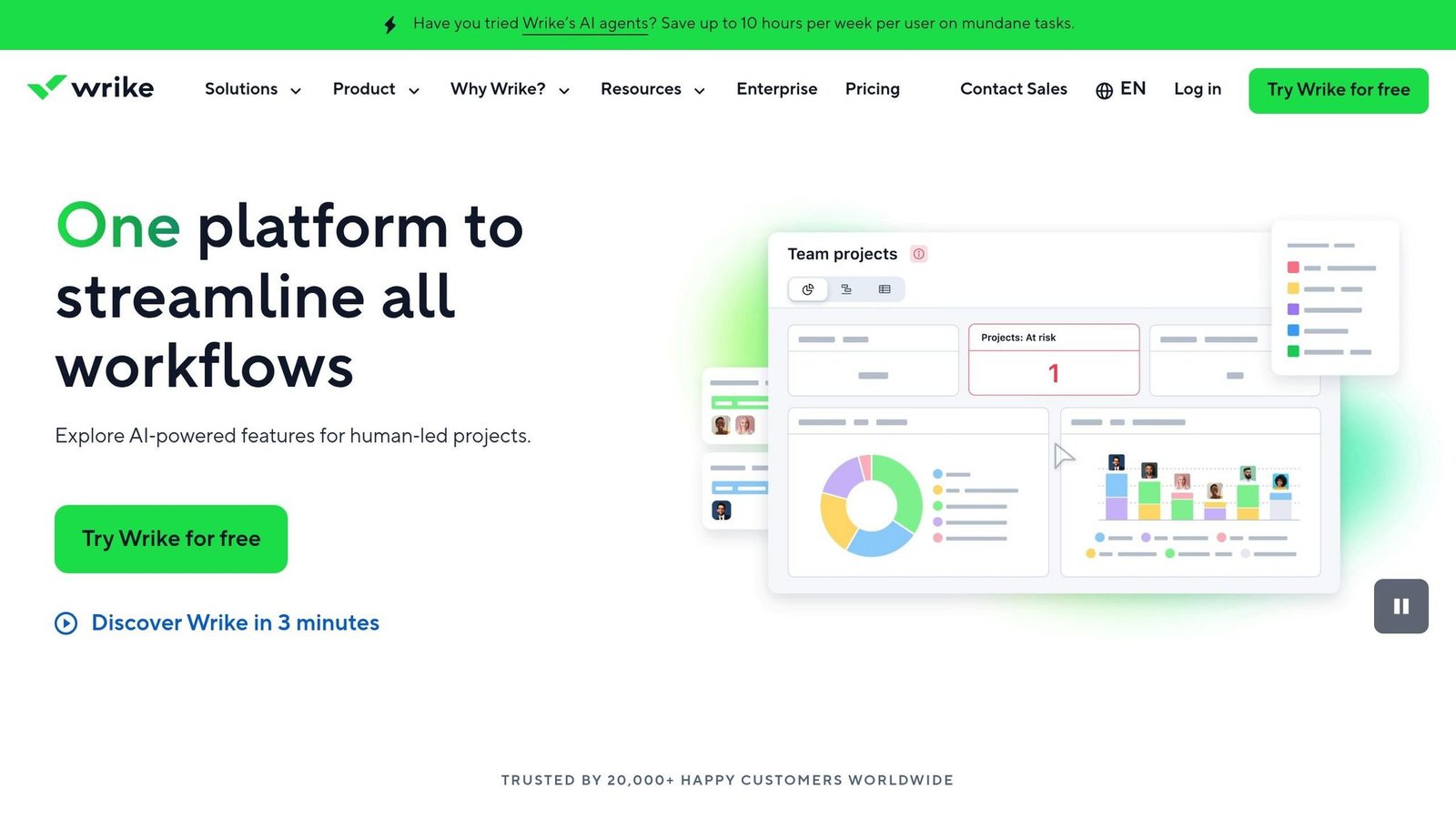
Wrike says it was named a Leader in the 2025 Gartner Magic Quadrant for Collaborative Work Management. One standout feature is its cross-tagging system, which allows tasks to appear in multiple projects without duplication, ensuring teams work from a single live version. Here’s how Wrike simplifies task management and boosts team productivity.
Task Tracking and Prioritization
Wrike’s AI features automate risk monitoring and generate task summaries. A figure for hours saved per week has been removed from this paragraph as unsourced. The platform supports customizable workflows and item types tailored to specific needs – such as Candidate Cards for HR or Creative Briefs for marketing – offering more than just generic templates. Users can switch between different views (Gantt chart software, Kanban boards, tables, or calendars) to quickly identify bottlenecks. Additionally, dynamic request forms streamline task creation by capturing detailed information upfront and auto-assigning responsibilities.
Collaboration and Team Communication Features
Wrike publishes customer stories with specific numbers in them. Siemens Smart Infrastructure is quoted as reporting a 10% productivity increase across 14,000 users in over 20 countries after centralizing data and task management with Wrike. Read those as vendor marketing rather than independent measurement. Features like built-in proofing tools allow teams to provide direct feedback on documents, while automated workflows send notifications when tasks reach stages like “Ready for approval”.
In another Wrike-published story, Electrolux’s Global Packaging Manager, Ella Rudebeck, describes reducing email volume by 50% and cutting project timelines by 30%.
“Our designers really like it – they are less stressed because they have more control of the artwork.” – Ella Rudebeck, Global Packaging Manager, Electrolux
Portfolio and Resource Management Capabilities
Wrike helps align project portfolios with organizational goals, offering real-time insights into team capacity and workload. Managers can use workload charts to identify overburdened team members and reallocate tasks with simple drag-and-drop functionality. Wrike’s Arvig case study quotes Project Manager Kelly Maier on a 20% cost saving per project across roughly 50 projects a year. Wrike also tracks budgets in real time and provides financial performance estimates for entire portfolios, making it easier to manage diverse projects effectively.
Integration with Other Tools and Platforms
Wrike says it has over 400 native integrations, including Slack, Microsoft Teams, Salesforce, and Adobe Creative Cloud. A promotion making AI features free until 31 March 2026 has been removed from this article: that date has passed. On price, the Free plan is $0, Team is $10 per user per month for 2–15 users, and Business is $25 per user per month for 5–200 users — both of those are the annual rates, billed per user annually. Above Business, Wrike sells Pinnacle and Apex, both quoted on request. Wrike also sells seats in groups of five up to 30 seats, which matters if you are a team of seven.
3. Monday.com
Monday.com says it was named a Leader in the 2025 Gartner Magic Quadrant for Collaborative Work Management and holds a G2 “Highest User Adoption for Enterprises” badge. The platform centralizes tasks, conversations, and resource data across projects. Its most-quoted number — a 346% ROI at Motorola with payback in under four months — comes from a Forrester Total Economic Impact study, and TEI studies are commissioned and paid for by the vendor they assess. Useful as a description of where value came from; not an independent audit.
Task Tracking and Prioritization
Monday.com offers over 15 customizable views, such as Gantt charts, Kanban boards, Timelines, and Workload views, giving teams the flexibility to organize tasks in a way that suits them best. Its AI Blocks feature automates task categorization and routing, while the Autofill with AI tool assigns statuses and priorities based on context. Two time-saving figures previously quoted here — hours saved per week from AI features and from no-code automations — have been removed because we could not source them.
Collaboration and Team Communication Features
Monday.com enhances team communication by tying discussions directly to tasks, ensuring all relevant information is easily accessible without combing through endless email threads. Tasha Hydar, IT Project Manager at Serendipity Labs, shared:
“Now, we have a crystal clear view of what’s going on at all times”.
The platform also uses AI to summarize comments and analyze stakeholder sentiment. Meanwhile, custom WorkForms streamline workflows by auto-populating boards with new requests.
Portfolio and Resource Management Capabilities
Monday.com’s portfolio management tools provide high-level dashboards that consolidate data from multiple projects. These dashboards help track goals, business banking tools for budgets, and risks across an organization. Its AI-powered risk detection feature scans updates to flag urgent issues, assigns ownership, and suggests mitigation strategies.
Integration with Other Tools and Platforms
Monday.com integrates with over 200 tools, including Slack, Microsoft Teams, Jira Cloud, Salesforce, and Google Drive, making it a central hub for work data. Ray A., Director of Customer Experience, stated:
“Monday.com’s integrations with other software tools allow for seamless collaboration and project management across teams”.
The platform’s two-way syncing with Jira Cloud ensures technical updates feed directly into broader portfolio views. For advanced needs, the open API enables custom data flows. Pricing starts at $0 for a Free plan capped at two seats and three boards, then $9, $12, and $19 per seat per month for Basic, Standard, and Pro. Those are the annual rates; monday.com puts the annual discount at 18%, so monthly billing costs more. Enterprise is quoted on request. Checked on monday.com in August 2026.
4. Jira
Jira builds on the strengths of previous tools, offering features tailored specifically for technical teams. Atlassian says Jira was named a Leader in the 2025 Gartner Magic Quadrant for Collaborative Work Management and that its community numbers over 4.5 million members — both vendor claims. Its standout capability lies in breaking down complex projects into smaller, manageable tasks using customizable workflows. With multiple viewing options – like Kanban boards, Scrum boards, lists, timelines, and calendars – it provides real-time progress tracking. Let’s explore how Jira handles task management, collaboration, and integration.
Task Tracking and Prioritization
Jira’s Rovo AI makes it easier to break down large projects into actionable tasks. It automatically assigns tasks to team members and summarizes lengthy comment threads, keeping everyone aligned across projects. Notably, Jira offers a free version for teams of up to 10 users. Joe Cotant, Senior Technical Program Manager, shared his perspective:
“Jira makes life easier – allowing us to focus on adding value rather than busywork.”
For larger organizations, Jira Align transforms strategic goals into initiatives and uses program boards to track dependencies. Custom automation rules further simplify workflows by automating repetitive tasks, ensuring projects move forward efficiently.
Collaboration and Team Communication Features
Jira integrates with Confluence, creating a centralized hub where tasks connect with essential documentation, requirements, and retrospectives. Its AI-powered Teamwork Graph links related work from third-party tools like Figma and Google Drive. Karla Henderson, Head of Global GTM Operations at Breville, highlighted the impact:
“Before, there was a disconnect…now we’re all using Atlassian tools, capturing all information we need from the beginning.”
Additionally, integrations with Slack and Loom enhance communication by offering real-time notifications and asynchronous video updates. This reduces the need for excessive meetings while allowing cross-functional teams to submit and track requests consistently.
Portfolio and Resource Management Capabilities
Jira Align is built for large-scale portfolio management, helping organizations map dependencies and allocate resources across teams. Its Timeline view visualizes key dates and dependencies, making it easier to coordinate between departments like engineering and marketing for major launches. Managers can monitor metrics like engineering cycle time, burn down charts, and team capacity to ensure resources are used effectively across active projects.
Integration with Other Tools and Platforms
With access to over 3,000 apps via the Atlassian Marketplace, Jira integrates with tools like Bitbucket and GitHub to track progress from code to delivery. Justen Stepka, Director of Product Management at Docker, emphasized its importance:
“At Docker, you can’t do your job without using Jira and Confluence. The tools work seamlessly together. It’s how we communicate between teams and get new developers up and running quickly.”
Jira also offers security features such as data residency and SAML SSO, to safeguard project integrity. No-code automation rules can trigger actions in connected tools – for instance, sending a Slack notification when the status of a Jira issue changes – making collaboration both secure and efficient. On price, Jira is free for teams of up to 10 users. Its paid Standard, Premium and Enterprise tiers use per-user pricing that changes with the number of users, and Atlassian’s pricing page did not render a rate we could read, so the “from $7.75 per user per month” figure this article previously gave has been removed. Use Atlassian’s own pricing calculator for your seat count.
5. ClickUp
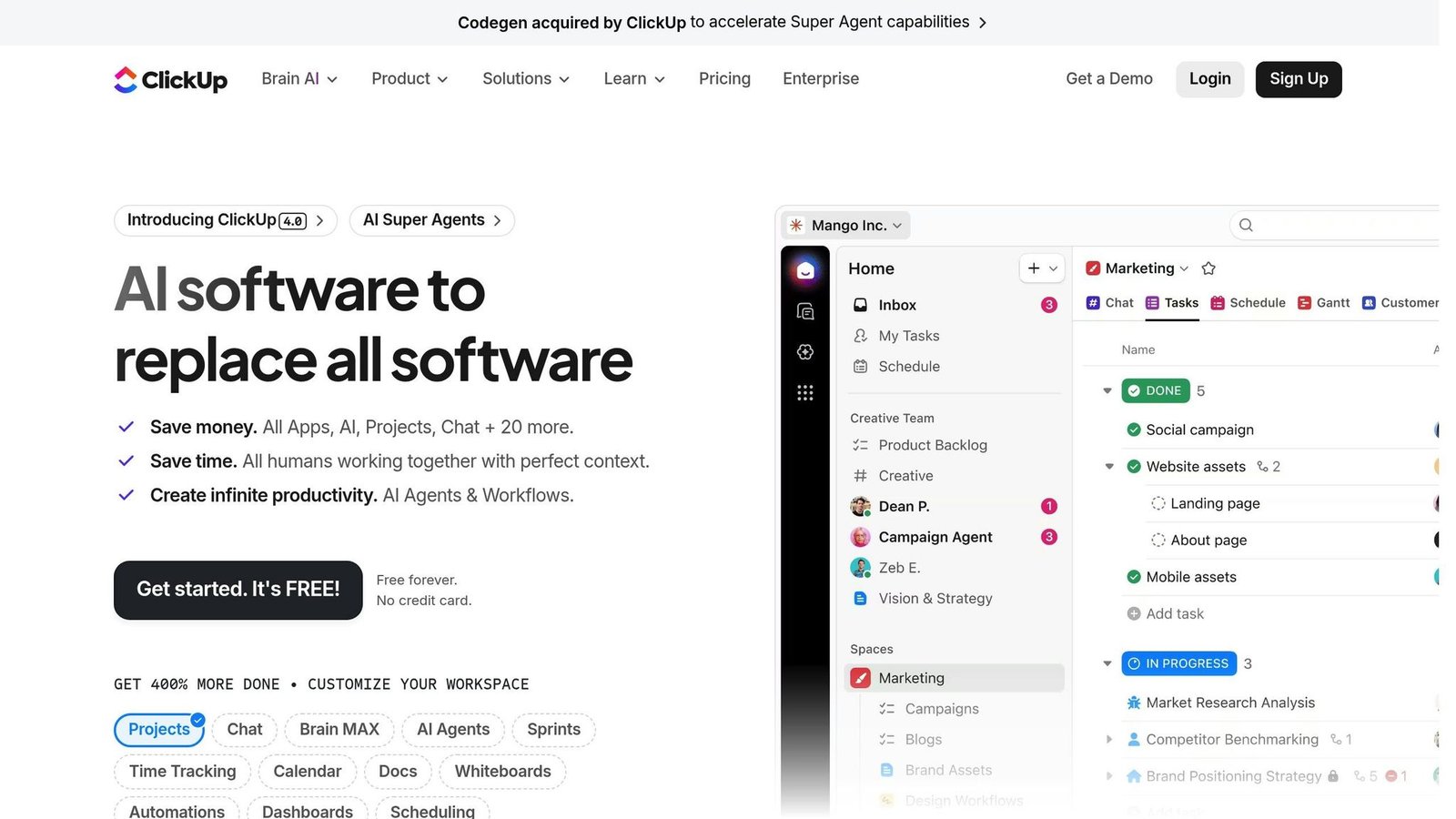
ClickUp presents itself as a one-stop workspace, aiming to replace the need for multiple disconnected tools. With its structured hierarchy and tool consolidation, it tackles the challenges of managing complex project portfolios. ClickUp says over 10 million teams use it. Its framework runs to several levels of hierarchy — Workspaces, Spaces, Folders, Lists, Tasks, and Subtasks. The ROI figures ClickUp promotes (a 384% three-year return, an average of 92,400 hours saved, $3.9 million in revenue gains) come from a Forrester Total Economic Impact study. Forrester Research is the publisher; the study is commissioned by the vendor and models a composite organisation, not a real one. This article previously credited it to “Forrester Group”, which is not a company.
Task Tracking and Prioritization
What sets ClickUp apart is its scalable hierarchy system paired with AI-powered planning. The platform offers more than 15 customizable views, such as List, Kanban Board, Gantt Chart, and Table, enabling teams to monitor progress in a way that aligns with their workflow preferences. Its AI tool, ClickUp Brain, takes things further by creating project plans, assigning tasks, and prioritizing work automatically based on real-time data from documents and chats.
Josh P., a ClickUp user, shared his thoughts:
“ClickUp offers a comprehensive feature set that streamlines adoption, allowing each team member to use the view that suits them best.”
The Portfolio view provides a bird’s-eye perspective across multiple projects, consolidating progress reports from various Lists or Folders into one centralized location. Features like urgency flags and custom task statuses help teams focus on critical priorities, while the “My Tasks” feature gives users a personalized overview of their assignments, reminders, and recent activities.
Collaboration and Team Communication Features
Beyond task management, ClickUp strengthens team collaboration with integrated communication tools. It includes a built-in Chat feature to replace external messaging apps, collaborative Docs and Wikis for real-time editing, and Whiteboards that transform brainstorming ideas into actionable tasks. The “Clips” feature allows screen and voice recording for asynchronous feedback, helping teams cut down on unnecessary meetings. Daria G. expressed her experience:
“It has revolutionized the way our teams communicate and keep track of our work. Now we’re not using different systems to keep track of updates on campaigns and activities.”
The platform’s AI Notetaker integrates with tools like Zoom and Microsoft Teams to transcribe meetings and generate summaries with actionable items directly in ClickUp. Real-time collaboration detection shows who is actively working on or viewing a task, reducing the risk of duplicate efforts. Additionally, ClickUp supports guest accounts with customizable permissions, making it easy to collaborate securely with clients or contractors while safeguarding sensitive data.
Portfolio and Resource Management Capabilities
ClickUp provides tools to manage resources and maintain transparency across multiple projects. The Workload view uses a drag-and-drop interface to display team capacity, making it simple to redistribute tasks and avoid burnout. Built-in time tracking gives managers insights into resource allocation, while dashboards offer real-time updates on metrics and progress. To streamline workflows, custom automation rules handle status changes and task handoffs, eliminating repetitive manual tasks and preventing delays. These features ensure teams stay on top of their workload while maintaining visibility across their project portfolio.
Integration with Other Tools and Platforms
ClickUp says it connects with over 1,000 tools, including Slack, Microsoft Teams, GitHub, and Google Drive. It also features one-click importers for migrating data from other project management tools and provides a public REST API for custom integrations. ClickUp offers an “Embed View” feature, allowing users to host other web applications directly within their workspace to minimize context switching. The platform provides a Free Forever plan with no credit card required. Paid plans start with Unlimited at $7 per user per month billed annually, or $10 per user per month billed monthly; Business is $12 annually or $19 monthly, and Enterprise is quoted on request. The $8 annual figure this article previously gave was wrong. Checked on clickup.com in August 2026.
6. Epicflow
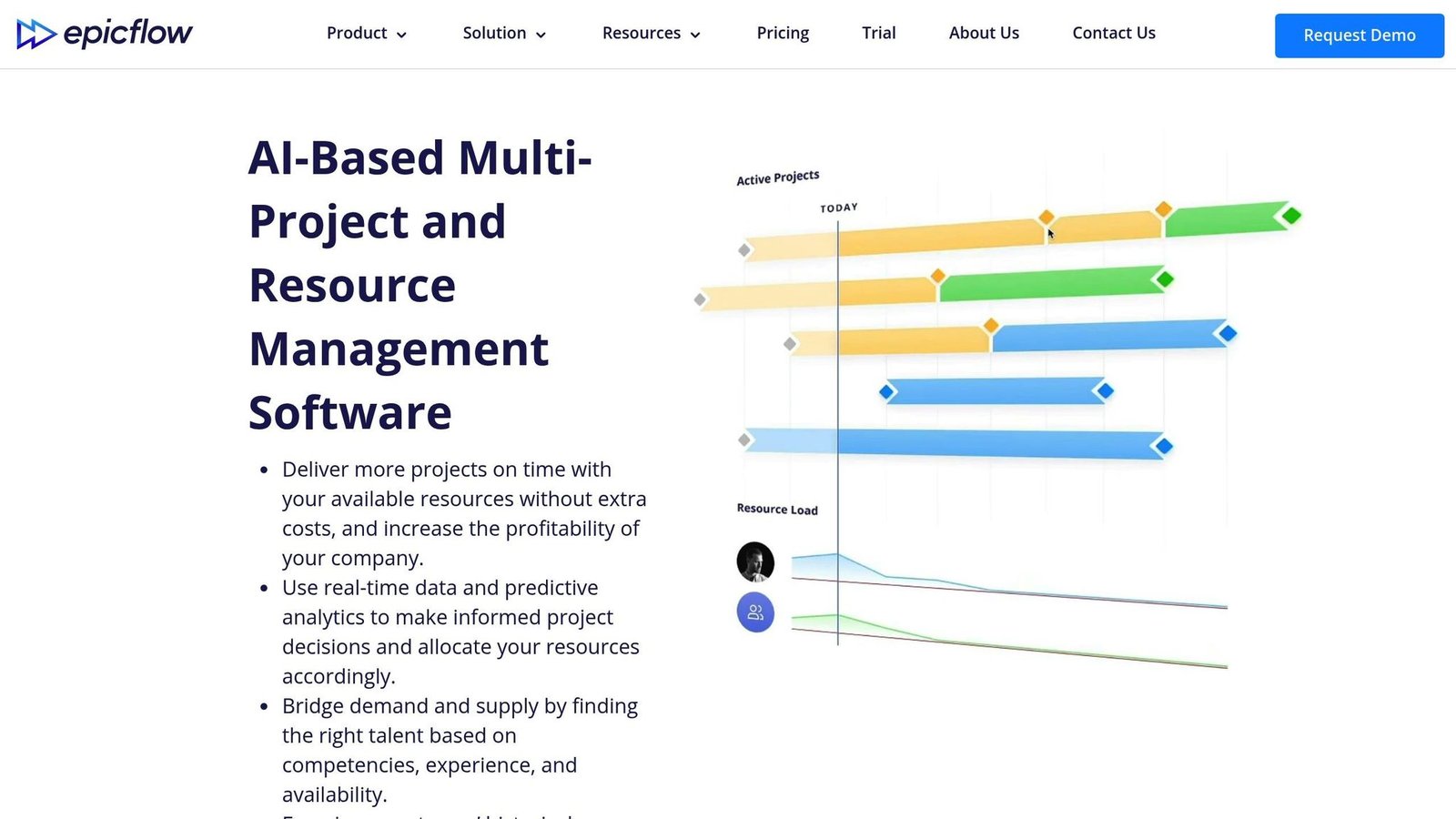
Epicflow takes a distinct approach by treating multiple projects as part of a single, interconnected system. Tailored for mid-sized to large companies in industries like aerospace, defense, and manufacturing, it uses AI-powered automation and machine learning to manage shared resources across complex project portfolios. Its JOSCAR certification and compliance with British Ministry of Defence penetration testing standards highlight its reliability for mission-critical operations. Epicflow says one client manages a resource pool of over 15,000 users through the platform.
Portfolio and Resource Management Features
Epicflow’s standout feature is its AI-powered prioritization engine, which dynamically calculates and updates task priorities across multiple projects in real time. Tools like the Future and Historical Load Graphs help predict demand, identify bottlenecks, and use past performance data to improve efficiency. The Portfolio Optimizer further enhances decision-making by prioritizing projects based on business value and resource availability.
The platform has delivered impressive results for its users. Epicflow publishes customer stories with large numbers attached. TKF’s R&D Department, under Director Hans de Boer, is quoted on a 200% increase in output and a 50% cut in project lead times over two years. This is the vendor’s own case study:
“We increased our output by 200% and reduced lead time by 50% in 2 years. We are also able to give our customers realistic commitments.”
A second Epicflow case study quotes KPN on a 62% improvement in project deliverability and a 21% gain in overall efficiency. Partner Manager Edwin Kuiper commented:
“On-time delivery is not a myth. We’re now able to deliver on time and improve our service in a faster and more efficient way.”
Epicflow also offers What-if Scenario Planning, enabling managers to simulate changes and evaluate their impact before implementing them. Its Competence Management system, paired with a semi-automated Resource Allocation Advisor, ensures tasks are assigned to the most suitable team members based on their skills, experience, and availability. Additionally, the AI assistant “Epica” provides real-time alerts, identifies potential risks, and recommends optimal resource allocations. Two aggregate improvement ranges previously quoted here have been removed as unsourced. The platform integrates with existing project management tools rather than replacing them.
Integration with Other Tools
Epicflow connects with tools like Jira, MS Project, Oracle Primavera, MS Excel, SAP, and various HRM systems. Acting as a “top-layer” solution, it lets teams continue using their preferred interfaces while gaining access to advanced resource management features. For organizations with specific needs, custom integrations can also be developed. To address data security concerns, the DataGuard tool ensures that sensitive project data remains on-premises while leveraging cloud-based AI analytics. Pricing is the thing most likely to rule Epicflow out for a small team, and it is not in dollars. The Growth plan is €22.50 per user per month billed annually, or €25 per user per month billed monthly, and it starts at a 20-user minimum. Enterprise, from 50 users upward, is quoted on request. That is a euro price and a floor of 20 seats, neither of which this article previously stated. Checked on epicflow.com in August 2026.
7. Microsoft Planner (formerly Microsoft Project)
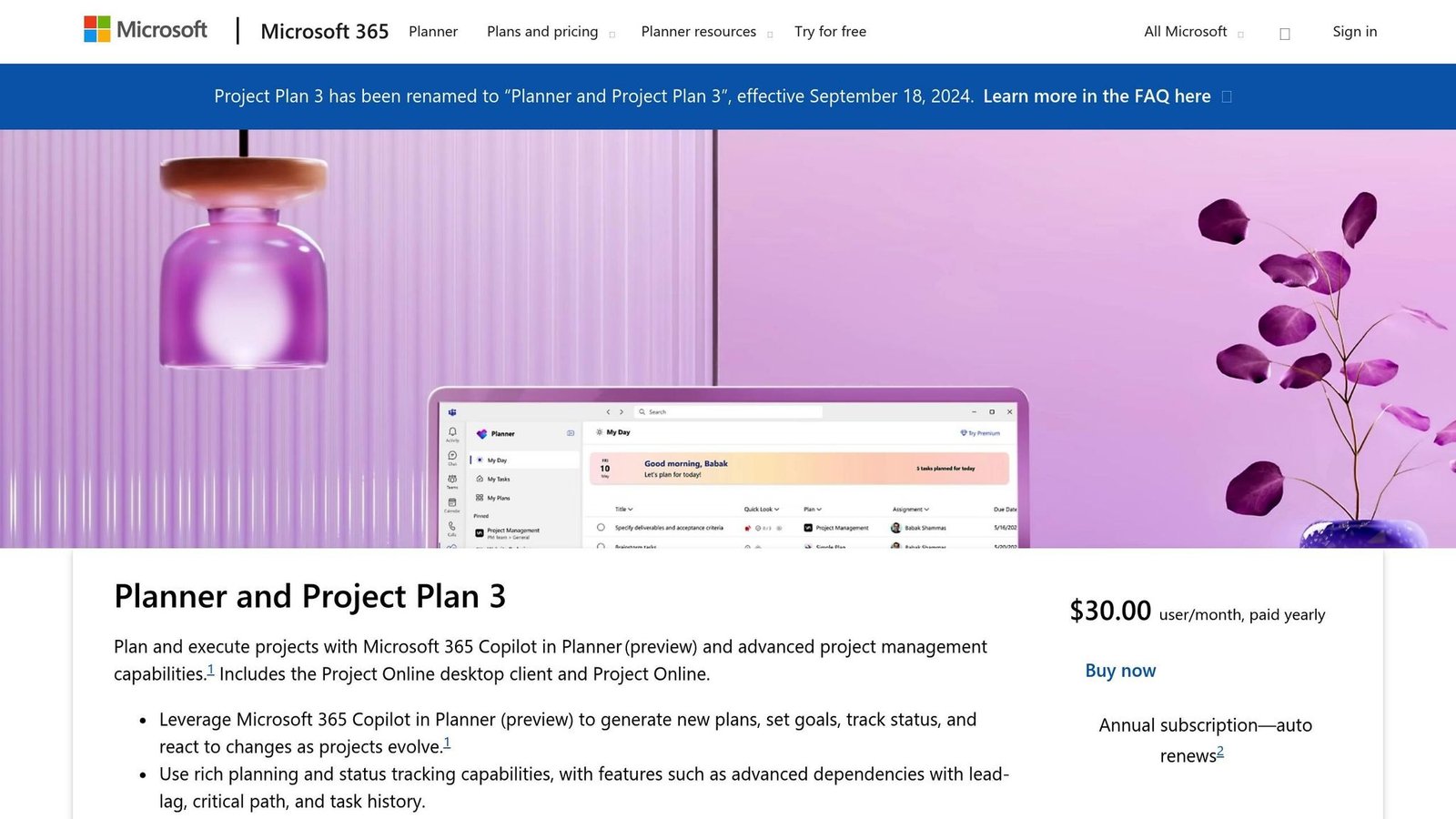
Microsoft Project, now known as Microsoft Planner, serves as a comprehensive platform for managing everything from straightforward to-do lists to complex multi-project portfolios within the Microsoft 365 ecosystem. Like other leading tools, it centralizes task and resource management, ensuring projects stay on track. The platform provides various visualization options, including hierarchical lists, Kanban boards, and Gantt charts, which help track dependencies effectively. For teams juggling multiple projects, the Roadmap feature offers a consolidated visual timeline, giving managers and stakeholders a clear overview of statuses and dependencies across the organization. Let’s break down how its key features simplify multi-project oversight.
Task Tracking and Prioritization
One standout feature is the ability to manage cross-project dependencies through Master and Subprojects, which merge individual subprojects into a master view. This makes it easier to understand how specific tasks influence interconnected initiatives. Tackling the challenges of managing dependencies across multiple projects, Microsoft Project provides tools to streamline coordination. Additionally, the AI-powered Microsoft 365 Copilot enhances productivity by identifying high-priority tasks, potential risks, and team availability. For individual team members, tools like “My Day” and “My Tasks” consolidate all assignments into a single, prioritized list, making it easier to focus on what matters most. These features create a solid foundation for effective portfolio management.
Portfolio and Resource Management Capabilities
Advanced portfolio management tools become available with Plan 3 and above, allowing users to model scenarios, balance proposals against strategic goals, and manage resource constraints. Features like Capacity Heat Maps and Resource Engagements ensure team workloads are optimized without causing unauthorized reassignments. Summing up this efficiency, Paul Scheiman, Vice President of Program and Project Management at Presidio, remarked:
“Now that we have a unified system with Project for the web, project managers have one place to manage their projects”.
Integration with Other Tools and Platforms
Microsoft Planner integrates across the Microsoft 365 suite. It connects with Teams for communication, Outlook for syncing tasks from flagged emails, and Loop for tracking workspaces. Through the Power Platform, users can create custom dashboards in Power BI, automate workflows with Power Automate, and develop tailored solutions in Power Apps. Jack Quan, IT Process and Governance Manager at Muckleshoot Casino Resort, shared his experience:
“We’re in a highly collaborative environment with small teams, and the work we do is high volume and high impact. Microsoft Project for the web and its integrations are really complementary to how we work”.
Pricing begins at $10.00 per user per month for Planner Plan 1, paid yearly, with Planner and Project Plan 3 at $30.00 per user per month, also paid yearly. A Plan 5 at $55.00 was previously listed here; it does not appear on Microsoft’s current Planner pricing pages, so we removed the figure — ask Microsoft directly if you need portfolio-level features beyond Plan 3. Basic Planner functionality is included with Microsoft 365 subscriptions. Checked on microsoft.com in August 2026.
Conclusion
Managing multiple projects doesn’t have to mean endless emails and juggling spreadsheets. The tools discussed in this article are designed to tackle common coordination headaches by providing real-time visibility across project portfolios and automating repetitive tasks. Two widely repeated statistics about the payoff from project management software have been removed from this paragraph: neither was traceable to a published study.
The key to reaping these benefits lies in choosing a tool that addresses your team’s specific challenges. As Vartika Kashyap from ProofHub explains:
“The issue I see most often is teams picking tools based on features without understanding what coordination problem they’re trying to solve”.
For instance, if your team struggles with Agile sprints or issue tracking, Jira offers a focused solution. If aligning daily tasks with company-wide goals is a priority, Asana’s portfolio management tools are worth exploring. And for teams already on Microsoft 365, Microsoft Planner — the current name for what was Microsoft Project — sits inside tools they already have, with advanced scheduling and resource management on the paid plans.
Before committing to a platform, consider running a two-week trial with a small team on a live project. Test features like mobile app functionality for remote work, send a support query to evaluate customer service, and check whether the pricing model – whether per-user or flat-rate – fits your budget as your team expands.
Ultimately, the right tool will simplify workflows and help your team work from a single source of truth. When that happens, the benefits outlined in this article – quicker project completion, better communication, and realistic deadlines – become achievable. Finding the right fit is the first step toward keeping your projects on track and your team productive.
FAQs
How do I choose the right tool for managing multiple projects?
When picking the right tool, start by pinpointing your specific needs – whether it’s task tracking, team collaboration, or portfolio management. Then, assess key features like project planning, resource allocation, and reporting capabilities. It’s also important to make sure the tool is easy to use, works well with your existing systems, and stays within your budget.
If you’re handling multiple projects at once, focus on tools that offer centralized dashboards, real-time updates, and visibility for stakeholders. These features can help streamline workflows and boost overall productivity.
Which features matter most for tracking cross-project dependencies?
Tracking cross-project dependencies effectively requires tools that make it easy to visualize and manage task relationships. Features like Gantt charts or portfolio dashboards are particularly helpful, as they provide a clear overview of how tasks connect, making it easier to spot potential bottlenecks or conflicts early on.
Key dependency management capabilities include options for setting task dependencies, managing deadlines, and enabling automatic updates. These tools ensure that teams stay aligned, even when delays or changes arise. Additionally, resource allocation and high-level reporting features play a critical role in keeping projects on track by offering insights into resource use and project progress across multiple initiatives.
What should I test in a two-week trial before buying?
When trying out a project management tool during a two-week trial, focus on these essential areas to ensure it aligns with your needs:
- Task planning: Test how well the tool handles creating tasks, setting deadlines, and organizing timelines.
- Collaboration: Check if it supports smooth team communication and easy file sharing.
- Views and customization: Explore options like Kanban boards, Gantt charts, and other layouts to see if they suit your workflow.
- Integrations: Verify it connects to the tools you already use.
- Automation: Look for features that simplify repetitive tasks and save time.
- Usability: Evaluate the interface and how quickly you can get up to speed with the tool.
This hands-on approach will help you determine if the tool is the right fit before making a commitment.
More on this topic
Browse all 40 articles on Project & Team Management, or jump straight to our buying guide: Best Project Management Tools for Small Teams.