
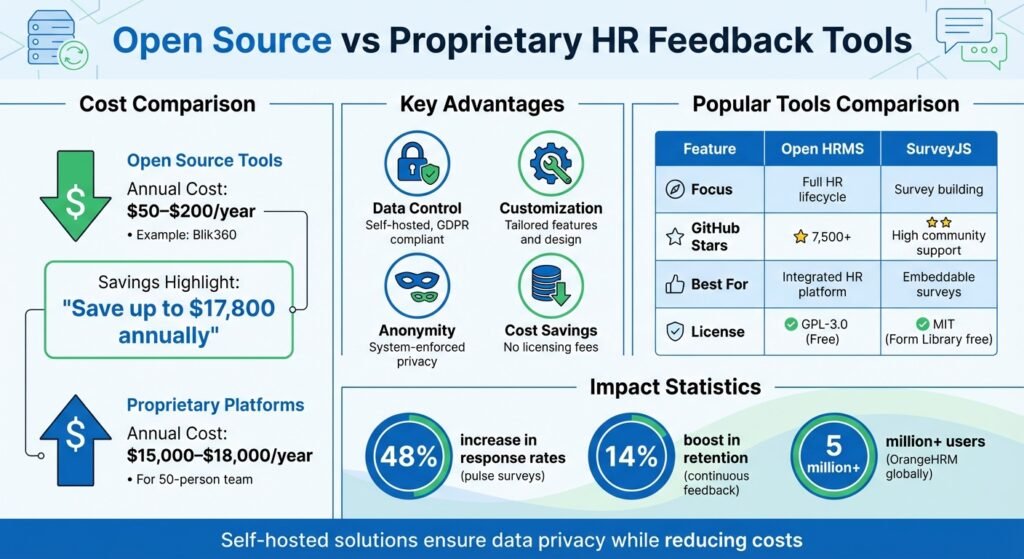
Open source feedback tools can cut licensing costs for HR teams and keep employee data on infrastructure you control. These tools suit small and mid-sized companies looking for cost-effective, customizable ways to gather honest employee feedback without paying per-seat rates for proprietary software.
Key Takeaways:
- Cost Savings: Tools like Blik360 are free to self-host. Blik360’s own managed hosting is €49 a month for up to 50 employees, or €199 a month for up to 200.
- Data Control: Self-hosted tools keep employee data on your own servers, which makes GDPR compliance a great deal simpler.
- Customization: Tailor features like 360-degree feedback, survey design, and analytics to fit your organization’s needs.
- Anonymity: Anonymity enforced by the system, not by an admin setting, is what actually gets honest answers.
Popular options include Frappe HR, which builds feedback into employee lifecycle management, and SurveyJS, a flexible survey-building toolkit for web applications.
A note on the prices below. Every figure here was checked against the vendor’s own page in August 2026, with the plan name, currency and billing period stated. Where a vendor does not publish a rate, we say so rather than guess. Confirm the current number before you budget against it.
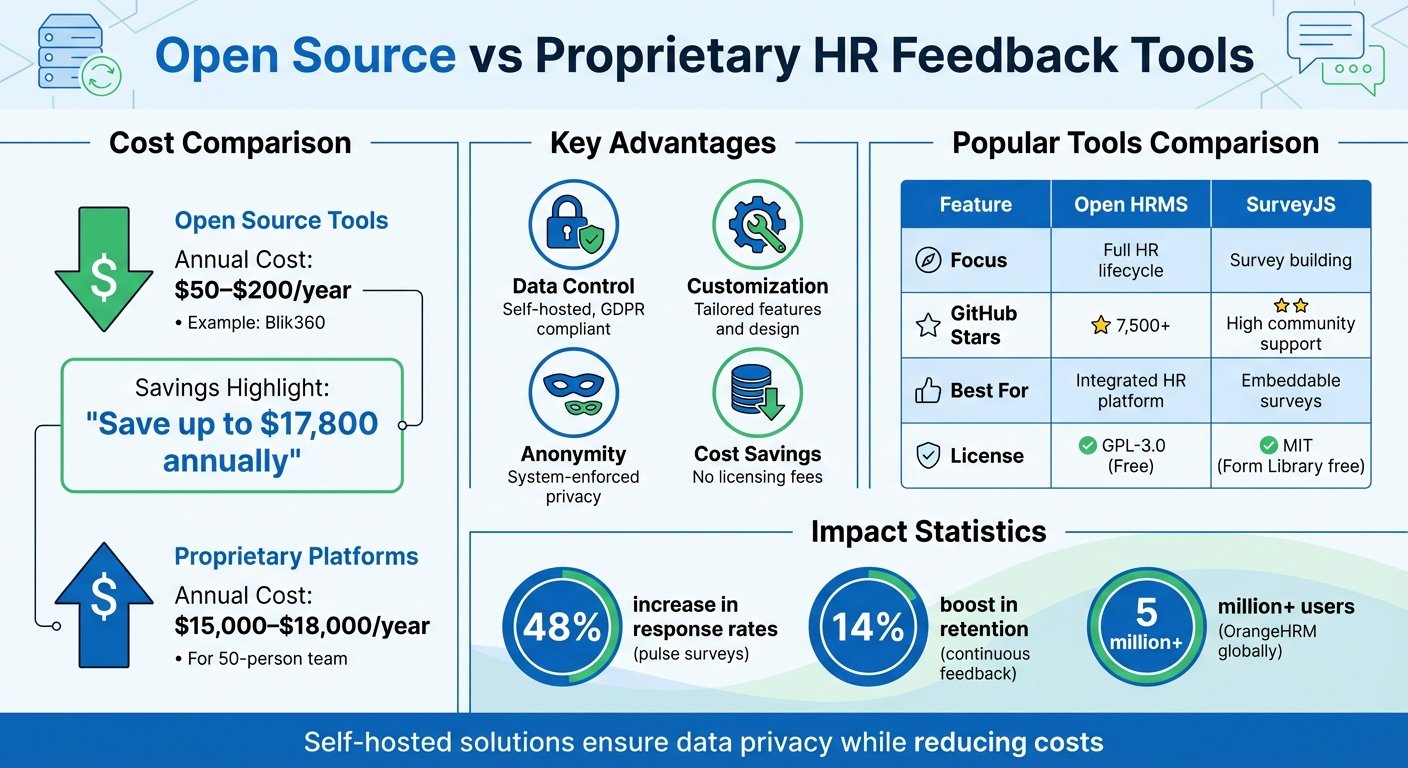
Open Source vs Proprietary HR Feedback Tools: Cost Comparison and Key Features
Key Features of Open Source Feedback Tools
When HR teams evaluate open source feedback tools, they should prioritize features that directly influence employee engagement and data quality. A well-rounded mix of anonymity, customization, and analytics can reshape how feedback is gathered and acted upon. These features not only safeguard data but also build trust among employees, encouraging honest participation.
Anonymous Feedback Mechanisms
Anonymity isn’t just a feature – it’s a design principle in effective feedback tools. Open source platforms often combine system-enforced anonymity with role-based access control (RBAC) so sensitive feedback stays private. Tools like OrangeHRM and ERPNext restrict feedback results to authorized personnel. That is a meaningful difference from a general tool like Google Forms, where an admin has to remember to turn email collection off.
For smaller teams, tools with response thresholds – which display results only after a minimum number of responses (e.g., four) – can further protect individual identities.
“If you want honest feedback in a survey, it must be anonymous.” – Casey Watts, Author
Open source tools also let technical teams audit the source code, so you can confirm there is no hidden tracking. That is a real advantage over proprietary systems. OrangeHRM, which advertises over 5 million users on its own site, shows that open source platforms scale. Once anonymity is secured, customization lets HR teams tailor surveys to their needs.
Customization and Survey Design
Customizable survey design is essential for gathering meaningful insights. Tools with intuitive builders – featuring skip logic, branching, and randomization – help HR teams create personalized survey flows.
Access to research-backed templates can save time and improve the quality of collected data. Some tools ship pre-built questionnaires drawn from established frameworks. LimeSurvey, for instance, carries a large template library and translations into many languages, which matters if you are surveying people who do not all work in English.
Branding options also help establish trust. Custom CSS, theme editors, and personalized URLs or logos reinforce that the survey is genuinely from the employer and not a phishing attempt.
“The middle value ‘neutral’ is helpful. Often people are truly on the fence, and this lets them communicate that.” – Casey Watts, Author, Happy and Effective
Using odd-numbered Likert scales (e.g., 5 or 7 points) gives respondents a neutral option. Before rolling out a survey organization-wide, test it with a smaller group to catch ambiguous wording.
Data Analytics and Sentiment Analysis
Feedback becomes actionable only when it’s properly analyzed. Tools with real-time dashboards featuring radar charts, bar graphs, and word clouds let HR teams spot trends quickly. In 360-degree feedback systems, gap analysis highlights discrepancies between self-assessments and peer feedback.
Segmentation capabilities allow HR teams to filter data by department, role, or tenure without compromising anonymity. Be careful here: segment too finely in a small company and you have effectively de-anonymised the survey.
AI-powered sentiment analysis helps process large volumes of qualitative feedback by identifying emotional tone in open-ended responses. Treat it as a triage aid rather than a finding. Tools that support common data export formats (Excel, CSV, SPSS, JSON) and integrate via REST APIs or webhooks will fit more easily into what you already run.
| Feature Category | Essential Functions |
|---|---|
| Anonymity | Token-based access, IP/metadata stripping, response thresholds |
| Design | Drag-and-drop editor, wide range of question types, branching logic, custom branding |
| Analytics | Real-time dashboards, sentiment analysis, gap analysis, data exports |
| Technical | Docker deployment, REST API, LDAP/SSO integration, GDPR compliance |
Integration with existing HRIS platforms through REST APIs and webhook support can automate feedback cycles and reduce manual work.
Popular Open Source Feedback Tools
Here’s a closer look at two open source feedback tools that solve different problems.
The decision usually comes down to whether you need a full HR management system or a focused survey builder. Some organizations want feedback tied into payroll and performance tracking. Others want an embeddable tool that drops into an existing workflow.
A note on naming. Earlier versions of this article treated “Open HRMS” and “Frappe HR” as two names for the same product. They are not. Frappe HR is built by Frappe on the Frappe Framework and shares a codebase with ERPNext. Open HRMS is a separate set of HR modules from Cybrosys that installs into Odoo Community Edition. The description below is Frappe HR.
Frappe HR is a full-featured human resource management platform that treats feedback as part of the employee lifecycle. It has an active GitHub community, and what sets it apart is that feedback attaches directly to employee profiles, so performance tracking and feedback are not two separate systems.
The platform includes modules for goal tracking tied to Key Result Areas (KRAs), letting employees complete self-assessments during structured appraisal periods. Managers get performance data and HR metrics through dashboards, which supports decisions on compensation, promotions, and development plans.
“From onboarding employees, managing promotions and transfers, all the way to documenting feedback with exit interviews, make life easier for employees throughout their life cycle.” – Frappe HR
Frappe HR is licensed under AGPL-3.0 and is free to use, with no per-user licence fee. What you pay for is hosting and, optionally, implementation. On Frappe Cloud, managed sites on shared servers start at $5 a month, virtual machines at $20 a month, and dedicated servers at $125 a month. Frappe does not publish a figure for enterprise support or partner implementation; a $499-a-month support price previously quoted in this article could not be traced to Frappe and has been removed.
SurveyJS is a suite of JavaScript libraries for embedding surveys into web applications. A developer count and an “estimated software value” previously quoted here have been removed as unsourceable.
Its key components are a Form Library for rendering surveys, a Survey Creator with drag-and-drop editing, a Dashboard for real-time visualization, and a PDF Generator for exporting responses. Unlike most SaaS survey tools, SurveyJS runs on your own servers, so the response data never leaves your infrastructure.
“SurveyJS offers an ideal survey solution for HR departments. Design employee feedback surveys, onboarding forms, and performance reviews effortlessly using our drag-and-drop form builder UI.” – SurveyJS
The Form Library is free under the MIT license. The Survey Creator, Dashboard, and PDF Generator require a paid developer licence, sold as a one-time purchase that includes a year of updates and support. SurveyJS prices per developer seat rather than per survey respondent, which is worth modelling before you commit: it is cheap for a small dev team and less so for a large one. It also targets accessibility standards including WCAG, Section 508, and ARIA.
| Feature | Frappe HR | SurveyJS |
|---|---|---|
| Primary Focus | Full HR Lifecycle Management | Advanced Survey/Form Building |
| Feedback Use Cases | Appraisals, onboarding, exit interviews | Engagement surveys, pulse checks, reviews |
| Customization | Module-based setup | Full CSS/JSON white-labeling |
| Analytics | Built-in HR reports | Interactive charts and grids |
| Tech Stack | Python (Frappe Framework), Vue | React, Angular, Vue, Vanilla JS |
| Cost model | Free software; pay for hosting | Free core library; one-time developer licence for the rest |
If you need an all-in-one HR platform with feedback built in, Frappe HR is the stronger choice. If you need an embeddable survey tool with serious conditional logic, SurveyJS is.
Steps to Implement Open Source Feedback Tools
Assessing Organizational Needs
Start by defining the focus of your survey – whether it’s companywide or specific to a department. Smaller team-focused surveys can address localized issues, while broader surveys allow for comparisons across departments.
For 360-degree reviews, Open360 and Blik360 are both worth a look. If you’re gathering product or customer feedback rather than employee feedback, FeedbackBin is built for that instead.
On cost: the honest comparison is that self-hosting is free software plus your own server and admin time, while per-seat commercial platforms bill annually and scale with headcount. Blik360’s own comparison page claims a saving of €8,800 to €17,800 a year against platforms like Lattice and Culture Amp for a mid-sized team. That is a vendor’s number about its own competitors, so treat it as a starting point and get quotes rather than a fact. The dollar range previously printed here had no source and has been removed.
Before rolling out your survey, pilot it with a small group. Use an odd-numbered scale (like 1-7) to include a neutral option. Add segmentation questions (role, team, tenure), but keep each respondent group to at least four people or anonymity is gone.
“If you want honest feedback in a survey, it must be anonymous.” – Casey Watts, Author
Technical and Security Considerations
Most open-source feedback tools run on Linux servers and ship Docker images for deployment. These are not heavy applications: a small 360-feedback tool will run comfortably on the cheapest tier of any cloud provider. Self-hosting gives you full control over sensitive employee data and simplifies GDPR compliance.
Prioritize tools where anonymity is built into the system rather than being an admin toggle. Implement multi-factor authentication (MFA) for administrators and follow least privilege for everyone else. Ensure data transfers are encrypted over HTTPS or SSH. Before adopting a tool, check the repository for recent commits – an abandoned open source project is a security liability, not a bargain.
Encouraging Employee Participation
Participation increases when employees see that their feedback leads to visible changes. That is the whole mechanism, and no amount of survey design substitutes for it.
Instead of one long annual survey, consider pulse surveys – two to five questions sent weekly or fortnightly. Put them where people already are, in Slack or Microsoft Teams, and make sure the form works on a phone. Several response-rate and retention percentages previously quoted in this section have been removed: none of them was attributed to a study we could locate.
Establish a regular “You said, we did” cycle. Share updates in all-hands meetings or in Slack to show what changed because of employee input. Assign named owners to feedback themes, with dates. Feedback that disappears into a spreadsheet trains people not to bother next time.
“Collect feedback where people already work (Slack/Teams/web link), keep it truly anonymous, and enable two‑way follow‑ups so you can clarify context without exposing anyone. Then act fast and show the actions you took.” – Andy Berkowitz, Founder & CEO, Suggestion Ox
Conclusion
Open source feedback tools give HR teams affordable, adaptable ways to gather employee input. They remove per-seat licensing and keep sensitive data on infrastructure you control. OrangeHRM advertises over 5 million users, which tells you the category is mature rather than experimental. A return-on-investment multiple previously attributed to another vendor here has been removed; it was a marketing claim with no methodology behind it.
These tools are not free in the sense of costless. You take on hosting, upgrades, backups and the security of an internet-facing application holding candid opinions about managers. If nobody on your team wants that job, managed hosting from the same vendors is usually still cheaper than a per-seat platform.
Self-hosted solutions help meet GDPR requirements and cut expenses. Whether it’s 360-degree reviews through Open360 or Blik360, tailored surveys via SurveyJS, or full HR management with Frappe HR or OrangeHRM, the setup is usually straightforward: a Linux server, Docker, and an integration into Slack or Microsoft Teams.
The key to effective feedback is turning insight into action. Before launching any feedback system, agree who reads the results, who owns the response, and by when. Without that, you have bought a very cheap way to annoy your staff.
Check out BizBot to explore features, pricing, and integrations for leading open source feedback tools.
FAQs
How do I keep employee feedback truly anonymous?
Use tools that safeguard identities by design. Steer clear of methods that gather identifiable details, like IP addresses or login information. Choose platforms with locked anonymous modes, minimum response thresholds, and aggregate-only reporting. Explain these measures to your team in plain terms. Trust in the mechanism is what produces honest answers.
Should we self-host or use managed hosting?
Self-hosting gives you full control over the system, allowing extensive customization and keeping sensitive HR data on your own infrastructure. Managed hosting hands over support, updates, and maintenance, which suits teams with limited IT capacity. If control and customization matter most, self-host. If you would rather not be responsible for patching a public-facing app, pay for hosting.
Which tool fits us: full HRMS or embedded surveys?
A full HRMS is an all-in-one system for payroll, employee records, and compliance, and suits businesses that want HR processes centralized. Embedded surveys are specialized tools for gathering feedback and measuring engagement, and suit companies that already have an HR system and just want better feedback in it. The choice depends on which gap you are actually filling.
More on this topic
Browse all 52 articles on HR & People Ops.