When it comes to protecting sensitive business data and information systems, choosing the right file-sharing platform is critical. Security flaws in file-sharing tools account for 40% of security incidents, and the average cost of a data breach reached $4.88 million in 2024. Many businesses still rely on consumer-grade platforms like Google Drive, which lack enterprise-level security features.
Here are five secure file-sharing platforms designed to safeguard your data and meet regulatory requirements:
- Box: Offers unlimited storage, AES-256 encryption, and compliance with FedRAMP, HIPAA, and GDPR. Pricing starts at $5/user/month.
- ShareFile: Known for advanced access controls, document watermarking, and SOC 2 compliance. Pricing starts at $16/user/month.
- Egnyte: Provides strong encryption, ransomware recovery, and compliance with HIPAA and GxP. Pricing starts at $22/user/month.
- Tresorit: Features zero-knowledge encryption for maximum privacy and complies with GDPR and TISAX. Pricing starts at $14.50/user/month.
- Zoho WorkDrive: A cost-effective option with team-based storage, AES-256 encryption, and HIPAA compliance. Pricing starts at $2.50/user/month.
Each platform offers AES-256 encryption and compliance with key regulations like HIPAA and GDPR. However, they differ in features, pricing, and storage options, making it essential to choose based on your specific needs.
Quick Comparison:
| Platform | Encryption | Storage Options | Pricing/User/Month | Key Compliance |
|---|---|---|---|---|
| Box | AES-256 & TLS | Unlimited | $5–$50 | FedRAMP, HIPAA, GDPR |
| ShareFile | AES-256 & TLS | 1 TB per user | $16–$67.50 | HIPAA, SOC 2 |
| Egnyte | AES-256 & TLS | 100–150 GB per domain | $22–$46 | HIPAA, GxP |
| Tresorit | AES-256 (Zero-Knowledge) | 1 TB per user | $14.50+ | GDPR, TISAX |
| Zoho WorkDrive | AES-256 & TLS | 1–5 TB (team-based) | $2.50–$9 | HIPAA, GDPR, PCI DSS |
Your choice should balance security, compliance, usability, and cost. Continue reading for detailed insights into each platform.
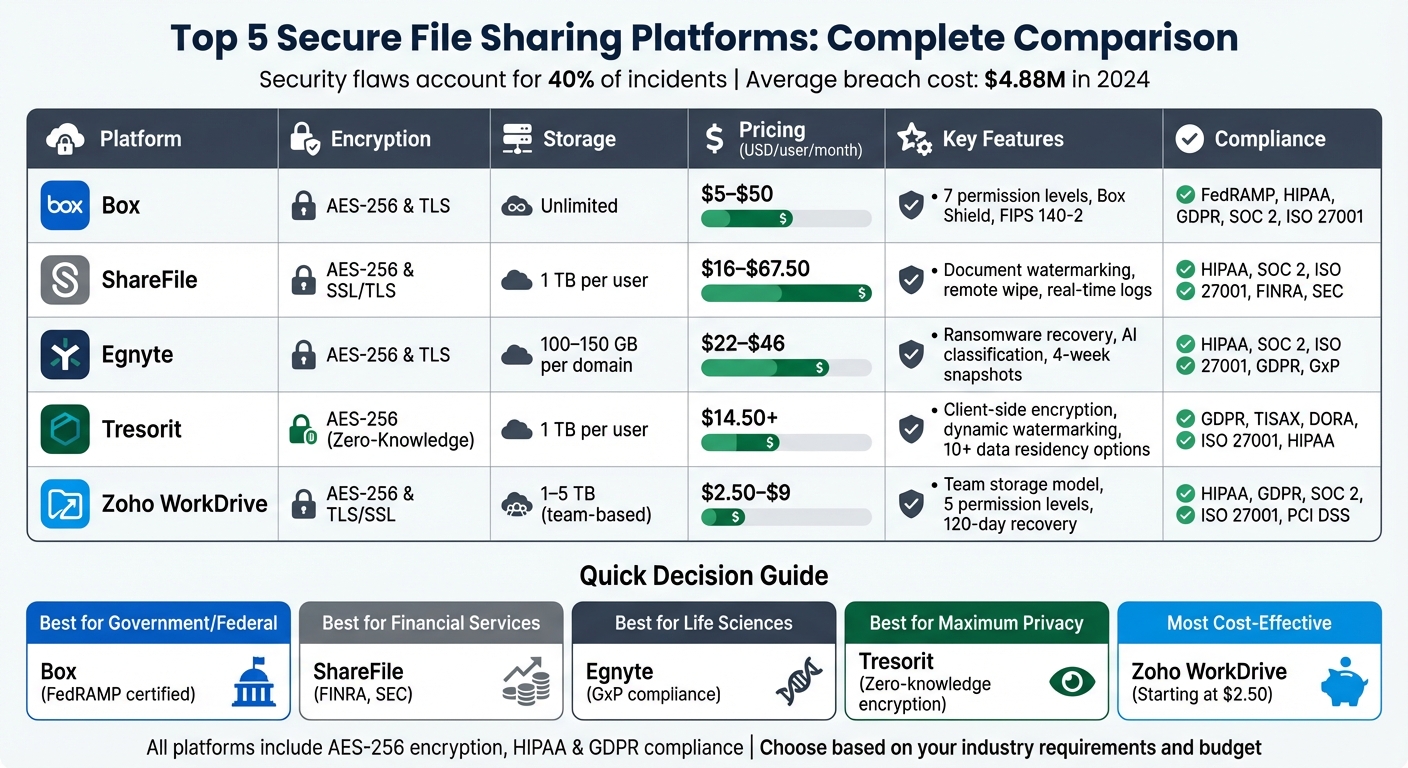
Secure File Sharing Platforms Comparison: Features, Pricing & Compliance
5 Best Secure Cloud Storage & File Sharing Software in 2024
sbb-itb-d1a6c90
1. Box
Box is trusted by over 100,000 organizations worldwide. Known for its strong focus on security combined with user-friendly features, it’s an appealing choice for business administration company essentials that handle sensitive information.
Let’s take a closer look at its security measures and other key features.
Encryption Standards
Box employs 256-bit AES encryption to safeguard files, both at rest and during transit via TLS 1.2. It also holds FIPS 140-2 certification, meeting federal cryptographic standards. To add another layer of protection, Box uses a key-wrapping method, encrypting encryption keys with 256-bit AES. For organizations that need more control, Box KeySafe allows independent management of encryption keys.
Storage Limits
Box provides unlimited storage on most business-tier plans. However, the Business Starter plan includes a 100 GB cap. File upload limits vary by plan, starting at 2 GB for Business Starter and going up to 500 GB for Enterprise Advanced. Bandwidth is also regulated - users are allowed 2 TB per month for shared link downloads and 1 TB per month for overall data transfer.
Pricing per User per Month (Billed Annually)
| Plan | Price (USD) | Storage | File Upload Limit |
|---|---|---|---|
| Business Starter | $5 | 100 GB | 2 GB |
| Business | $15 | Unlimited | 5 GB |
| Business Plus | $25 | Unlimited | 15 GB |
| Enterprise | $35 | Unlimited | 50 GB |
| Enterprise Plus | $50 | Unlimited | 150 GB |
| Enterprise Advanced | Contact Sales | Unlimited | 500 GB |
Granular Access Controls
Box provides seven permission roles, ranging from "view only" to "editor". You can set expiration dates for shared files, require passwords for access, and restrict sharing to specific groups, such as "people in your company" or "invited people only". For Enterprise Plus users, Box Shield adds advanced threat detection using machine learning to identify risks like ransomware and classify sensitive data automatically.
Compliance Certifications
Box meets a wide array of compliance standards, including FedRAMP (Moderate and High), HIPAA/HITECH, GDPR, PCI DSS, FINRA, GxP (21 CFR Part 11), ITAR, ISMAP, SOC 2 Type II, and ISO 27001. This extensive list underscores Box’s position as a top-tier choice for secure file sharing platforms.
2. ShareFile
ShareFile stands out with its advanced encryption and access controls, making it a top choice for industries with strict regulatory requirements. Trusted by 7 million users across 90,000 organizations, it’s particularly popular among accounting and financial services firms for secure document sharing.
Encryption Standards
Security is at the core of ShareFile. It safeguards data in transit with 256-bit SSL and TLS protocols and protects stored files with 256-bit AES encryption. Each file is secured with a unique encryption key, stored on separate servers for added safety. For managed storage, encryption keys can also be stored via Amazon KMS. ShareFile even encrypts email messages and attachments, allowing recipients to reply securely without needing their own ShareFile account.
Storage Limits
ShareFile’s storage options are designed to meet diverse business needs. Most plans come with 1 TB of cloud storage per user license, shared across the account. The Virtual Data Room plan, tailored for specialized use, offers 1 GB of storage per license. Users can share files and folders securely with links that support uploads up to 100 GB.
Pricing per User per Month (Billed Annually)
| Plan | Price (USD) | Minimum Users | Storage per License |
|---|---|---|---|
| Advanced | $16.00 | 3 | 1 TB |
| Premium | $25.00 | 3 | 1 TB |
| Industry Advantage | $41.67 | 3 | 1 TB |
| Virtual Data Room | $67.50 | 5 | 1 GB |
Granular Access Controls
ShareFile gives administrators precise control over file and folder permissions. You can assign role-based access to individuals or groups and set view-only permissions to prevent downloads, edits, or copying. Additional security features include:
- Document watermarking
- Expiring links
- Password-protected shares
- Restrictions on third-party sharing
For added peace of mind, ShareFile offers remote wipe capabilities for lost or stolen devices and keeps real-time activity logs to track logins, uploads, and downloads.
Compliance Certifications
ShareFile meets rigorous compliance standards, holding SOC 2 Type II, ISO 27001, and ISO 27701 certifications. It supports compliance with HIPAA, FINRA, SEC, GDPR, and CFPB. Its data centers are certified to SSAE 16 Type II standards. For healthcare clients, ShareFile provides a signed Business Associate Agreement (BAA) to ensure HIPAA compliance.
"The accounting industry handles highly sensitive financial data. ShareFile's robust security features, including encryption, access controls, and audit trails, align with industry regulations and ensure client data is protected." - Jinay Shah, Owner, NinetyFive CPA
3. Egnyte
Egnyte combines enterprise-level security with adaptable storage options, serving more than 22,000 customers globally. It’s an excellent choice for businesses that need strong security features alongside easy-to-use file-sharing tools.
Encryption Standards
Egnyte uses AES 256-bit encryption to secure files stored in its data centers. For data transfers, it relies on TLS protocol and HTTPS to ensure safety. The Ultimate plan takes security a step further with Enterprise Key Management, allowing users to manage encryption keys through Microsoft Azure Key Vault, Amazon AWS CloudHSM, or on-premises hardware modules.
"For ultra-sensitive content, enterprises require end-to-end control where it is virtually impossible for anyone unauthorized to get access to that information and maintaining full control over encryption keys is one of the ways to prevent unauthorized access to sensitive data." - Chandana Gopal, Research Manager, IDC
Egnyte also offers scalable storage options to accommodate different business needs.
Storage Limits
The Business plan includes 100 GB per domain and allows file uploads up to 100 GB, while the Enterprise Lite, Elite, and Ultimate plans provide 150 GB per domain with a 150 GB file upload limit.
Below is a breakdown of Egnyte's pricing and storage options:
Pricing per User per Month (Billed Annually)
| Plan | Price (USD) | Storage per Domain | Max File Upload Size |
|---|---|---|---|
| Business | $22.00 | 100 GB | 100 GB |
| Enterprise Lite | $38.00 | 150 GB | 150 GB |
| Elite | $46.00 | 150 GB | 150 GB |
| Ultimate | Custom | 150 GB | 150 GB |
Granular Access Controls
Egnyte offers four permission levels to manage file access:
- Viewer: Read-only access
- Editor: Read, write, and rename permissions
- Full: Read, write, rename, and delete permissions
- Owner: Includes all permissions plus management rights
Administrators can also set folders to "Preview Only" (preventing downloads or copying) or "No Sharing" (blocking link generation). To safeguard data on lost or stolen devices, Egnyte supports remote wipes across Windows, Mac, iOS, and Android. Additionally, its Snapshot Recovery feature allows users to restore entire file systems affected by ransomware or corruption, with backups available for up to four weeks.
Egnyte’s stringent access controls are complemented by its compliance certifications.
Compliance Certifications
Egnyte holds ISO/IEC 27001 and SOC 2 certifications and supports compliance with GDPR, HIPAA, FINRA, and CMMC/NIST SP 800-171. To protect sensitive information, its AI-powered classification engine can identify data like Social Security numbers and credit card details using over 500 detection patterns. For specialized needs, Egnyte offers GxP compliance for life sciences and tailored solutions for public sector organizations requiring CMMC/NIST SP 800-171 compliance.
4. Tresorit
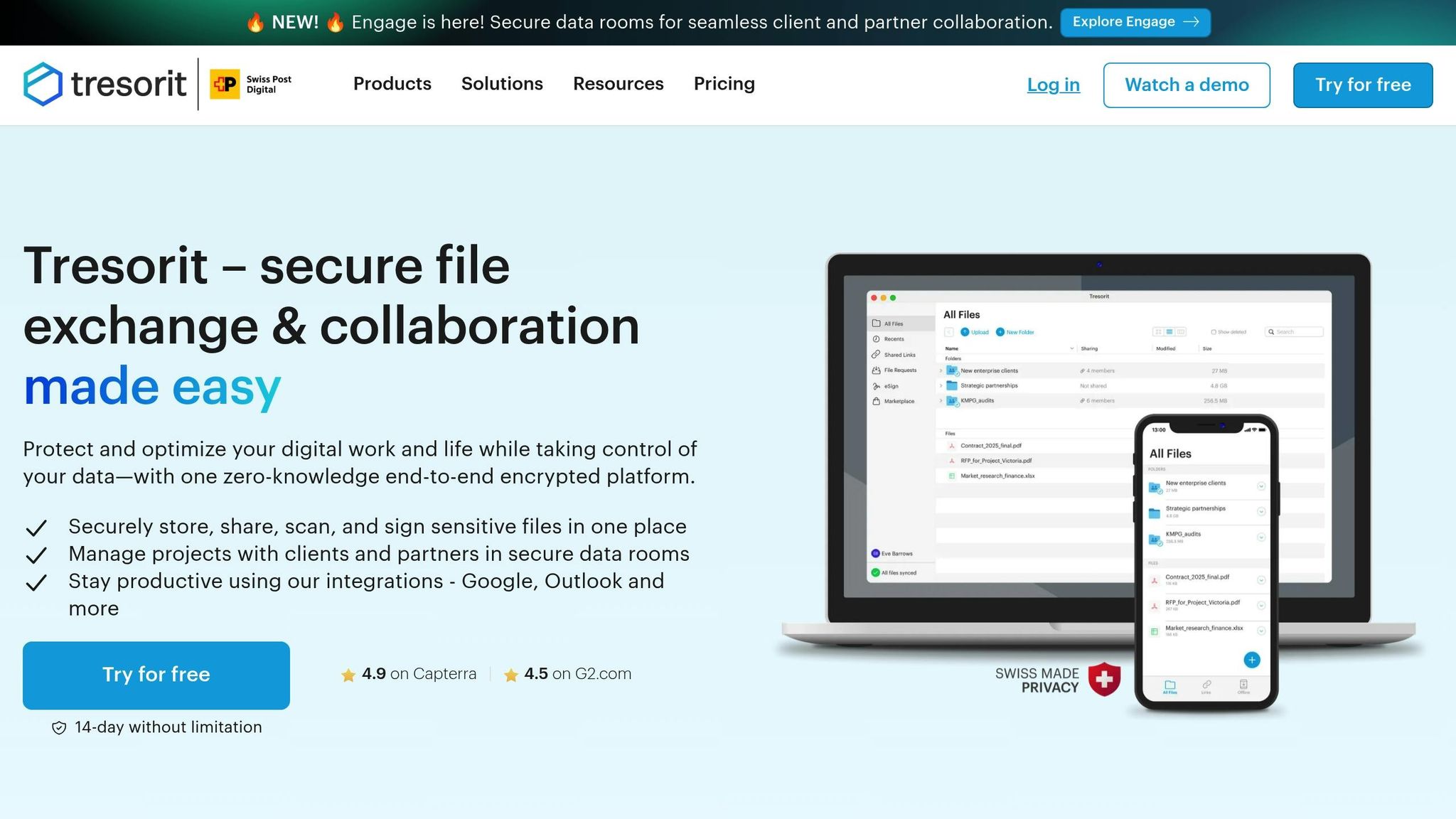
Tresorit operates on a zero-knowledge architecture, meaning keys and passwords never leave your device. With over 11,000 organizations worldwide relying on its security-first design, Tresorit has become a trusted choice for protecting sensitive data. Headquartered in Switzerland, it also benefits from some of the world’s strongest privacy laws, surpassing standard US or EU regulations. These privacy-focused measures are the foundation of its encryption capabilities.
Encryption Standards
Tresorit encrypts files and metadata locally before uploading them to the cloud. It utilizes AES-256 symmetric encryption in OpenPGP CFB mode, assigning each file a unique 256-bit key and a random initialization vector to prevent pattern recognition. For sharing cryptographic keys, it employs RSA-4096 asymmetric encryption with OAEP padding. To safeguard against tampering, all encrypted data is secured with HMAC-SHA-512. Unlike providers using convergent encryption, Tresorit’s non-convergent cryptography ensures that identical files uploaded by different users are encrypted uniquely.
"As a security-first organization, we looked at several companies' solutions and Tresorit was significantly more secure than all the others." - John Davies, CTO and CISO
Storage Limits
Tresorit’s Business and Enterprise FileSharing plans include 1 TB of encrypted storage per user. Files shared via secure links can be up to 5 GB in size. Administrators have additional control over shared links, with options to set expiration dates, require passwords, and limit how many times a link can be accessed.
Pricing per User per Month (Billed Annually)
| Plan | Price (USD) | Minimum Users | Storage per User | Max File Size |
|---|---|---|---|---|
| Business FileSharing | $14.50 | 3 | 1 TB | 5 GB |
| Enterprise FileSharing | Custom | 50 | 1 TB | 5 GB |
Granular Access Controls
Tresorit offers a range of security features, including password-protected links, expiring links, download restrictions, email verification for viewers, and dynamic watermarking. The Device Wipe tool allows administrators to remotely erase synced folders from lost or stolen devices. Additional safeguards include IP filtering, two-step verification, and device-specific access policies.
Compliance Certifications
Tresorit meets rigorous security standards, holding certifications like ISO 27001:2022 and complying with GDPR, HIPAA, CCPA, TISAX, and FINRA. It also offers over 10 data sovereignty and residency options, helping businesses comply with local data sovereignty requirements. EY Cybersecurity has independently validated Tresorit’s security measures in detailed reports.
5. Zoho WorkDrive
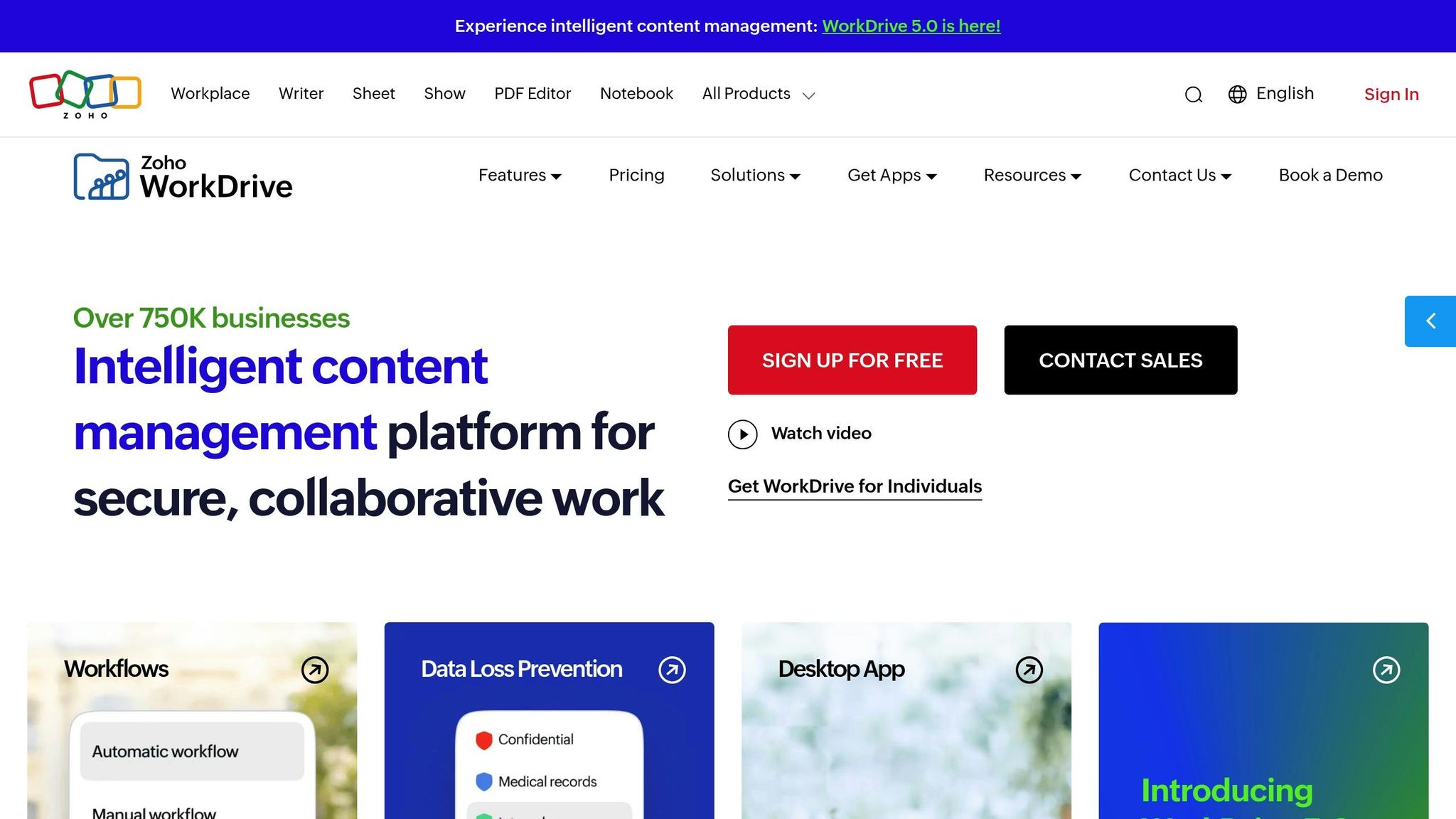
Zoho WorkDrive is trusted by over 1 million businesses worldwide, offering cost-effective business administration tools and seamless integration within the Zoho ecosystem. Instead of assigning storage to individuals, it uses a shared team storage model, allowing teams to manage resources more efficiently. As Koulik Kar, EA to CEO at vCommission Media Pvt. Ltd, puts it:
"The major reason for using WorkDrive is that we get a lot of storage space and we don't have to buy extra space for each individual."
Here’s a closer look at its encryption methods, storage options, pricing, access controls, and compliance standards.
Encryption Standards
Zoho WorkDrive ensures robust data protection with 256-bit AES encryption for files at rest. During data transfer, it uses TLS 1.2/1.3 protocols, SSL, and Perfect Forward Secrecy (PFS). Its in-house Key Management System (KMS) secures Data Encryption Keys (DEKs) using Key Encryption Keys (KEKs), which are further protected by a Master Key stored on an isolated server. For file-level encryption, the platform employs AES 256 in GCM (Galois/Counter Mode), which combines encryption with an authentication tag to ensure file integrity. For organizations needing more control, Zoho supports Bring Your Own Key (BYOK) using external key managers like AWS KMS, Google KMS, Thales CTM, or Fortanix DSM.
Storage Limits
Zoho WorkDrive’s storage capacity scales automatically as teams grow, with three main tiers:
- Starter: Includes 1 TB for 3–10 users, with an additional 100 GB per user, up to a maximum of 20 TB.
- Team: Starts with 3 TB for 3–10 users, adding 300 GB per user, capped at 60 TB.
- Business: Provides 5 TB initially and 500 GB per user, with a limit of 100 TB.
File upload limits also vary by tier, ranging from 10 GB for Starter users to 250 GB for those on the Business plan.
Pricing per User per Month (Billed Annually)
| Plan | Price per User (USD) | Minimum Users | Initial Storage (3–10 users) | File Upload Limit |
|---|---|---|---|---|
| Starter | $2.50 | 3 | 1 TB | 10 GB |
| Team | $4.50 | 3 | 3 TB | 50 GB |
| Business | $9.00 | 3 | 5 TB | 250 GB |
Granular Access Controls
WorkDrive offers five role-based permission levels - Viewer, Commenter, Collaborator, Moderator, and Admin. Administrators can also customize folder access with Full Folder Customization to hide specific folders. Additional security measures include password-protected external links with expiration dates, two-factor authentication, and Data Loss Prevention (DLP) policies that use classification labels to restrict downloading or printing sensitive files. For users on the Business plan, extended data recovery is available for up to 120 days.
Compliance Certifications
Zoho WorkDrive meets GDPR, HIPAA, and SOC 2 Type II standards. It also adheres to ISO 27001 guidelines. Highlighting its enterprise-level security, Vishal P. Shirke, Vice President and CRM Product Head at IIFL, shared:
"We were looking for a centralized file repository with enterprise-grade security, which Zoho WorkDrive has [provided]."
Platform Comparison
Selecting the right secure file-sharing platform depends on your specific needs, budget, and compliance requirements. While all platforms use AES-256 encryption to safeguard data, Tresorit takes a unique approach by employing client-side key management, unlike the server-side methods used by the others.
Tresorit is particularly notable for its zero-knowledge, client-side encryption. This means files are encrypted on your device before being uploaded to the cloud, ensuring Tresorit has no access to your data or encryption keys. However, this added security can slow down transfers for files larger than 100 GB. On the other hand, platforms like Box, ShareFile, Egnyte, and Zoho WorkDrive use server-side encryption. This allows for features such as file previews and search functionality since the provider manages the encryption keys. These differences impact not only transfer speeds but also the overall functionality of each platform.
Storage options also vary across platforms. For example:
- Box provides unlimited storage with its Business plans.
- Egnyte starts at 100 GB on its Starter tier and goes up to 1 TB for Business plans.
- Tresorit offers 2 TB for Business users.
- Zoho WorkDrive uses a team-based model, offering 1 TB to 5 TB depending on the plan.
- ShareFile includes 1 TB of storage per user.
Pricing is another key differentiator. Zoho WorkDrive is the most budget-friendly at $2.50 per user per month (billed annually). Box charges $15.00 per user per month, while ShareFile costs $17.60. Egnyte is priced at $20.00, and Tresorit comes in at approximately $19.00 per user per month. It's worth noting that Egnyte requires a minimum of 10 users, whereas the other platforms have a lower three-user minimum.
When it comes to compliance, these platforms meet a range of regulatory standards:
- Box is the only platform with FedRAMP authorization, essential for U.S. federal agencies and contractors.
- ShareFile holds FINRA and SEC certifications, catering to financial services.
- Tresorit offers certifications like TISAX for the European automotive industry and DORA for financial institutions.
- Egnyte supports GxP standards for life sciences.
- Zoho WorkDrive includes PCI DSS compliance for businesses managing payment data.
All five platforms also comply with HIPAA and GDPR regulations.
Here’s a summary of the key features across these platforms:
| Platform | Encryption | Storage | Pricing (USD/user/mo) | Access Controls | Key Compliance |
|---|---|---|---|---|---|
| Box | AES-256 & TLS 1.2/1.3 | Unlimited | $15.00 | 7 permission levels, MFA, Box Shield | FedRAMP, HIPAA, SOC 2, ISO 27001 |
| ShareFile | AES-256 & SSL/TLS | 1 TB | $17.60 | 7 permission levels, DLP, SSO | HIPAA, SOC 2, ISO 27001, FINRA, SEC |
| Egnyte | AES-256 & TLS 1.2 | 1 TB (Business) | $20.00 | Granular permissions, ransomware detection | HIPAA, SOC 2, ISO 27001, GDPR, GxP |
| Tresorit | AES-256 (Zero-knowledge) | 2 TB | ~$19.00 | 2FA, device management, remote wipe | ISO 27001, SOC 2, GDPR, TISAX, DORA |
| Zoho WorkDrive | AES-256 & TLS/SSL | 1–5 TB (team total) | $2.50 | 5 permission levels, MFA | HIPAA, GDPR, SOC 2, ISO 27001, PCI DSS |
Conclusion
Choosing a secure file-sharing platform isn't just about the price tag - it’s about safeguarding your business from breaches and avoiding regulatory penalties. With the average data breach projected to hit $4.88 million in 2024 (a 10% increase from 2023), and file transfer software linked to 14% of third-party breach cases, the risks are too big to ignore.
Start with the basics: strong security features. If your industry has specific compliance needs - like HIPAA for healthcare, FedRAMP for government contractors, or PCI DSS for payment processing - make sure the platform you choose meets those standards. These certifications are non-negotiable and form the foundation of any secure file-sharing solution.
But security alone isn’t enough. Usability is just as important. A platform that's too complex can drive employees to use unsecured personal tools, creating risks like shadow IT. To avoid this, test platforms with actual team members and real files to ensure they fit seamlessly into your workflow.
"Secure file sharing fails when it fights against how people work. It succeeds when it fits into how people already work." - Zoho
Finally, consider the total cost of ownership. This includes storage, implementation, integration with tools like Microsoft 365 or Google Workspace, and even audit-related expenses. The best platform will not only protect your data but also integrate smoothly into your team’s daily operations, enhancing both security and productivity. A well-chosen file-sharing solution does more than just safeguard information - it helps your team work smarter and more efficiently.
FAQs
What is the best platform for HIPAA compliance?
Dropbox is often seen as a top choice for ensuring HIPAA compliance. It provides a HIPAA Business Associate Agreement (BAA) and follows stringent security measures to protect sensitive information.
Do I need zero-knowledge encryption for my business?
Zero-knowledge encryption is a go-to choice for businesses that put privacy and security first. With this method, only you have access to your data. It relies on strong encryption protocols, such as end-to-end encryption, which prevent even service providers from accessing your files. This gives you full control over your sensitive information while ensuring top-tier protection.
What secure file-sharing features matter most day to day?
When it comes to secure file sharing, a few standout features make all the difference in keeping your data safe and accessible. Here's what you should look for:
- Encryption: This is your first line of defense. It protects your files both while they're being transferred and when they're stored, ensuring that unauthorized parties can't access your data.
- Access Controls: Features like multi-factor authentication and user permissions help ensure that only the right people get access. Think of it as a digital bouncer, checking credentials before granting entry.
- Activity Monitoring: This provides a clear view of who accessed or shared your files, helping you track and manage file usage effectively.
Other helpful tools include secure link sharing, which lets you share files without compromising security, expiration dates for links to limit access over time, and version control, which makes collaboration smoother by keeping track of changes. Together, these features strike a balance between security and ease of use.