Cloud collaboration tools simplify teamwork by enabling real-time document editing, centralized file storage, and seamless communication across devices. These platforms are widely used, with 94% of large corporations relying on them and small businesses reporting up to a 47% productivity boost. They eliminate scattered email chains, reduce version conflicts, and integrate with other software to streamline workflows.
Key Features:
- Real-Time Collaboration: Edit documents simultaneously, leave in-context comments, and use AI tools for task automation.
- File Syncing & Sharing: Access the latest file versions from any device, track changes with version control, and secure files with permissions.
- Integrations & Automation: Connect with CRMs, project management software, and automate repetitive tasks.
Top Tools:
- Google Workspace: Best for real-time editing; starts at $6/user/month.
- Microsoft Teams: Ideal for Windows-based organizations; starts at $6/user/month.
- Slack: Great for communication; starts at $7.25/user/month.
- Dropbox: Focused on file management; starts at $15/user/month.
- Asana: Designed for project tracking; starts at $10.99/user/month.
These tools are essential for remote and hybrid teams, helping businesses stay connected, reduce costs, and improve efficiency. Choose a platform based on your team’s workflow and budget.
Main Features of Cloud Collaboration Tools
Real-Time Collaboration
One of the standout features of modern collaboration tools is simultaneous editing, which allows team members to work on documents - like spreadsheets, presentations, or reports - at the same time. Changes appear instantly on everyone’s screen, preventing version conflicts and cutting down on delays. It's no wonder that 39% of workers prioritize this feature when selecting a collaboration platform.
Another key element is integrated communication, where chat and comment functions are embedded directly within documents. Some organizations also extend collaboration with conversational platforms that allow teams to manage customer messaging and engagement while keeping communication aligned across departments.
Instead of juggling endless email threads, teams can leave comments or notes in context, right where they’re needed. This keeps decisions transparent and easy to track without relying on external communication tools.
Adding to the efficiency, many platforms now feature AI-driven tools to simplify workflows. These capabilities can summarize lengthy conversations, pull actionable items from meetings, and even handle routine tasks automatically - all without the need for manual oversight.
While real-time collaboration keeps teams aligned, the backbone of these tools lies in reliable file management.
File Syncing and Sharing
Cloud storage serves as a centralized repository for all files, making them accessible from any device with an internet connection. This ensures that everyone always has the latest version of a document, no matter where they are.
Version control is another critical feature, as it tracks every change made to a document. This allows teams to see who made edits, when they were made, and even compare different versions side by side. If necessary, you can revert to an earlier version with ease. To bolster security, granular permissions let you control who can view, edit, or share specific files. For external collaborations, encrypted file-sharing links provide a secure way to share sensitive information.
While these features ensure smooth document handling, integrating various tools and automating repetitive tasks takes productivity to the next level.
Integrations and Automation
The typical employee juggles 14 software applications and 21 tools daily, with 43% saying that constant app-switching slows them down. Integrations address this issue by connecting your collaboration platform with tools like CRMs, accounting software, and project management systems. For example, many teams integrate collaboration tools with CRM platforms that allow them to centralize customer conversations, sales pipelines, and marketing activities alongside internal workflows. This creates a unified workspace where everything works together seamlessly.
Workflow automation further simplifies operations by automating repetitive tasks. For instance, when a new lead is added to your CRM, the system can automatically create a task in your project management tool and notify the appropriate team member.
Platforms like Lark even offer up to 1,000 automation runs per month on their free plans, making these features accessible to smaller teams.
AI has also expanded its role in automation. Modern tools can transcribe meetings in real time, summarize long document threads, draft email responses, and even provide predictive insights to aid faster decision-making.
| Feature Category | What It Does | Why It Matters |
|---|---|---|
| Real-Time Collaboration | Simultaneous editing, live comments, instant updates | Reduces delays and prevents version conflicts |
| File Syncing & Sharing | Cloud storage, version tracking, secure access | Ensures data accuracy and easy remote access |
| Integrations & Automation | API connections, workflow triggers, AI tools | Cuts down on manual work and app-switching |
10 Best Team Collaboration Tools 2025 Review
Cloud Collaboration Tools Comparison
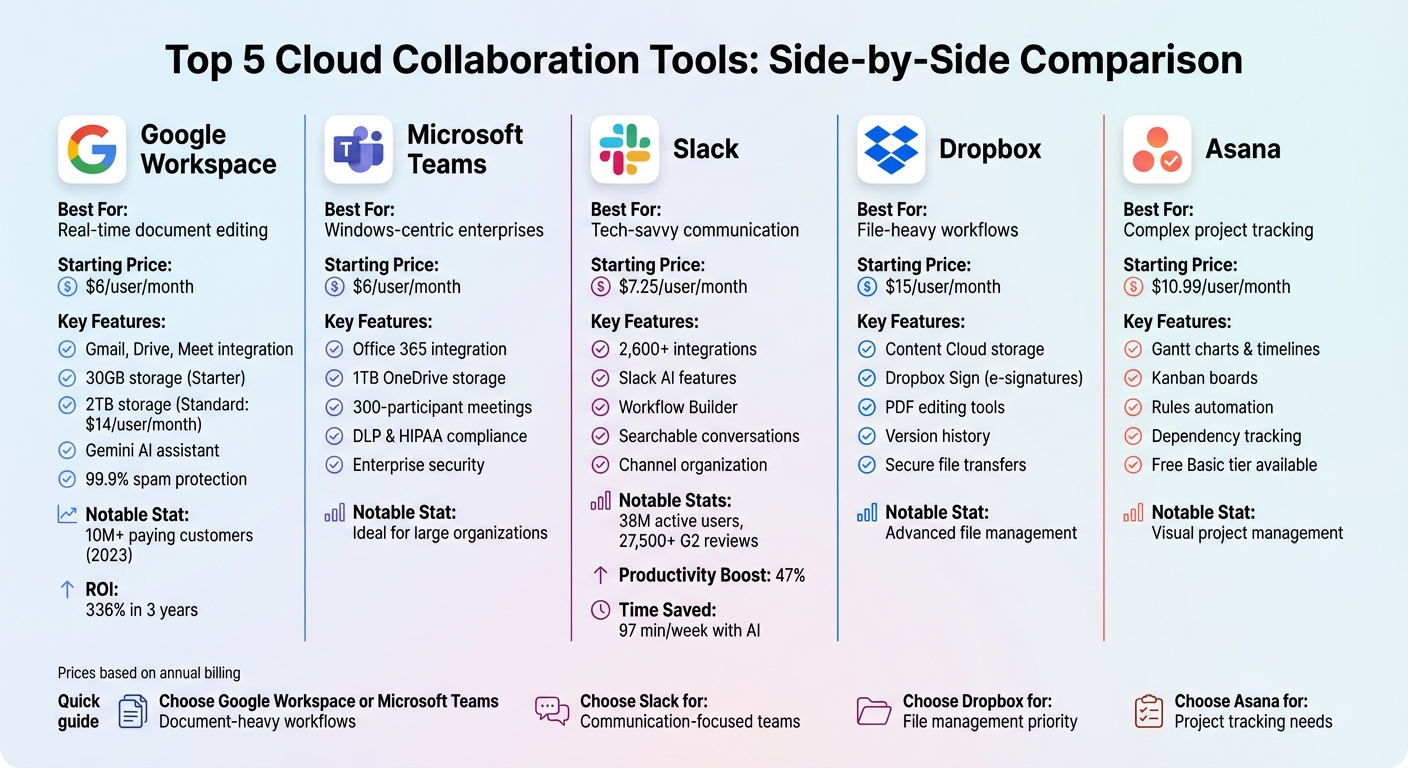
Cloud Collaboration Tools Comparison: Features and Pricing
Selecting the best project and time management tools hinges on your team's workflow, budget, and existing tech setup. Below, we break down five platforms, each offering a distinct approach to teamwork - from comprehensive suites to specialized solutions. Here's how they stack up and cater to different business needs.
Google Workspace
Google Workspace is a web-first suite designed for real-time collaboration, making it a popular choice for startups and remote teams that value speed and simplicity. It includes Gmail, Drive, Meet, Docs, Sheets, and Slides, all seamlessly integrated without the need for desktop software. With over 10 million paying customers in 2023, Google Workspace is a trusted option for businesses of all sizes.
Pricing starts at $6/user/month for the Business Starter plan (annual), offering 30GB of storage per user. For teams requiring more space, the Standard plan provides 2TB per user for $14/user/month - a massive upgrade. Security is a standout feature, with Google's phishing and spam protection blocking more than 99.9% of attacks. Companies switching to Google Workspace often see a 336% ROI within three years and a payback period of under six months.
"Google Workspace stands out as the best overall online collaboration software due to its all-inclusive suite of tools, seamless integration and ease of use." - TechRepublic
The addition of the Gemini AI assistant enhances productivity by summarizing emails, drafting responses, and generating insights in documents. However, this feature comes at an extra cost of $18–$30 per user per month.
Microsoft Teams
Microsoft Teams serves as the central hub for the Microsoft 365 ecosystem, integrating seamlessly with Word, Excel, PowerPoint, and Outlook. It's particularly suited for large organizations already invested in Windows infrastructure, offering robust security and enterprise-level compliance features.
The Business Basic plan starts at $6/user/month (annual), including 1TB of OneDrive storage per user, professional email, and unlimited group meetings for up to 300 participants. Advanced security options like Data Loss Prevention (DLP), S/MIME encryption, and HIPAA compliance make it a preferred choice for industries like healthcare and finance.
While Teams offers extensive functionality, its complexity can be daunting for smaller teams. However, its tight integration with Microsoft tools makes it an obvious choice for businesses already using Office 365.
Slack
Slack revolutionized workplace communication by replacing email clutter with organized, searchable conversations. With over 38 million active users and 27,500+ five-star reviews on G2, it has become a go-to platform for tech-savvy startups and SaaS companies.
The Pro plan is priced at $7.25/user/month (annual) or $8.75/user/month (monthly). Slack's standout feature is its ecosystem of 2,600+ third-party integrations, allowing users to connect tools like CRMs and project management software directly within the platform.
Teams using Slack report a 47% boost in productivity, and its AI features save users an average of 97 minutes per week by automating tasks like channel recaps and intelligent searches. The Workflow Builder feature simplifies processes like onboarding or feedback collection without requiring coding skills.
"Slack helps us to have open communication, keep a history of important conversations, track issues and resolutions, and support each other in debugging." - Kelsey Wong, Software Engineer, Cleanlab
Dropbox
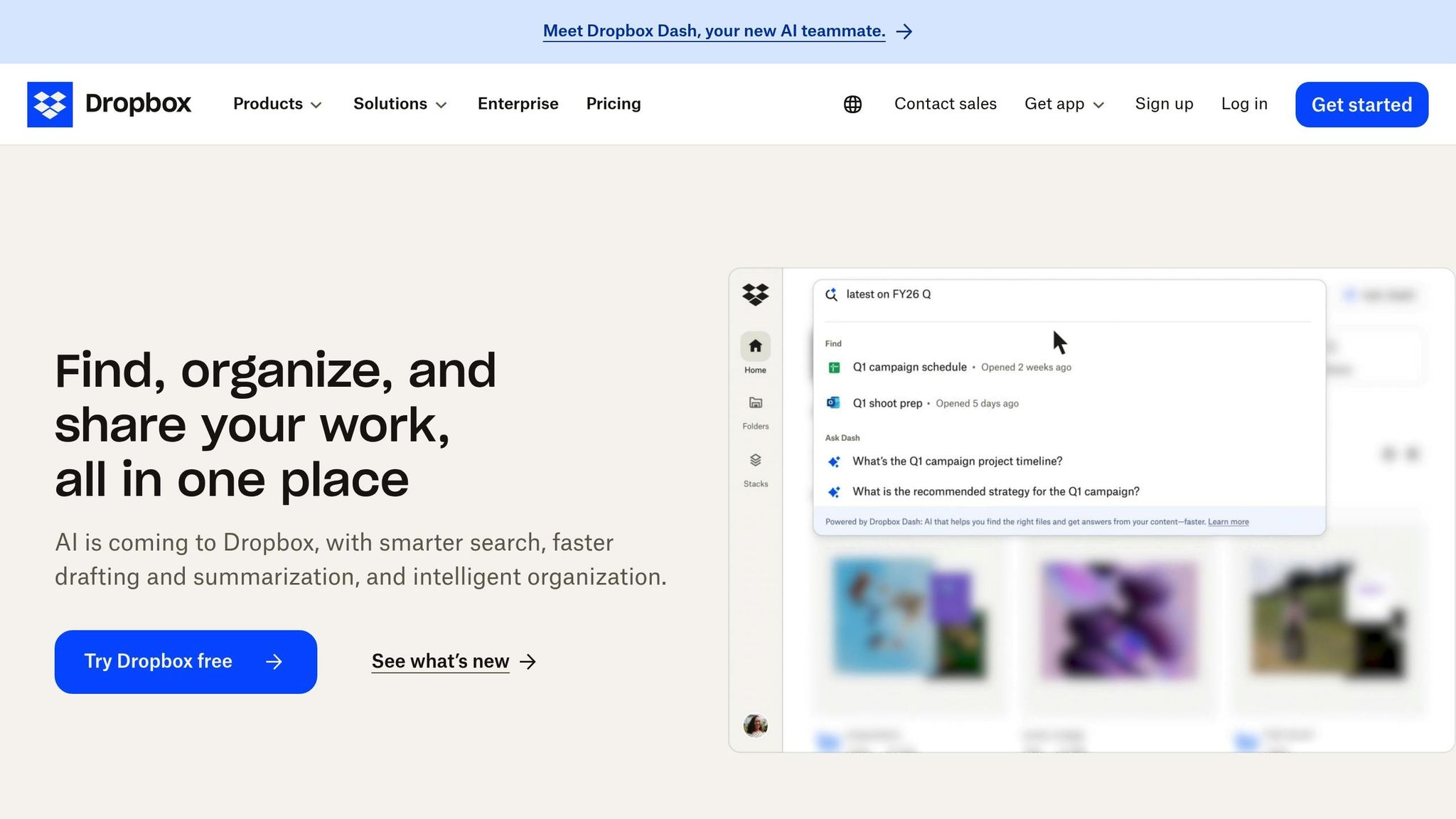
Dropbox has expanded beyond basic storage to become a "Content Cloud", managing files through features like e-signatures (Dropbox Sign), secure transfers, and PDF editing. Business plans start at $15/user/month (annual), reflecting its focus on secure, file-centric workflows.
The platform supports real-time document collaboration and offers pre-made templates for project management, making it a strong choice for teams dealing with large files or content-heavy projects.
Asana
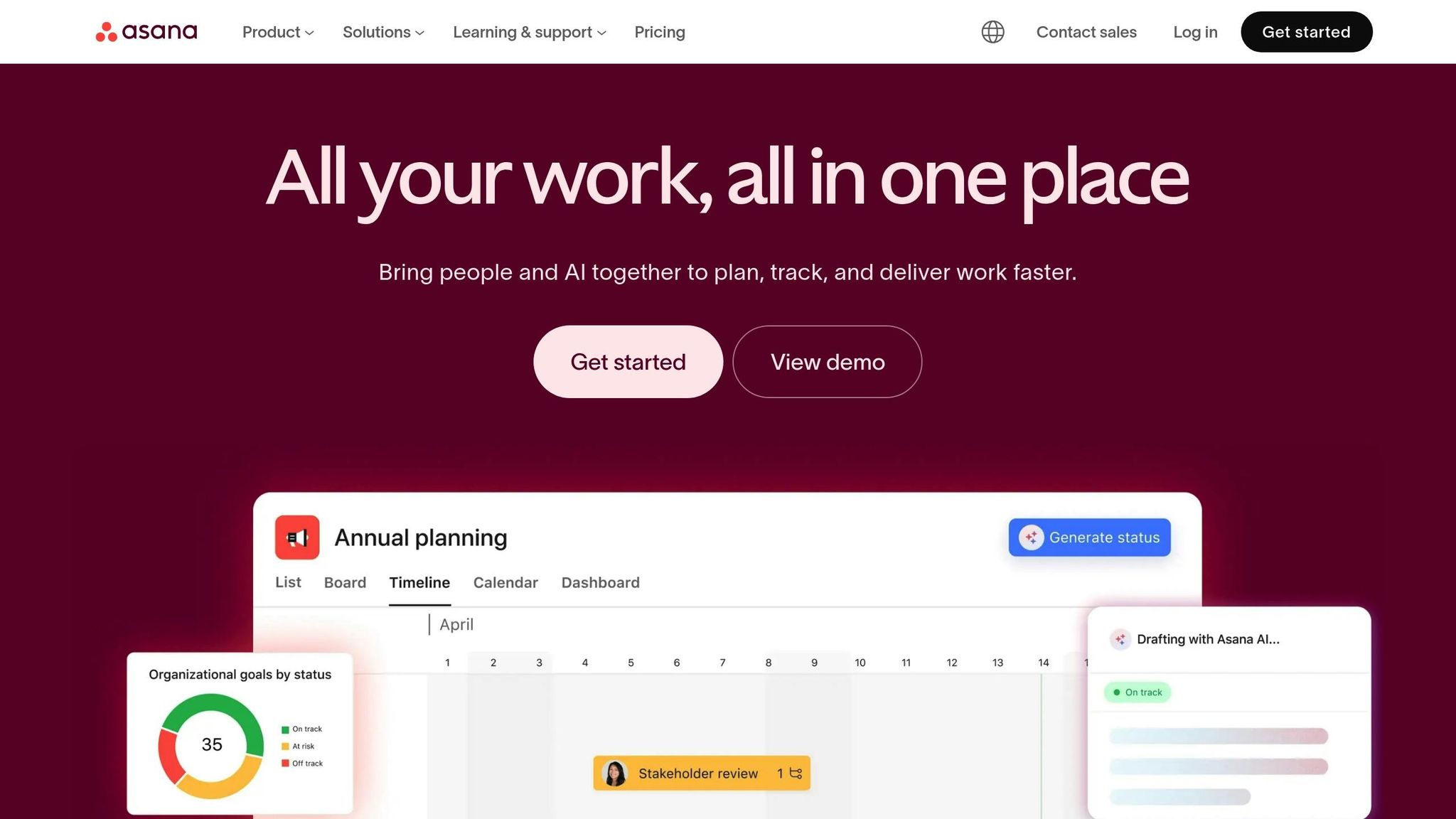
Asana is a work management platform designed to simplify complex projects by answering the question: "Who is doing what, by when?". It provides tools like visual timelines, Gantt charts, and Kanban boards to help teams track dependencies and deadlines.
The Starter plan begins at $10.99/user/month (annual) and includes a free Basic tier for smaller teams. Asana's "Rules" feature automates tasks such as assigning follow-ups or sending deadline reminders, reducing manual work and keeping projects on track.
| Tool | Best For | Key Strengths | Starting Price (Annual) |
|---|---|---|---|
| Google Workspace | Real-time document editing | Gmail, Drive, Meet, Gemini AI, spam protection | $6/user/month |
| Microsoft Teams | Windows-centric enterprises | Office 365 integration, 1TB storage, security | $6/user/month |
| Slack | Tech-savvy communication | 2,600+ integrations, Slack AI, chat channels | $7.25/user/month |
| Dropbox | File-heavy workflows | Cloud storage, version history, PDF tools | $15/user/month |
| Asana | Complex project tracking | Gantt charts, timelines, workflow automation | $10.99/user/month |
When choosing a tool, consider your team's primary needs. For document and spreadsheet-heavy workflows, Google Workspace or Microsoft Teams are ideal. If communication is the main challenge, Slack offers unparalleled messaging capabilities. Dropbox shines for file-heavy tasks, while Asana is perfect for managing intricate projects. Understanding these distinctions helps pave the way for practical implementation.
sbb-itb-d1a6c90
Benefits and Implementation Guide
Main Benefits
Cloud collaboration tools offer undeniable advantages in productivity and cost savings. Since 2019, there’s been a 44% rise in workers using cloud-based platforms, and it’s easy to see why. These platforms enable real-time collaboration, centralized file storage, and automation features that free up teams to focus on meaningful tasks instead of time-consuming, repetitive work.
The financial benefits are just as compelling. Pay-as-you-go pricing eliminates the hefty upfront costs tied to traditional systems, like licensing and maintenance fees. Small businesses, in particular, gain access to enterprise-level security and compliance without the need for a large IT budget. Plus, with the ability to quickly scale up or down - adding users or storage in minutes - you can handle growth or seasonal demands effortlessly. Centralized document storage also eliminates version conflicts, ensuring everyone works from the same, up-to-date files.
These tools are especially valuable for remote and hybrid teams. Between 2024 and 2026, 13% of full-time workers are expected to be fully remote, while over 28% will follow a hybrid schedule. Cloud-based platforms keep these dispersed teams connected with features like recorded video clips, threaded discussions, and searchable knowledge bases that bridge time zones.
"These platforms allow smaller businesses to shift from fragmented legacy systems toward integrated, scalable environments... ultimately boosting productivity and operational agility." - Anurag Agrawal, Founder and Chief Global Analyst, Techaisle
Implementation Tips
To get the most out of these tools, a thoughtful implementation strategy is key. Start by mapping your current workflows to identify bottlenecks and areas where manual processes slow things down. Set clear goals - whether that’s reducing rework or speeding up response times - so you have a way to measure success. Research shows that teams with strong collaboration habits are 21% more productive, but this requires selecting tools that are easy to use and don’t overwhelm with unnecessary features.
Choose platforms that integrate smoothly with your existing systems, like email, CRM, and calendars, to avoid creating data silos. Instead of juggling multiple apps, opt for consolidated solutions like Microsoft 365 or Google Workspace, which combine chat, video, project management, and file sharing in one place. During setup, implement role-based access controls to manage permissions and ensure compliance with regulations like GDPR or HIPAA.
Roll out the tools gradually with phased onboarding. Use training videos, templates, and interactive product tours to help employees get comfortable with the new platform. Store essential resources like employee handbooks and onboarding guides in a centralized wiki so new hires can easily access the information they need. And don’t forget to check for a solid mobile app - this ensures your team can stay productive, even outside the office.
"Especially as we approach more AI use in the workplace, if your data isn't in line, you're going to have some trouble. I think for small and medium businesses, they really do need to be modernizing now." - Melody Brue, Vice President and Principal Analyst, Moor Insights & Strategy
Finding Tools with BizBot
Once your workflows are optimized, finding the right tools becomes the next step. The market for collaboration tools can feel overwhelming, especially for small business owners who are already stretched thin. BizBot’s comprehensive directory (https://bizbot.com) simplifies the search by organizing tools into curated categories. From management software to freelancer-friendly solutions, BizBot makes it easy to find platforms that align with your needs.
Instead of spending hours researching dozens of options, you can explore vetted tools that integrate seamlessly with your current systems, like accounting software or HR platforms. BizBot also offers a subscription management feature to help track expenses and ensure you’re only paying for tools that deliver measurable results. No more overpaying for unused features or redundant services - BizBot helps you focus on what truly matters.
Conclusion
Cloud collaboration tools have become the backbone of modern business operations. Companies leveraging unified digital strategies see 25% higher productivity gains compared to those relying on disconnected tools. The constant app-switching that fragmented systems require wastes about 23 minutes per instance, adding up to nearly two hours of lost productivity every day. These inefficiencies make it clear why seamless collaboration features are more important than ever.
The move toward cloud collaboration platforms is undeniable. Tools offering real-time co-editing, AI-powered meeting summaries, and asynchronous video messaging tackle some of the biggest challenges in team collaboration, especially for distributed teams.
Selecting the right tool for your workflows - and ensuring your team adopts it fully - can lead to a 21% productivity boost. Focus on platforms that integrate smoothly with your current systems, provide enterprise-grade security, and scale effortlessly as your business expands.
Additionally, pay-as-you-go pricing models remove the burden of hefty upfront costs, potentially reducing tech expenses by up to 34% in the first year. For small businesses, this means gaining access to enterprise-level functionality without breaking the bank. If you're ready to explore your options, BizBot's directory (https://bizbot.com) is a great resource. It organizes vetted tools by category, helping you find solutions that align with your needs while keeping expenses in check.
FAQs
How do I choose the right cloud collaboration tool for my team?
To find the right tool for your team, start by pinpointing what your team actually needs. Do you require real-time editing, file sharing, or built-in communication tools? Think about your team's size, whether you're working remotely, in a hybrid setup, or in an office, and what integrations are necessary to streamline your work. When evaluating options, focus on security, how easy the tool is to use, and whether it fits seamlessly into your existing workflow. Picking a tool that checks these boxes can make collaboration smoother and help your team get more done.
What security settings should I enable before sharing files externally?
To share files securely with external parties, adjust settings to limit access to specific, authorized users or groups. Take advantage of features such as private sharing options, expiration dates for access, download limits, and email alerts for any changes. It’s also crucial to use a service that provides end-to-end encryption, ensuring your files are protected before they leave your device. These measures help keep sensitive information safe and reduce the risk of unauthorized access.
How can I roll out a new collaboration tool without disrupting work?
To introduce a new collaboration tool without hiccups, it's important to follow a thoughtful plan that reduces disruptions and encourages employees to embrace the change. Start with detailed planning that outlines a clear migration process. Make sure to actively involve employees by highlighting the tool's advantages and providing straightforward onboarding resources.
Leverage change management strategies like defining measurable success goals and gaining support from leadership to build momentum. A phased rollout, continuous training opportunities, and creating a sense of ownership among team members will go a long way in ensuring a smooth and successful transition.