Wireless networks extend beyond physical office spaces, making them vulnerable to attacks like rogue access points, Evil Twin attacks, and MAC address spoofing. For small and medium-sized businesses (SMBs), managing these threats with limited business administration resources is challenging. Wireless Intrusion Detection Systems (WIDS) monitor wireless activity and detect suspicious behavior, filling gaps left by traditional security tools like firewalls.
Here’s a quick look at five tools that help SMBs secure their wireless networks:
- OpenWIPS-NG: Open-source WIPS for Linux with active threat blocking. Free but requires technical expertise.
- Kismet: Passive wireless monitoring tool supporting Wi-Fi, Bluetooth, and Zigbee. Free, with a user-friendly web interface.
- Snort: Popular intrusion prevention system with rule-based wireless detection. Free for base software, $399/year for advanced rules.
- Suricata: Multi-threaded system for high traffic volumes, inspecting encrypted metadata. Free and open-source.
- Security Onion: A Linux-based platform combining multiple tools (Snort, Suricata, Zeek) with a Kibana dashboard. Free, ideal for SMBs needing an all-in-one solution.
Quick Comparison
| Tool | Deployment Type | Pricing | Wireless Detection | Ease of Setup | Scalability |
|---|---|---|---|---|---|
| OpenWIPS-NG | Linux software | Free | High | Low | Low (1 sensor only) |
| Kismet | Multi-platform | Free | High (Wi-Fi, Bluetooth) | Medium | Medium (Modular) |
| Snort | Multi-platform | Free / $399+ for rules | Medium (via rules) | Low | High |
| Suricata | Multi-platform | Free | Medium (via rules) | Medium | High |
| Security Onion | Linux distribution | Free | Medium (integrated tools) | Medium | High |
Each tool offers unique benefits for SMBs, from cost-effective open-source options to comprehensive platforms. Consider your team’s technical skills, hardware compatibility, and compliance needs when choosing the right WIDS. Testing tools through free trials or demos can help you find a solution that fits your security and budget requirements.
Wireless Intrusion Detection & Prevention Systems (WIDS/WIPS): Securing Wireless Networks
sbb-itb-d1a6c90
Best Wireless Intrusion Detection Tools for SMBs
Small and medium-sized businesses (SMBs) need effective and budget-friendly tools to tackle modern wireless security threats. These tools fill the gaps in traditional defenses, offering features like wireless monitoring and network security. Many of them are open-source, making them ideal for SMBs with tighter budgets. Here are five excellent options that balance affordability, efficiency, and strong wireless threat detection.
OpenWIPS-NG
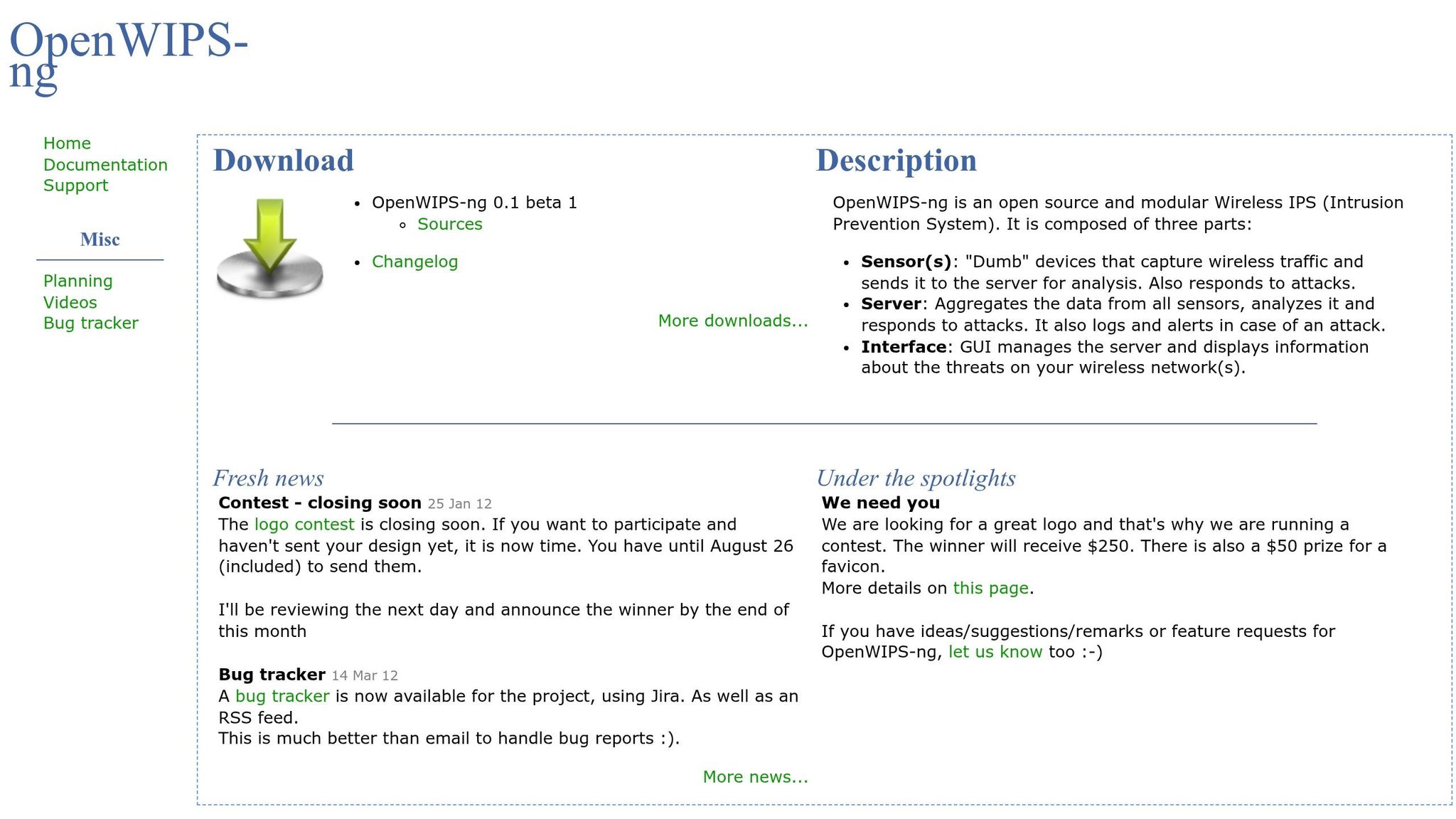
OpenWIPS-NG is a wireless intrusion prevention system (WIPS) built to secure wireless networks. Unlike passive tools, it actively blocks threats by intercepting rogue access points or unauthorized devices. Its modular, open-source design allows flexible deployment, though it’s limited to a single sensor per installation and requires a Linux setup. This makes it a good fit for SMBs with one location or those ready to manage multiple Linux instances for broader coverage.
Pricing: Free and open-source.
Kismet

Kismet takes a stealthy, passive approach to wireless monitoring. It operates as a network detector and sniffer, analyzing wireless activity without transmitting packets, making it invisible to potential attackers. The 2025-09-R1 release brought major updates, including a revamped interface, better CPU and memory efficiency, support for 6GHz channels, and distributed capture for remote sensor deployment. Kismet also monitors Bluetooth, Zigbee, and RF sensors, alongside Wi-Fi, and supports all major Wi-Fi standards, including 802.11ax. For best results, use a wireless adapter that supports monitor mode and packet injection.
Pricing: Free and open-source under the GPL-2.0 license.
Snort

Snort is one of the most widely used intrusion prevention systems globally, with over 5 million downloads and more than 600,000 registered users. While primarily a network IPS, it also excels at analyzing wireless traffic in real time. Snort’s rule-based model lets it function as a packet sniffer, a logger, or a full-scale IPS. The base software is free and includes a Community Ruleset, but a paid Subscriber Ruleset (starting at $399 annually) offers real-time updates for the latest vulnerabilities. Snort 3, released in 2025, introduced better wide string detection, and older versions were retired in early 2026.
Pricing: Free for the software and Community Ruleset; $399+ per year for the Subscriber Ruleset.
Suricata

Suricata is popular among SMBs for its ability to handle high traffic volumes with multi-threaded processing. Like Snort, it offers strong application-layer visibility and works in both inline and passive modes. It supports Windows, Linux, and macOS, giving businesses flexibility in deployment. As a free and open-source tool, it provides excellent performance without additional licensing costs.
Pricing: Free and open-source.
Security Onion

Security Onion combines several open-source tools, like Snort, Suricata, and Zeek, into one comprehensive platform. According to ClearNetwork, Inc:
Security Onion is a Linux IDS that can monitor both the host and the network... incorporating aspects of Snort, Suricata, Zeek, and other popular open-source security tools.
This all-in-one solution is perfect for SMBs with limited security resources. It simplifies wireless intrusion detection by integrating multiple tools and offers visualization features like Kibana for quick analysis and response. Its scalable design ensures it can grow with your business, delivering enterprise-level capabilities without the high costs.
Pricing: Free and open-source.
Feature Comparison Table
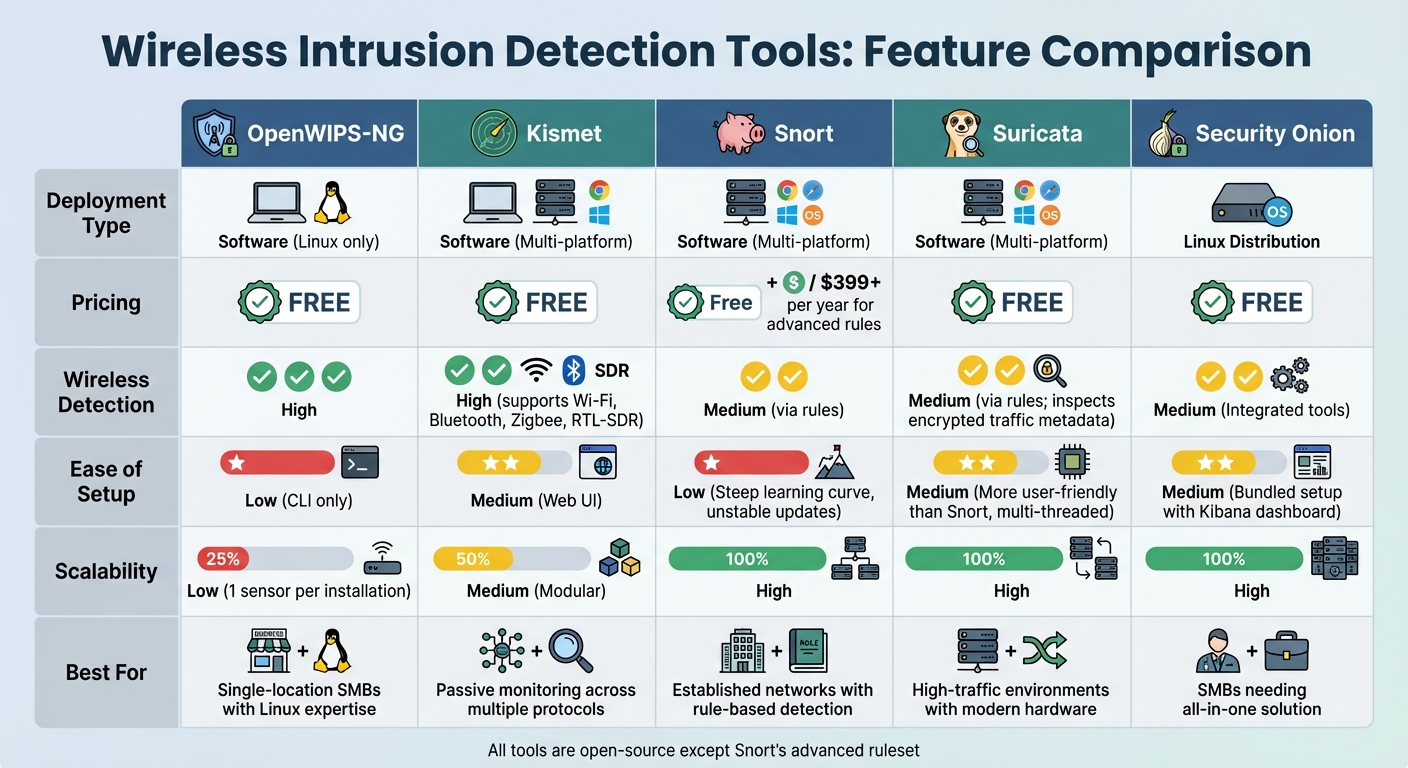
Wireless Intrusion Detection Tools Comparison for SMBs
Feature Comparison
Compare tools by deployment type, pricing, detection, setup ease, and scalability.
| Tool | Deployment Type | Pricing | Wireless Detection | Ease of Setup | Scalability |
|---|---|---|---|---|---|
| OpenWIPS-NG | Software (Linux only) | Free | High | Low (CLI only) | Low (1 sensor per installation) |
| Kismet | Software (Multi-platform) | Free | High (supports Wi‑Fi, Bluetooth, Zigbee, RTL‑SDR) | Medium (Web UI) | Medium (Modular) |
| Snort | Software (Multi-platform) | Free / $399+ per year for advanced rules | Medium (via rules) | Low (Steep learning curve, unstable updates) | High |
| Suricata | Software (Multi-platform) | Free | Medium (via rules; inspects encrypted traffic metadata) | Medium (More user-friendly than Snort, multi‑threaded) | High |
| Security Onion | Linux Distribution | Free | Medium (Integrated tools) | Medium (Bundled setup with Kibana dashboard) | High |
This table helps small and medium businesses (SMBs) evaluate tools based on their specific security needs. Below is an in-depth look at each tool's features and limitations.
OpenWIPS‑NG: Designed exclusively for Linux, this tool requires solid command-line skills to operate. Its single-sensor limitation means you'll need multiple Linux installations to cover larger networks effectively.
Kismet: Known for its user-friendly web interface, Kismet supports a variety of hardware beyond Wi‑Fi, including Bluetooth, Zigbee, and RTL‑SDR. However, when scanning large networks, performance may take a hit.
Snort: Supported by Cisco, Snort offers a robust library of pre-built detection rules. However, it demands a steep learning curve. As Jon Covington, Senior Network Engineer at UCLA Medical, puts it:
Wireless IDP is not for the faint of heart. You can't just hang it up and let it run by itself. To get the 'wow' experience, you have to work with it.
Suricata: With its multi-threaded architecture, Suricata processes traffic efficiently, even on modest hardware. It also inspects encrypted traffic metadata, making it a versatile option for modern networks.
Security Onion: This Linux distribution simplifies security management by bundling several tools into one package. Its integration with the Kibana dashboard streamlines setup and monitoring.
For optimal performance, ensure your network adapters support monitor mode. Tools like Snort and Suricata require time for fine-tuning detection rules to minimize false positives. Additionally, Suricata's deep packet inspection can be resource-intensive, so adequate CPU power is essential.
How to Choose the Right Tool for Your SMB
Finding the perfect tool for your small or medium-sized business (SMB) is about more than just picking from a list. It requires a thoughtful evaluation of your team’s skills, hardware compatibility, and budget considerations.
Key Factors to Consider
Assess your team’s technical expertise. Tools like Kismet and Snort demand a solid understanding of Linux and security protocols to manage effectively. If your team isn’t equipped with these skills, consider managed cloud services like Wazuh Cloud or Blumira. These services remove the operational burden but come with higher costs - Wazuh Cloud, for example, starts at about $571 per month for up to 100 agents.
Check hardware compatibility. Open-source solutions, such as Kismet, require specific wireless adapters that support monitor mode and packet injection. Meanwhile, commercial tools like UniFi CyberSecure depend on specific hardware, such as certain gateway models, to function. Always verify that your hardware is compatible before committing to a tool.
Understand performance trade-offs. Activating intensive IDS/IPS signatures can decrease network throughput by 30–50%. To avoid bottlenecks, choose hardware with an IPS rating at least twice your sustained throughput needs. For systems with limited resources, some tools offer a "Memory Optimized Mode", which reduces the signature set size to maintain stability.
Plan your deployment carefully. As security expert Nandor Katai points out:
WiFi 7 upgrades should be treated as security projects, not only performance upgrades.
Start by using an observability mode to monitor baseline traffic patterns. This will help you avoid disruptions when enabling aggressive blocking modes. Focus on deploying agents to critical systems first, such as domain controllers and identity servers, rather than rolling out changes across your entire network all at once.
These considerations help you weigh the technical aspects, but cost and features also play a significant role in your decision.
Balancing Cost and Features
Free tools aren’t always free. While open-source options like Suricata and Snort have no licensing fees, they require significant time and expertise to manage alerts. On the other hand, commercial tools like UniFi CyberSecure - priced at $99 per year for standard gateways and $499 per year for enterprise models - automate many alert responses, easing the workload on smaller IT teams.
Plan for storage needs. Self-hosted SIEM solutions can generate 500 MB to 1 GB of log data per agent daily. To control costs, configure your system to forward only essential logs, such as "Security" and "System", while leaving out "Debug" logs. Cloud-based platforms handle storage scaling for a higher flat fee, eliminating the risk of underestimating your storage capacity.
Match features to regulatory requirements. For industries like healthcare and finance, compliance is critical. Tools like Wazuh offer File Integrity Monitoring to meet PCI DSS 4.0 standards, while Wi-Fi 7 hardware mandates WPA3 for 6GHz bands. If compliance isn’t a priority, you can save money by opting for tools with fewer advanced features or smaller signature sets.
Take advantage of free trials or demo periods - many commercial tools offer 15-day trials or free tiers. Use these opportunities to test the tool’s false positive rates and see if your team can handle the alert volume. The goal is to find a solution that safeguards your network without overwhelming your resources or exceeding your budget.
Conclusion
Final Thoughts
Wireless intrusion detection plays a critical role in securing areas that firewalls and endpoint tools can't fully protect. As Meter puts it:
A wireless intrusion detection system watches the space around your enterprise Wi-Fi - but not in the way you might expect. It picks up signs that something's off, even when everything looks normal on the surface.
This highlights why implementing a strong WIDS is a must for any small or medium-sized business.
The solutions covered above cater to different levels of expertise and budget constraints. From open-source tools that deliver enterprise-level security to managed services that simplify threat detection with predictable costs, the first step is to map your wireless environment and pinpoint high-risk zones. Standards like PCI DSS and HIPAA require wireless monitoring, so opt for a system that identifies threats like rogue access points, scans, and probes before connections are established - without overburdening your team or resources.
FAQs
Do I need special Wi‑Fi hardware to run a WIDS?
Many Wireless Intrusion Detection Systems (WIDS) are designed to monitor wireless activity using the network hardware you already have in place. That said, certain advanced systems might need dedicated sensors or access points to provide better detection and coverage. It's a good idea to evaluate your specific needs before deciding whether additional hardware is necessary.
How do I reduce false positives in wireless alerts?
To cut down on false positives in wireless alerts, it's essential to fine-tune your intrusion detection system (IDS). Start by adjusting the IDS rules and refining alert settings to better match your network's specific needs. Regularly update your databases to reduce unnecessary noise.
Using throttle and burst configurations can help control the alert rate, ensuring you don't get overwhelmed with alerts and risk ignoring critical ones. Clearly define what constitutes a false positive in your setup, and identify and remove rules that aren't relevant to your environment. This targeted approach can significantly improve the accuracy of your alerts.
What’s the best way to deploy sensors across multiple sites?
To set up sensors across multiple locations efficiently, consider using passive wireless sensors like Kismet Wireless IDS. These sensors are ideal for monitoring air traffic and spotting rogue access points. Position them strategically in key areas such as entry points, high-traffic zones, and sensitive data locations.
For easier management, integrate these sensors with centralized platforms, such as cloud-managed access points. This approach allows for streamlined deployment, centralized oversight, and consistent policy enforcement. The result? Broad, scalable coverage with minimal hands-on effort.