Mobile subscription analytics tools are essential for tracking app revenue, understanding user behavior, and reducing churn. This article reviews seven tools that help businesses optimize subscriptions and grow revenue:
- RevenueCat: Simplifies in-app subscription management with a single API, no-code paywall editor, and detailed analytics. Free for apps under $2,500 Monthly Tracked Revenue (MTR).
- ChartMogul: Offers subscription metrics like MRR, churn, and LTV with App Store Connect integration. Free for businesses under $10,000 MRR.
- Amplitude: Focuses on behavioral analytics with tools like Revenue LTV Charts and Funnel Analysis. Free for up to 50,000 monthly tracked users.
- Mixpanel: Tracks subscription events and connects product usage to financial outcomes. Free for up to 1 million monthly events.
- Firebase Analytics: Free tool from Google for tracking in-app purchases and subscriptions with BigQuery integration for advanced analysis.
- AppsFlyer: Links marketing spend to subscription revenue and offers deep attribution analytics. Free and paid options available.
- UXCam: Focuses on user experience with session replays, heatmaps, and funnel analytics. Free for up to 10,000 monthly sessions.
These tools cater to different business needs - whether you're managing subscriptions, analyzing user behavior, or tracking marketing performance. Choose based on your app's size, goals, and budget.
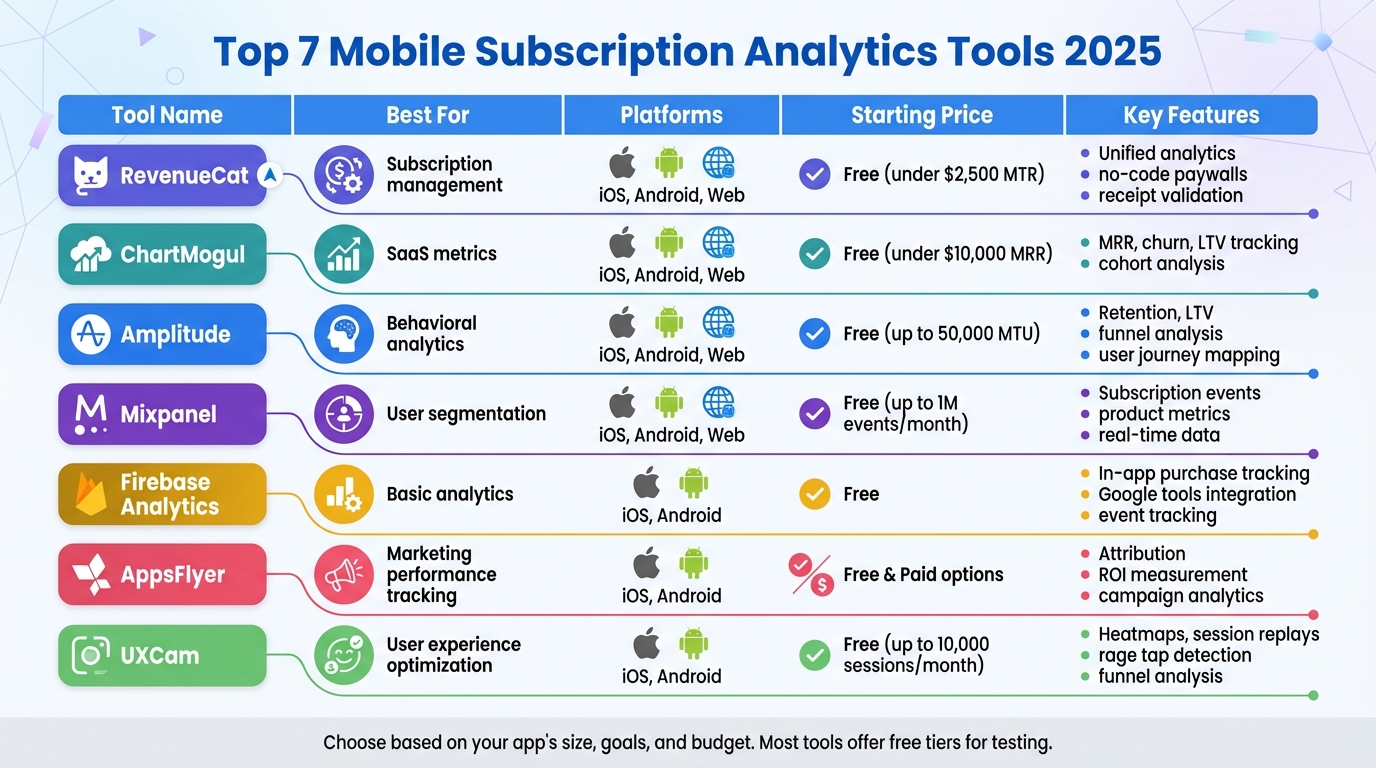
Quick Comparison
| Tool Name | Best For | Platforms | Starting Price | Key Features |
|---|---|---|---|---|
| RevenueCat | Subscription management | iOS, Android, Web | Free | Unified analytics, no-code paywalls |
| ChartMogul | SaaS metrics | iOS, Android, Web | Free | MRR, churn, LTV tracking |
| Amplitude | Behavioral analytics | iOS, Android, Web | Free | Retention, LTV, funnel analysis |
| Mixpanel | User segmentation | iOS, Android, Web | Free | Subscription events, product metrics |
| Firebase | Basic analytics | iOS, Android | Free | In-app purchase tracking, Google tools |
| AppsFlyer | Marketing performance tracking | iOS, Android | Free & Paid | Attribution, ROI measurement |
| UXCam | User experience optimization | iOS, Android | Free | Heatmaps, session replays, rage tap data |
Pick the tool that aligns with your app's needs and try free tiers or trials to determine the best fit.
Mobile Subscription Analytics Tools Comparison 2025: Features, Pricing & Platforms
1. RevenueCat
Mobile Subscription Management Features
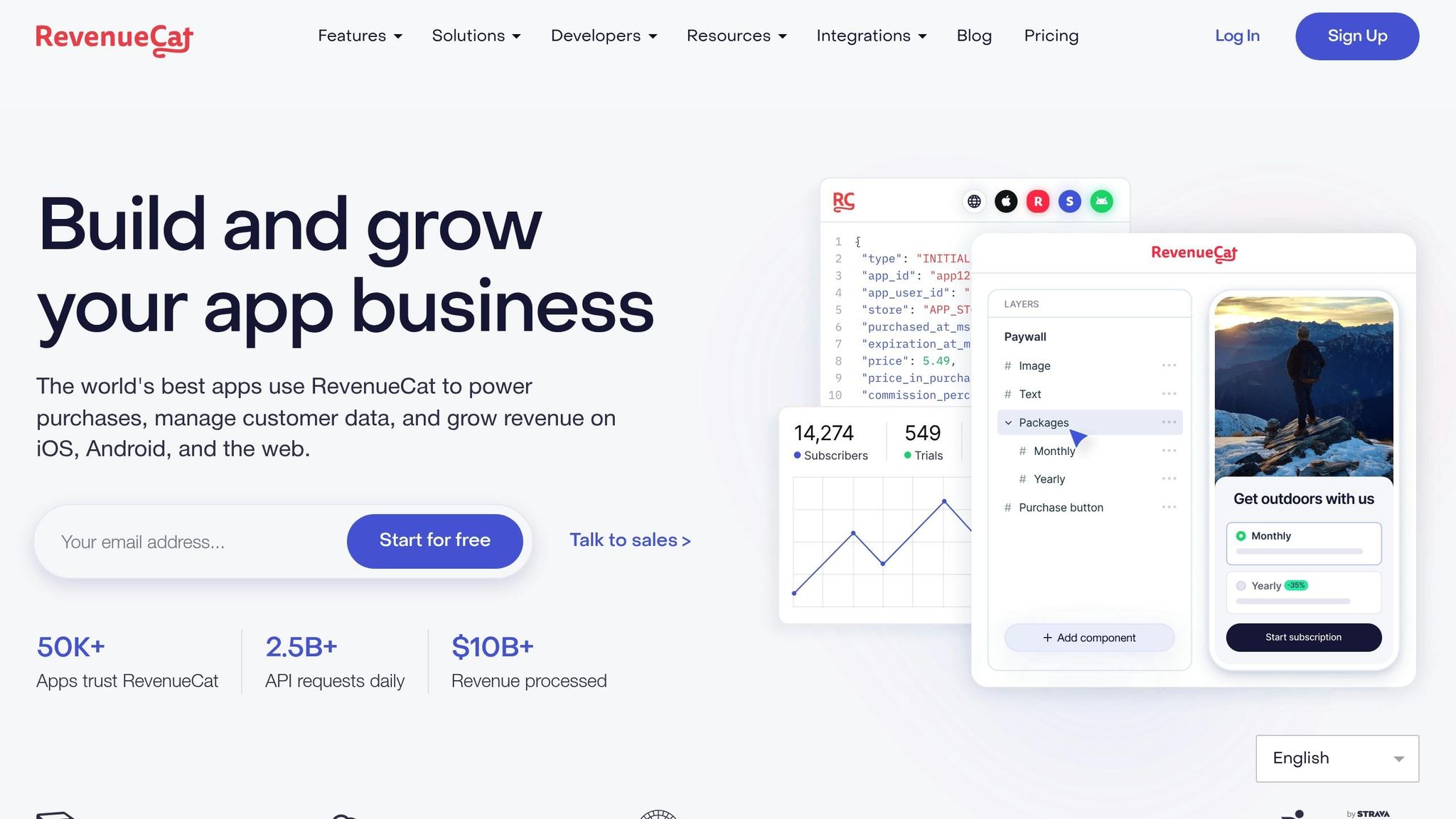
RevenueCat acts as a robust backend solution for managing mobile subscription billing through a single API. It processes a staggering $10 billion in transactions and handles 2.5 billion API requests daily across over 50,000 apps. With tools like a no-code paywall editor and a flexible entitlements system, RevenueCat allows you to tweak pricing models and manage user access without requiring app store updates.
The platform also offers growth-focused tools, including A/B testing for pricing experiments and audience segmentation based on factors like country, product, or in-app placement. On the customer support side, features like automated refund handling have shown measurable results - Dipsea, for instance, reduced its refund rates by 36%. Additionally, you can manage promotions from a centralized dashboard, streamlining the entire process.
With these management tools covered, let’s explore RevenueCat's pricing structure.
Pricing and Affordability
RevenueCat offers a free tier for apps generating up to $2,500 in Monthly Tracked Revenue (MTR). Beyond that, the Pro plan charges just 1% of MTR. For example, an app earning $5,000 per month would pay $50 after the free $2,500 threshold. Emmanuel Crouvisier, founder of CardPointers, shared that using RevenueCat's Stripe integration for web billing helped him save around 27% in app store fees, enabling him to dedicate more time to app development.
For larger-scale apps, the Enterprise plan provides custom pricing, along with dedicated support and service-level agreements.
Now, let’s look at how the platform performs across various devices and operating systems.
Platform Compatibility (iOS/Android)
RevenueCat isn’t just cost-effective - it’s also highly versatile. It supports a range of platforms, including iOS, Android, Web, Smart TV, the Amazon Appstore, and Stripe, using open-source SDKs. The platform takes care of receipt validation and handles platform-specific edge cases automatically, eliminating the hassle of maintaining separate codebases for different app stores. When Apple or Google updates their billing systems, RevenueCat ensures a smooth transition. For instance, The Tapping Solution cut backend engineering hours by 50% after adopting RevenueCat.
"With RevenueCat, we never had to slow down. They made it easy to keep our focus on building the best product while ensuring our mission of accessible, safe AI for everyone."
- Sara Conlon, Head of Financial Engineering, ChatGPT
Both ChatGPT and Pixery have seen impressive results with RevenueCat. ChatGPT climbed to the #1 spot in the U.S. App Store within 24 hours of its mobile launch, while Pixery freed up 20% of its data engineering capacity and achieved six times faster experimentation.
Analytics Capabilities for Subscription Metrics
In addition to its management and pricing features, RevenueCat excels in subscription analytics. The platform provides built-in reporting for over 15 key metrics, such as monthly recurring revenue (MRR), churn, lifetime value (LTV), and trial conversion rates. Its real-time dashboards offer insights like cohort analysis and revenue trends, while over 50 no-code integrations connect seamlessly with tools like Braze and AppsFlyer.
These analytics have helped apps refine their monetization strategies. For example, Photoroom achieved 2–3× higher trial rates in Japan and boosted upsell screen conversions by 50%. Similarly, VSCO reduced membership churn by nearly 5% through targeted winback messaging. RevenueCat's effectiveness is reflected in its high user ratings - 4.8/5 on Capterra and 4.7/5 on G2.
2. ChartMogul
Analytics Capabilities for Subscription Metrics
ChartMogul turns raw subscription data into clear, actionable insights. It tracks essential metrics like MRR (Monthly Recurring Revenue), ARR (Annual Recurring Revenue), LTV (Lifetime Value), churn, retention, and ARPA (Average Revenue Per Account) through an intuitive interface. Plus, you can benchmark your performance against more than 2,500 SaaS companies.
One standout feature is its integration with App Store Connect, which automatically imports sales and refund data to generate analytics and cash flow metrics. This data refreshes every 24 hours, keeping your reports up-to-date. Nils Decker from Brizy shared:
"ChartMogul has helped us at Brizy to unclutter the different streams of revenue we have, and present our growth to investors in a streamlined fashion!"
However, it's worth noting that the platform doesn't offer real-time notifications via Slack or email for mobile app changes. Still, its robust analytics provide a strong foundation for managing mobile subscription data effectively.
Mobile Subscription Management Features
ChartMogul addresses common challenges in mobile subscription data by merging duplicate records and linking subscriptions across billing changes. This is especially important since App Store Connect only provides subscriber IDs. With these tools, you can conduct detailed analyses of recurring revenue trends.
The platform's CRM integrates billing events with customer interactions, offering a more comprehensive view of your subscribers. Additionally, its API and webhooks allow for custom, real-time integrations tailored to specific business needs.
Pricing and Affordability
ChartMogul's pricing adapts as your business grows. For startups, the Free plan is ideal - it supports businesses with less than $10,000 in MRR (or up to $120,000 ARR) and includes unlimited users along with access to core SaaS metrics.
For businesses with higher revenue, the Pro plan offers tiered pricing:
- $99/month for up to $500,000 ARR
- $174/month for up to $1 million ARR
- $449/month for up to $3 million ARR (all billed annually)
Robin Birney, VP of RevOps, praised the platform, saying:
"ChartMogul is infinitely configurable. Having flexibility means that we can build sophisticated integrations tailored perfectly to our needs".
Platform Compatibility (iOS/Android)
ChartMogul ensures seamless compatibility across devices, supporting both iOS and Android through its native mobile apps. These apps allow users to monitor metrics anytime and anywhere. For iOS apps, the App Store Connect integration uses a "Reporter" access token to download daily subscriber reports for auto-renewable subscriptions. The initial setup imports up to 12 months of historical data.
Keep in mind, access tokens expire every 180 days, so you'll need to set reminders to regenerate them to maintain uninterrupted data syncing. To improve revenue reporting accuracy, you can enable the "Use Developer Proceeds instead of Customer Price" option, which excludes taxes and store fees from MRR calculations.
ChartMogul also integrates with platforms like Stripe, Google Play, Chargebee, Recurly, and WooCommerce. For advanced analytics, it connects with data warehouses such as Snowflake and BigQuery.
The 7 best mobile analytics tools to use in 2025
3. Amplitude
Moving forward in our review of top mobile subscription analytics tools, Amplitude stands out with its behavioral analytics that help uncover the drivers behind subscription growth and retention. Features like Revenue LTV Charts, Compass Chart, and Funnel Analysis work together to highlight monetization trends and identify where users drop off. The Compass Chart, for instance, pinpoints "aha" moments by analyzing user behaviors that predict retention and growth. As David Gao, Principal Product Manager, shared:
"We saw a 40% increase in new subscribers."
Amplitude's Lifecycle Analysis simplifies subscriber management by categorizing users into New, Current, Resurrected, and Dormant groups. Meanwhile, the Session Replay feature goes a step further by providing qualitative insights, showing actual user actions to help you understand why certain behaviors occur. This makes it easier to craft smarter strategies for boosting revenue. Madison Lukaczyk, Senior Manager of Business Intelligence, remarked:
"Amplitude allows us to really action our data. Going beyond just the insights, we're now able to engage users in ways that are most meaningful to them."
With this robust set of tools, Amplitude creates a seamless experience for analyzing and optimizing mobile platforms.
Platform Compatibility (iOS/Android)
Amplitude supports iOS and Android platforms through native SDKs, as well as mobile web, ensuring comprehensive cross-platform tracking. It also integrates with tools like Adapty and RevenueCat, automatically syncing in-app purchase events and revenue data. By using server-side verification, Amplitude minimizes errors caused by failed transactions or refunds, ensuring your analytics stay accurate.
Pricing and Affordability
Amplitude offers a free Starter plan for up to 50,000 monthly tracked users (MTUs), making it an excellent choice for indie developers and new startups. For small teams aiming to refine their product-market fit, the Plus plan starts at $49/month (billed annually). Additionally, early-stage startups with under $10 million in funding and fewer than 20 employees can apply for the Startup Scholarship, which grants one free year of the Growth plan.
Recognized by Forrester as a Leader in Digital Analytics Solutions in Q3 2025, Amplitude users have reported an average ROI of 217% over three years, with most seeing payback within six months. Up next, we’ll delve into other tools that complement and expand on these capabilities.
4. Mixpanel
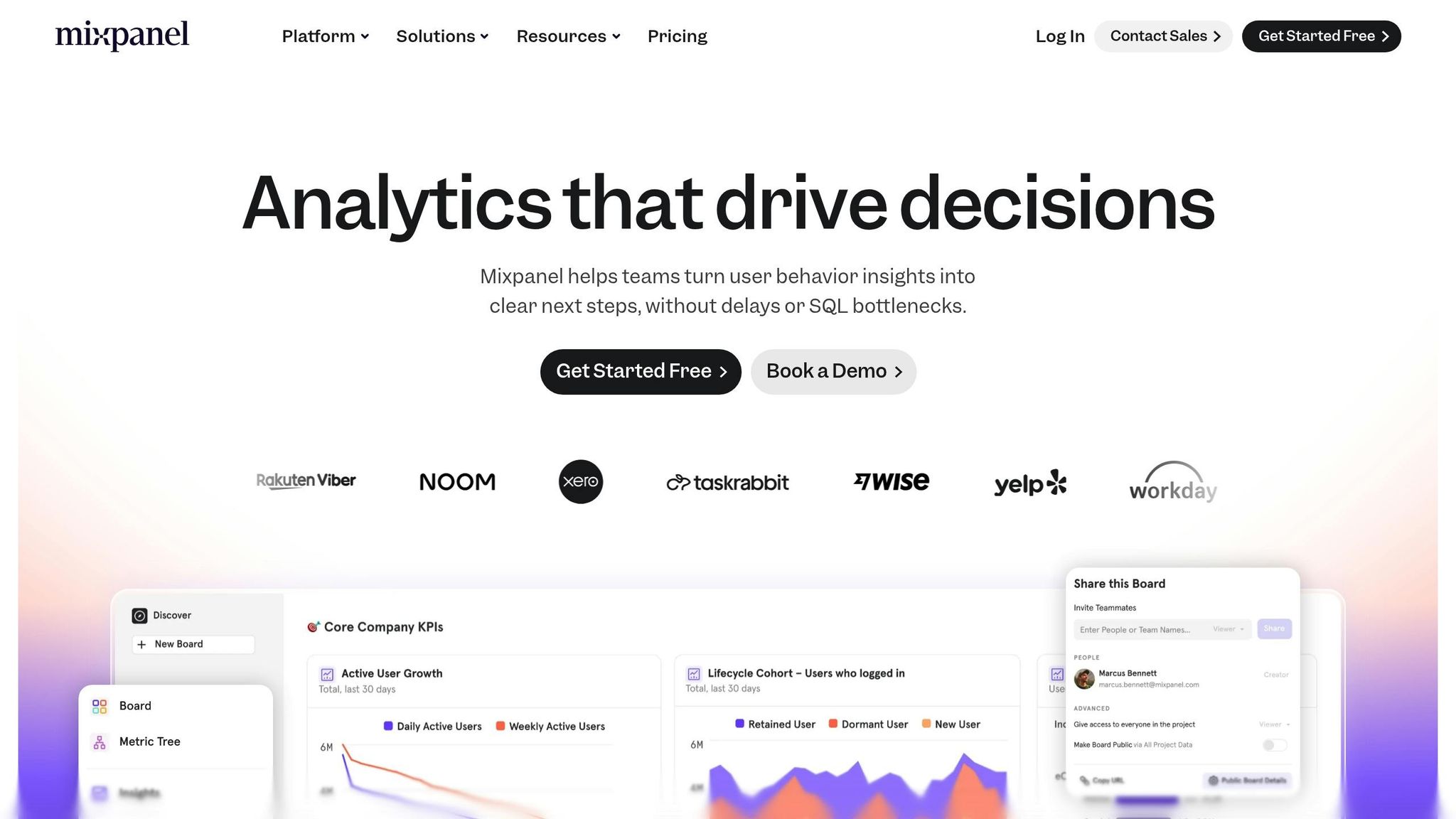
Mixpanel stands out with its focus on quantitative analytics, offering a dedicated Revenue Analytics feature that ties product usage directly to financial outcomes. It tracks critical subscription metrics like Monthly Recurring Revenue (MRR), Annual Recurring Revenue (ARR), Net Revenue Retention (NRR), and MRR Churn. Additionally, it categorizes revenue changes into New, Upgrade, Downgrade, Churn, or Flat.
Drew Ashlock, Senior Product Manager, shared:
"Mixpanel helps us enable our customers for success. What started as a need for simple marketing metrics turned into custom product metrics for more than 100 different stakeholders across the company."
This detailed approach to revenue metrics allows for seamless integration and precise performance tracking.
Mixpanel integrates with RevenueCat to automatically monitor in-app subscription events, including trial starts, conversions, renewals, and billing issues, across both the Apple App Store and Google Play. The platform handles billions of events monthly with lightning-fast, sub-second query speeds. On average, customers report a 19% increase in Monthly Active Users after implementation.
Angela Sun, Sr. Product Manager, described its impact:
"Mixpanel is the 'intuition pump' for our product team. It enables our product managers and designers to uncover and focus on larger opportunities for product discovery and improvement."
Platform Compatibility (iOS/Android)
Mixpanel supports iOS and Android platforms with native SDKs for Swift, Objective-C, and Java. It tracks a wide range of subscription events, such as initial purchases, renewals, trial conversions, cancellations, and product changes, across both app stores. By syncing Mixpanel's Distinct Id with RevenueCat's App User Id, subscription events are accurately recorded. Additionally, with Warehouse Connectors in Mirror Mode, Mixpanel ensures data stays aligned with your data warehouse, even accounting for refunds and chargebacks.
Pricing and Affordability
Mixpanel offers a Free plan, which includes up to 1 million monthly events, 5 saved reports per seat, and 10,000 monthly session replays at no cost. The Growth plan starts free for the first 1 million events, then charges $0.28 per 1,000 events. For early-stage companies (founded within the last five years and with less than $8 million in funding), the Startup Program provides $50,000 in credits for the first year. Advanced features, like Warehouse Connectors, and add-ons such as Group Analytics, come with additional costs - 40% of the base plan rate.
sbb-itb-d1a6c90
5. Firebase Analytics
Firebase Analytics, a free tool from Google, is a go-to choice for small businesses and app developers looking to track subscriptions. By integrating the Firebase SDK, the platform automatically collects in-app purchase (IAP) events, including subscription-based transactions, from both the Apple App Store (supporting StoreKit 1 and 2) and Google Play Store. Once the SDK is added, basic tracking starts right away.
Let’s dive into how Firebase handles subscription tracking in detail.
Analytics Capabilities for Subscription Metrics
Firebase Analytics tracks key subscription events like trial starts, renewals, cancellations, expirations, billing issues, and product changes. When paired with tools like RevenueCat, it becomes even more powerful. The platform allows you to log up to 500 unique events for free, with unlimited reporting. For advanced analysis, you can export raw event data to BigQuery, enabling complex SQL queries and seamless data integration.
Additionally, Firebase works with AdMob to combine subscription revenue and in-app advertising metrics, giving you a comprehensive view of your users' Lifetime Value (LTV).
Pomelo Games, a game studio based in Uruguay, leveraged Firebase Analytics along with Remote Config and A/B Testing to optimize interstitial ads. This strategy boosted their revenue by 35%, combining ad earnings and in-app purchases, all while maintaining app stability and user retention.
Platform Compatibility (iOS/Android)
Firebase Analytics is compatible with multiple platforms, including iOS, Android, Web, Flutter, Unity, and C++. For iOS apps using StoreKit 2, developers can manually log verified purchases by calling Analytics.logTransaction(). The platform also offers real-time monitoring through tools like StreamView and DebugView, making it easy to track subscription events as they occur.
Pricing and Affordability
Firebase Analytics stands out with its free core features, including unlimited event reporting. However, if you choose to use BigQuery for storing and querying data, costs may apply under Google Cloud’s "Blaze" pay-as-you-go plan. For small businesses or developers new to subscription analytics, the free tier provides all the essential tools to monitor and analyze subscription data without any upfront costs.
6. AppsFlyer
AppsFlyer is trusted by over 15,000 brands, including one-third of Fortune 500 companies. The platform connects marketing spend to subscription revenue across multiple platforms like mobile, web, CTV, PC, and console.
Mobile Subscription Management Features
AppsFlyer helps businesses uncover their actual profits by calculating net revenue. It accounts for store commissions, taxes, refunds, and family sharing deductions. The platform uses CUID technology to connect mobile app installs with web-based purchases, making it easier to identify the campaigns driving subscription growth. Its OneLink deep linking feature ensures users are directed from any channel - email, social media, or even QR codes - straight to specific in-app content, such as a subscription plan.
For instance, Hotstar utilized AppsFlyer to analyze channel and publisher performance. As a result, they saw a 113% increase in installs and a 75% boost in user engagement, according to Nitin Agarwal, Hotstar’s VP of Marketing. Additionally, the Protect360 fraud protection suite safeguards marketing budgets by blocking bots and fake installs, ensuring they only reach genuine users.
These tools work in tandem with AppsFlyer’s advanced analytics capabilities, which are outlined below.
Analytics Capabilities for Subscription Metrics
AppsFlyer’s analytics tools provide detailed insights into subscriber behavior. The platform tracks a variety of subscription events, such as free trial starts, trial completions, paid subscriptions, renewals, and cancellations. Using machine learning, its predictive analytics forecasts user actions and lifetime value, allowing marketers to optimize campaign budgets in real time. For non-gaming subscription apps, about 2.1% of users convert to paid subscriptions within 30 days, and AppsFlyer helps pinpoint which marketing channels contribute to these conversions. On average, customers report a 207% ROI with a payback period of less than six months.
Platform Compatibility (iOS/Android)
AppsFlyer integrates smoothly across mobile platforms, supporting both iOS and Android with dedicated SDKs. It complies with privacy standards like SKAdNetwork, ATT, and Android 12+. Impressively, it achieves a 54% ATT opt-in rate in gaming apps. The platform also supports Google Play billing measurement, ensuring accurate tracking across Android devices.
Pricing and Affordability
AppsFlyer offers three pricing options:
- Zero Plan: Free for apps using only owned media, with 12,000 free conversions in the first year.
- Growth Plan: Pay-as-you-go pricing at $0.07 per conversion after the initial 12,000 free conversions.
- Enterprise Plan: Custom pricing with advanced features like cross-channel attribution, fraud prevention, and AI-driven insights.
This flexible pricing structure aligns with the platform’s robust analytics and attribution tools. AppsFlyer maintains a strong reputation, holding a 4.5/5 rating on Capterra.
7. UXCam
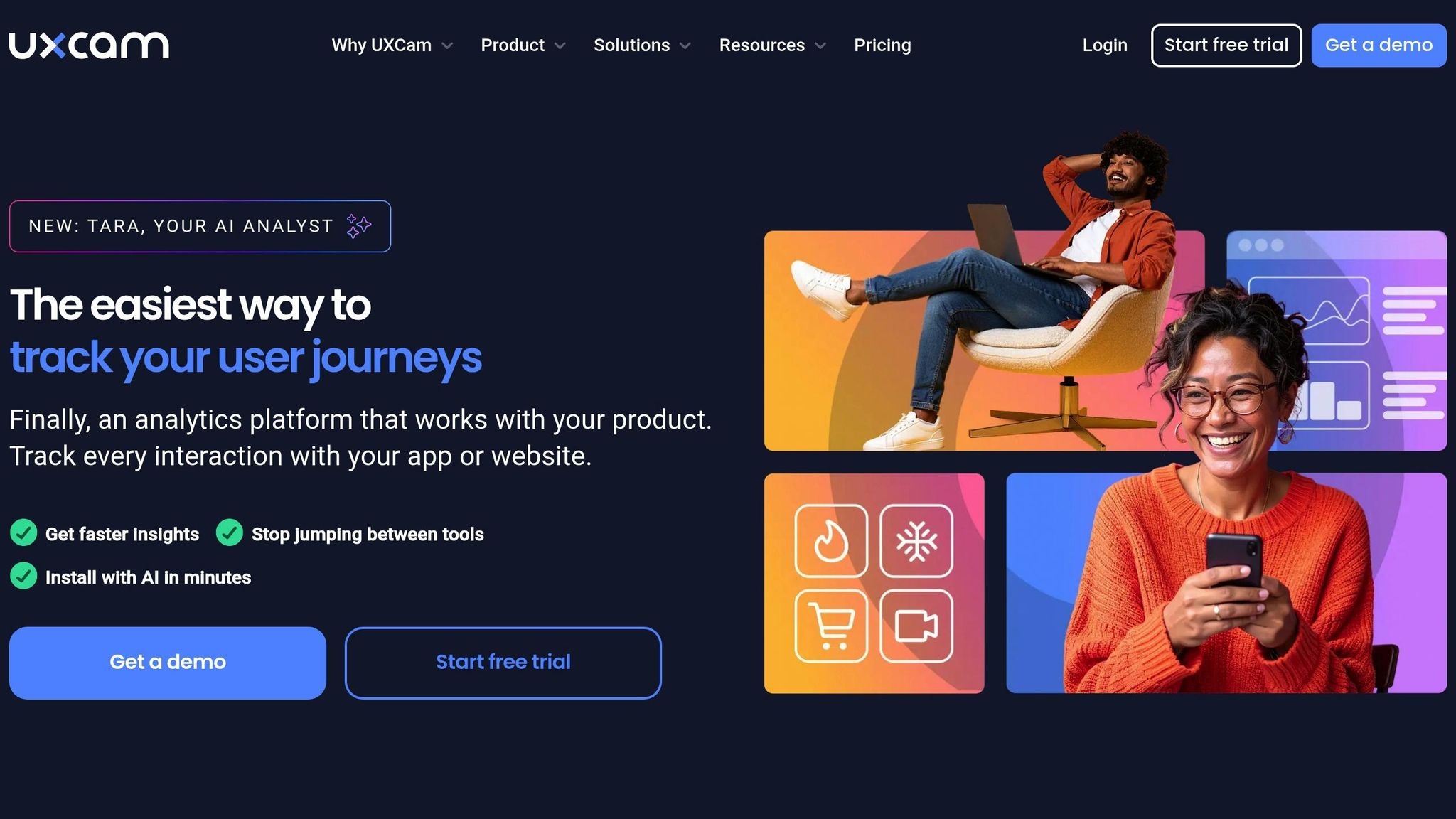
UXCam is a mobile-first analytics platform that blends numbers with real user insights. By using tools like session replays and heatmaps, it helps uncover why users act the way they do. With a 4.7-star rating on G2, UXCam has carved out a leading spot in mobile app experience analytics.
Mobile Subscription Management Features
UXCam makes it easier for developers to improve subscription conversions by identifying frustration points that often lead to user churn. It automatically detects behaviors like rage taps, unresponsive clicks, and excessive zoom-ins - common signs of user struggle during the subscription process. Retention and funnel analytics pinpoint where users drop off, while autocapture and user journey flows provide a clear picture of navigation patterns. To dive deeper into user behavior, sessions can be segmented by duration - short (under 10 minutes), moderate (10–20 minutes), and long (over 20 minutes). Comparing heatmaps across these groups reveals which parts of the interface keep users engaged longer.
These tools lay a strong foundation for understanding user behavior, as highlighted in the platform's analytics dashboard.
Analytics Capabilities for Subscription Metrics
UXCam’s dashboard brings together numbers and context, making it simple for non-technical teams to understand and act on insights. A built-in collaboration feature lets users tag teammates and flag usability issues directly within session recordings, streamlining teamwork.
"Truly actionable product analytics, supported by a team that really cares." - Daniel T.
Platform Compatibility (iOS/Android)
UXCam is compatible with both iOS and Android through dedicated SDKs. It also works seamlessly with frameworks like React Native, Cordova, Xamarin, Flutter, and Nativescript. Being exclusively designed for mobile apps, it ensures smooth integration and performance.
Pricing and Affordability
For early-stage apps, UXCam offers a free tier that includes up to 10,000 monthly sessions and heatmap tracking. The Starter Plan adds features like 5 funnels, 5 dashboards, chat support, 3 months of video retention, and 24 months of session retention. Plus, a 14-day free trial lets users explore all premium features without needing a credit card.
Comparison Table
Here's a quick overview of pricing, supported platforms, and key features for mobile subscription tools. This table provides a snapshot of what each platform offers:
| Tool Name | Best For | Platforms | Starting Price (USD) | Key Mobile Subscription Features |
|---|---|---|---|---|
| RevenueCat | Indie developers & small businesses | iOS, Android, Web | Free tier available | In-app purchase infrastructure, receipt validation, cross-platform insights |
| ChartMogul | SaaS businesses tracking MRR | iOS, Android, Web | Custom pricing | Revenue recognition, cohort analysis, subscription metrics |
| Amplitude | Deep behavioral & product analytics | iOS, Android, Web | Free tier available | User journey mapping, event-based segmentation, retention tracking |
| Mixpanel | Advanced user segmentation | iOS, Android, Web | Free tier available | Funnel analysis, retention tracking, real-time data |
| Firebase Analytics | General app analytics | iOS, Android | Free | Event tracking, audience segmentation, Google ecosystem integration |
| AppsFlyer | Ad performance and attribution | iOS, Android | Custom pricing | Attribution tracking, campaign analytics, ROI measurement |
| UXCam | User experience optimization | iOS, Android | Free up to 10,000 sessions/month | Session replays, heatmaps, funnel analysis, rage tap detection |
This table highlights the main differences, but let's break it down further to help you choose the right tool for your app.
Several platforms, including RevenueCat, Amplitude, Mixpanel, and Firebase Analytics, offer free tiers, making them accessible for smaller projects or early-stage apps. On the other hand, ChartMogul and AppsFlyer require custom pricing, which may suit businesses with complex or large-scale needs. UXCam provides a free tier that covers up to 10,000 sessions per month, making it a practical choice for startups focusing on user experience.
For apps running on multiple platforms, RevenueCat is great for consolidating purchase data across iOS and Android. Tools like Amplitude and Mixpanel go beyond basic analytics by integrating deep user insights with subscription metrics. Meanwhile, Firebase Analytics is a no-cost option for developers looking for straightforward event tracking that seamlessly connects with other Google tools.
If your focus is on marketing performance, AppsFlyer excels at linking ad campaigns directly to subscription conversions. Use this guide to align your app's goals with the tool that best fits your needs. For a deeper look at the bigger picture, check out our guide on subscription lifecycle management.
Conclusion
The seven tools we’ve discussed each bring their own strengths, catering to a variety of business needs. Picking the right mobile subscription analytics tool comes down to three key factors: your current revenue, the technical expertise of your team, and your specific optimization goals. Many platforms, such as RevenueCat, Amplitude, Mixpanel, and Firebase Analytics, offer free tiers that are perfect for startups or smaller projects just getting off the ground.
Each tool serves a distinct purpose. RevenueCat and ChartMogul are excellent for providing a unified view of subscription metrics across platforms. If you're looking to dive deep into user behavior and understand why users convert or churn, Amplitude and Mixpanel are top choices. For teams already working within Google’s ecosystem, Firebase Analytics integrates seamlessly. And if tracking ROI for paid ad campaigns is a priority, AppsFlyer is indispensable for breaking down performance at the ad level.
For growth-oriented teams, these tools also offer built-in testing and optimization features, enabling quicker, data-driven decisions. Start by exploring free tiers or trials to evaluate how easy the setup is and whether the dashboards meet your needs. From there, choose the tool that aligns best with your immediate goals - whether it’s tracking revenue, analyzing user behavior, or managing marketing attribution. As your app grows, revisit your analytics strategy to ensure it still fits your evolving business.
If your focus extends beyond app analytics and into broader business subscription management, BizBot (https://bizbot.com) is a great option for keeping track of expenses across your software tools.
FAQs
How can I choose the best mobile subscription analytics tool for my app?
To find the right mobile subscription analytics tool for your app, start by determining the specific insights you need regarding revenue and user behavior. Key metrics to prioritize include monthly recurring revenue (MRR), churn rate, renewal rates, and lifetime value (LTV). Tools featuring real-time dashboards with filtering options - such as by platform (iOS, Android, web) or acquisition channels - can be especially useful for making quick, informed decisions.
Next, assess how the tool integrates with your app. Most platforms rely on lightweight SDKs to automatically track subscription events from app stores or payment processors. If your app requires advanced features like custom reporting or combining subscription data with other app metrics, choose a tool that offers flexible dashboards or API access for deeper customization.
Lastly, consider the pricing and scalability of the tool. Many platforms provide free tiers or trial periods, which are great for small businesses looking to get started without upfront costs. Look for tools with transparent pricing in USD, clear upgrade paths, and responsive customer support to help you refine your subscription strategy. By matching these features to your app’s goals, you can select a tool that effectively aids in growth and user retention.
What are the main differences between free and paid analytics tools for mobile subscriptions?
Free versions of mobile subscription analytics tools usually provide the basics: app installs, session metrics, and simple event tracking. These features are helpful for beginners but often fall short when it comes to in-depth revenue analysis or scaling a business.
Paid plans, however, unlock a wealth of advanced tools like custom dashboards, predictive analytics, and detailed revenue forecasting. They often include perks like longer data retention, seamless integrations with CRMs or BI tools, and priority customer support. For small developers, starting with a free plan is a smart and budget-friendly way to explore the platform, with the flexibility to upgrade as their requirements grow.
Do these tools work with marketing and financial platforms I already use?
Yes, many mobile subscription analytics tools are built to work effortlessly with widely used marketing platforms, including CRMs and ad networks, as well as financial systems like payment gateways and accounting software such as QuickBooks or Xero.
These connections help simplify your processes, keep data consistent across platforms, and give you a complete picture of your subscription performance alongside your marketing and financial data.